
We've been spending time this week making Baseline easier to learn. The main addition is a brand-new Help Center with guides covering every part of the product. Here's what's new.
New Features
Help Center
Baseline now has a dedicated Help Center. Whether you're onboarding a new team member or trying to get more out of a feature you haven't used before, the Help Center is the place to start. It covers everything from the basics of setting up a workspace to advanced filtering, approval workflows, and publishing sites.
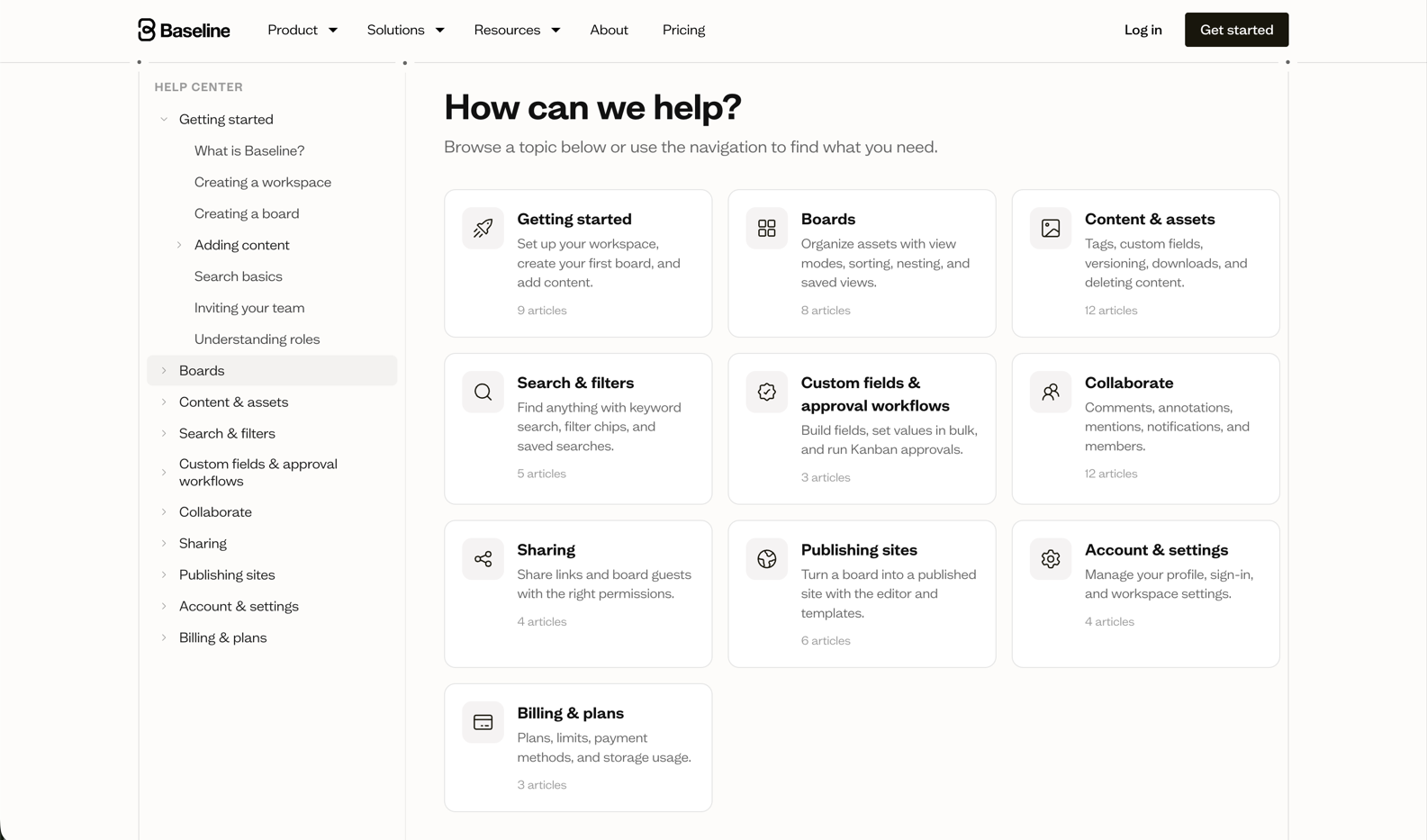
The Help Center is broken into ten sections, each focused on a specific area of the product:
Getting started is the best place for anyone new to Baseline. It walks through creating a workspace, setting up your first board, uploading your first assets, and inviting your team. There's also a primer on roles and permissions so you know what your teammates can and can't do.
Boards covers everything around organizing your content — switching between view modes, sorting and custom ordering, saving views, running a Kanban workflow, and nesting boards to build a hierarchy that makes sense for your team.
Content & assets goes deep on the asset side: tags and AI tags, custom fields, asset versioning, downloading, moving assets between boards, and deleting content — including the recently deleted bin.
Search & filters explains how to find anything quickly. It covers basic keyword search, filter chips, advanced filters, OR filter groups, and saving searches to reuse later.
Custom fields & approval workflows explains how to build your own fields, set values in bulk, and run a full Kanban approval workflow for content sign-off.
Collaborate covers the real-time side of Baseline — comments, replies, annotations, @mentions, resolving threads, and notifications including the daily digest and following boards for alerts.
Sharing explains how to share your boards externally — creating share links, setting permissions, adding password protection and expiry, and inviting board guests who don't need a full account.
Publishing sites is the guide for turning a board into a live branded site. It covers the site editor, brand blocks, templates, publishing and unpublishing, and setting up a custom domain.
Account & settings has articles on managing your profile, workspace settings, and switching between workspaces.
Billing & plans covers plans and limits, upgrading and cancelling, and managing your payment method and billing history.
We'll keep expanding the Help Center as the product grows. If there's something you'd like covered, let us know.
Bug Fixes
- Fixed uploaded avatars not showing correctly in the bottom left corner
Head to the Help Center to explore everything, or jump straight to the section most relevant to you.