
Kanban view turns a board into a workflow. Each column is an option of a single-select custom field, and you move assets by dragging cards between columns.
Requirements
Kanban needs at least one single-select custom field in your workspace. By default, every workspace has a field named "Status", but any single-select field works.
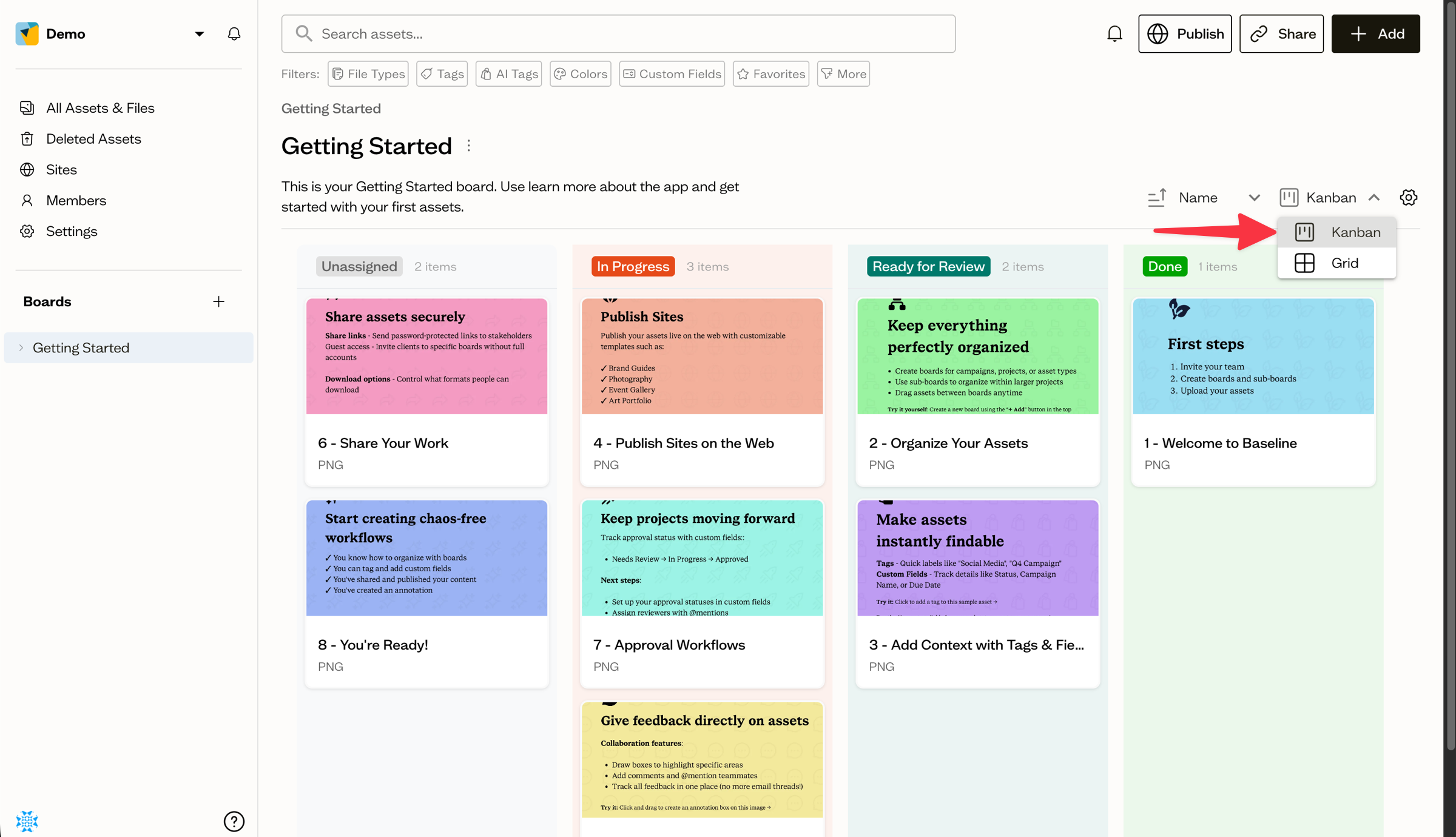
Switch to Kanban
Use the view switcher in the board toolbar to select Kanban.
Choose what to group by
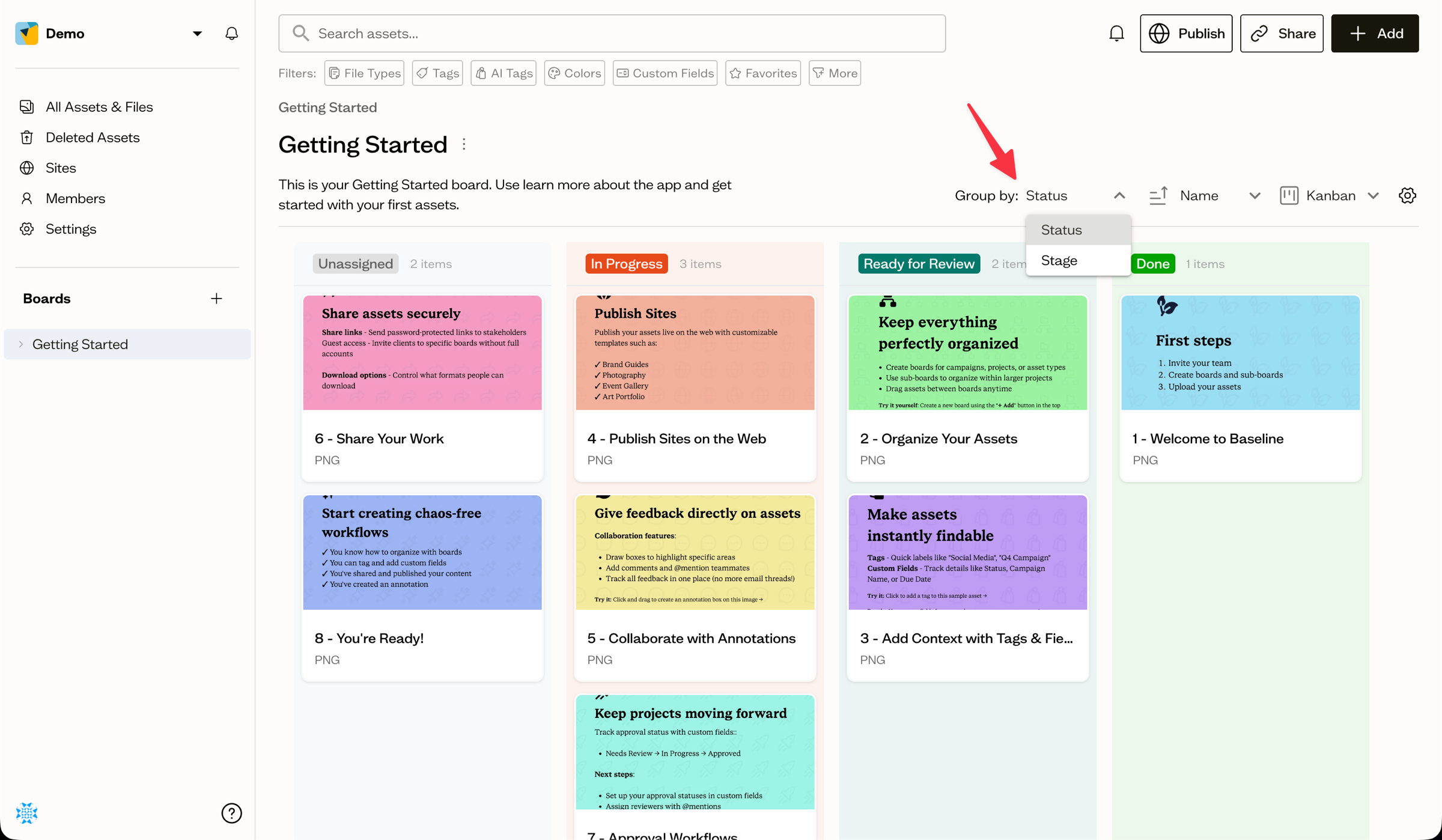
If you have more than one single-select field, use the Group by dropdown to pick which field's options become columns. Assets without a value appear in the Unassigned column.
Move assets between columns
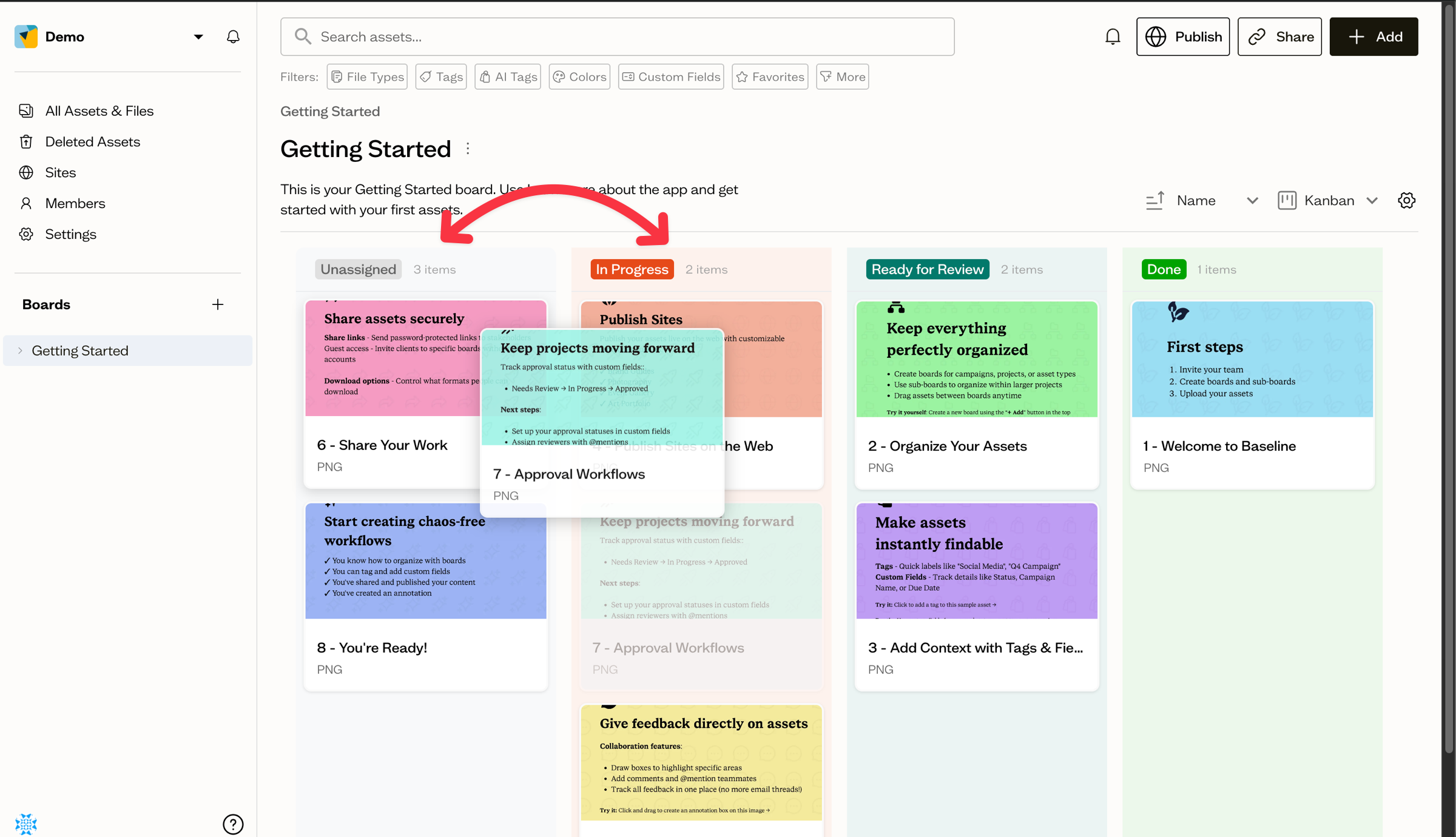
Drag a card from one column to another to update its field value. Dropping a card on Unassigned clears the value.
Next steps
Save your Kanban layout as the board's default view, or set up an approval workflow using custom fields.