
Every asset carries details you can review in the asset viewer.
Open the Details tab
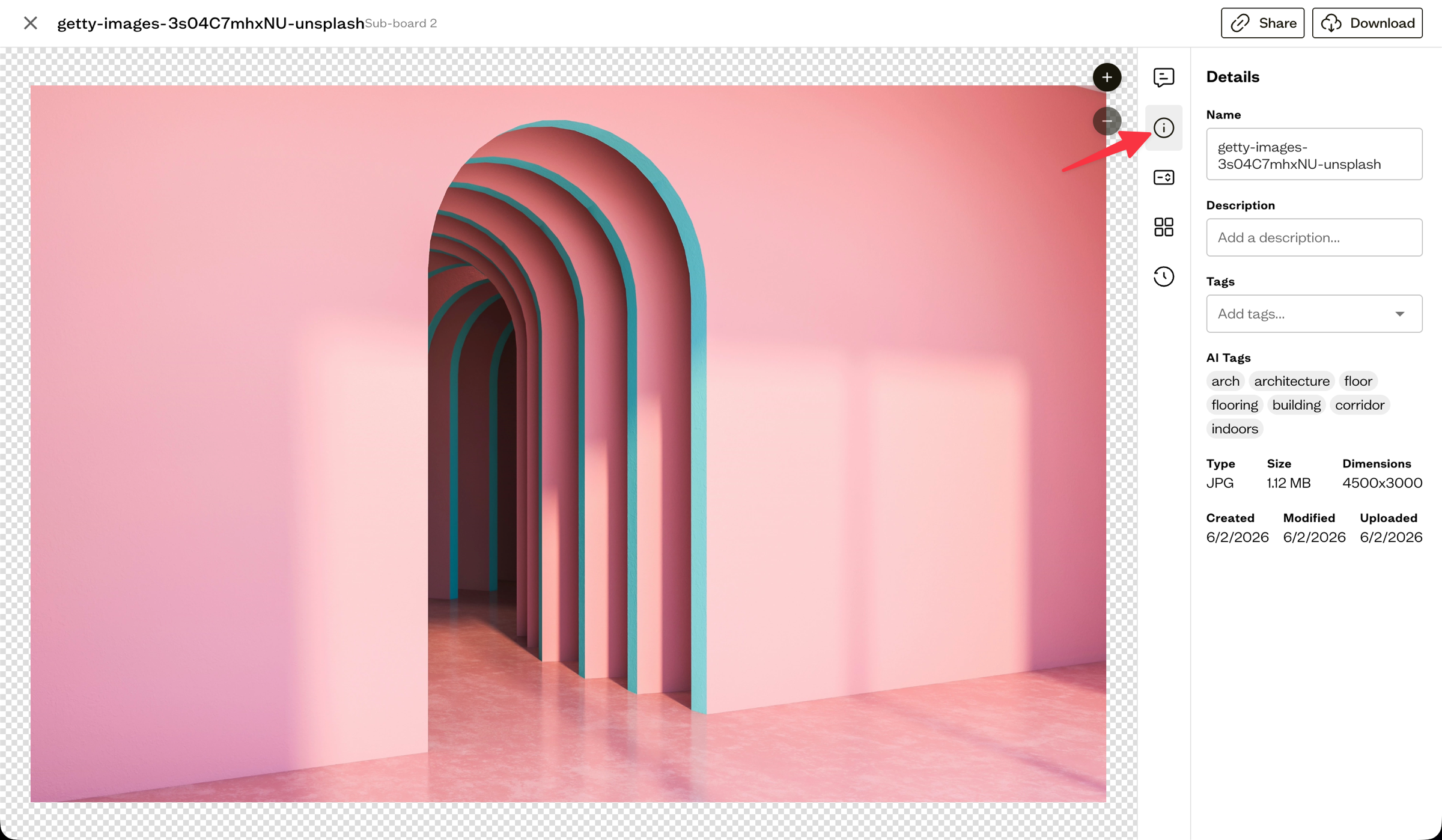
Open an asset, then select the Details tab in the right sidebar.
What you can see
The Details tab shows:
- Name and Description (both editable)
- Tags and any AI Tags
- Type (file format) and Size
- Dimensions for images
- Created, Modified, and Uploaded dates
Editing details
You can update the name and description directly from this tab. Tags can be added and removed here too.
Next steps
Add tags and custom fields to make your assets easier to find later.