
Each share link has its own permissions, so you decide exactly what visitors can do.
Open sharing options
In the share dialog, expand Sharing options to reveal the permission toggles.
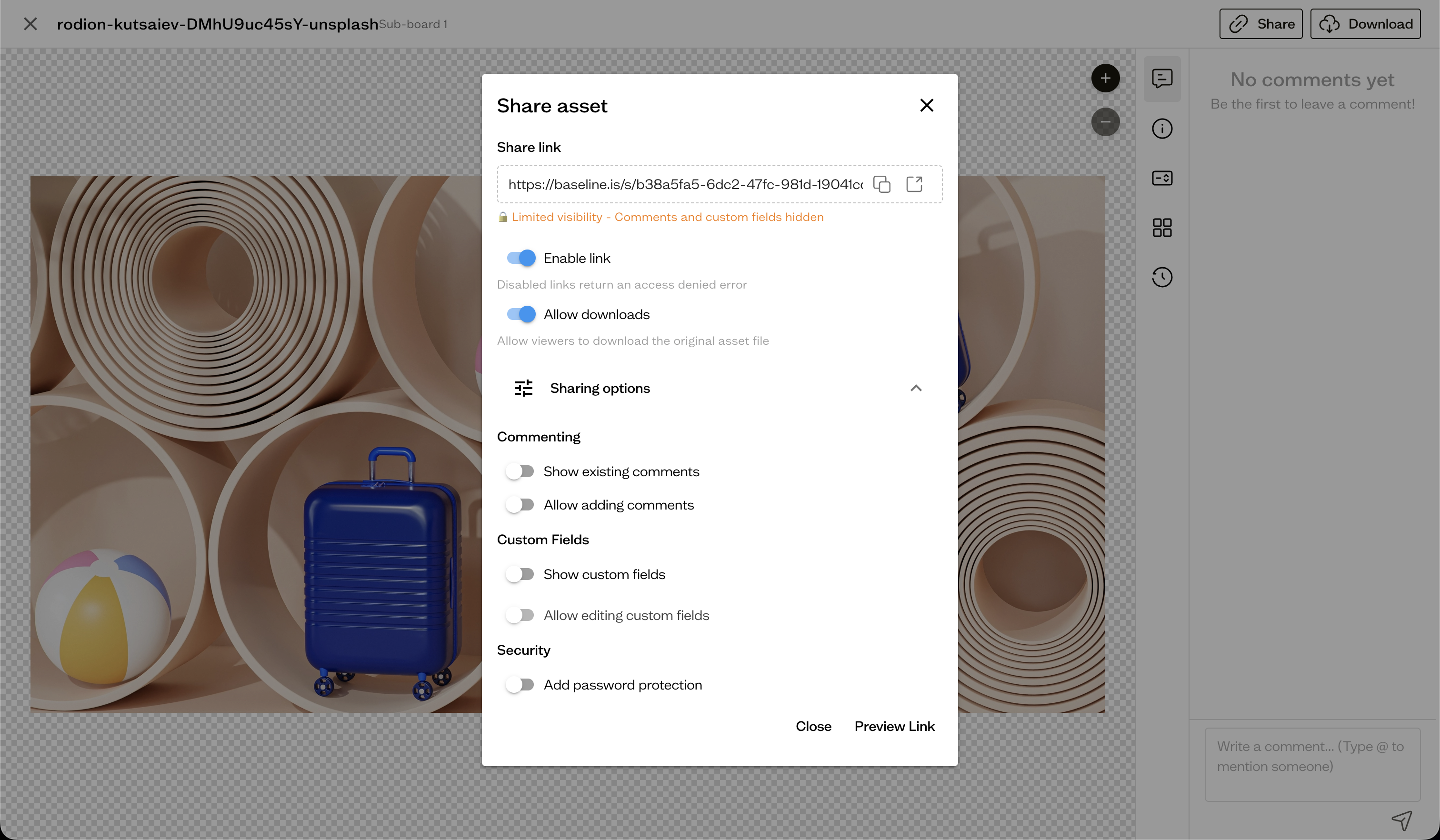
What you can control
- Allow downloads — let visitors download the shared content
- Show existing comments — make the comment thread visible
- Allow adding comments — let visitors post comments
- Show custom fields — display your custom fields
- Allow editing custom fields — let visitors change field values
As you change toggles, the dialog shows a summary of what the link allows.
Next steps
Add a password and learn about link expiry in password protection and expiry.