
Keeping board names and descriptions up to date helps everyone find their way around your workspace.
Rename a board
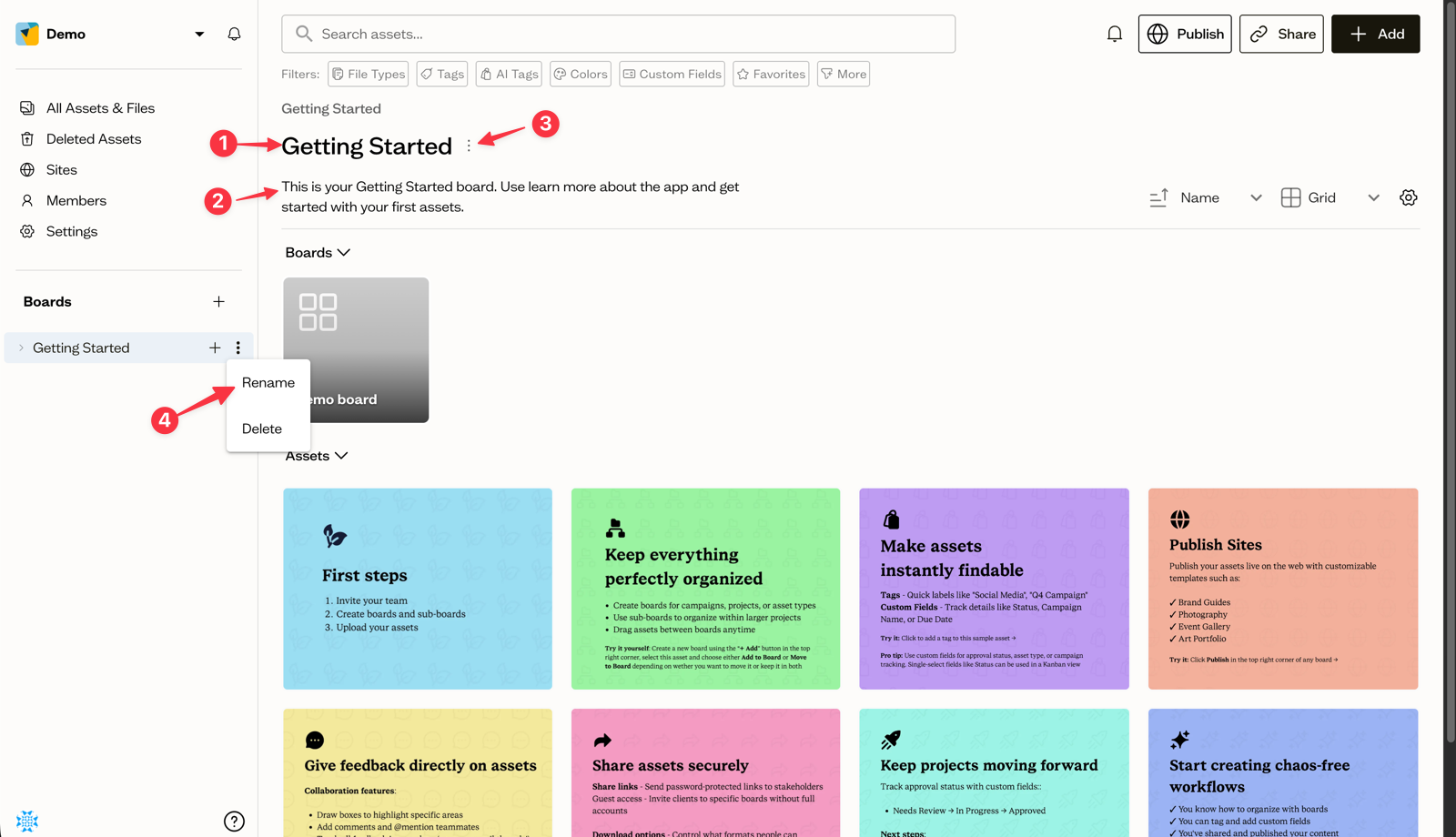
(1) & (2) At the top of a board, click the title to edit it inline. Your change saves when you click away. You can also open the ⋮ menu (3) next to the title and choose Edit details to rename it in a dialog.
From the sidebar tree, hover a board, open its ⋮ menu (4), and choose Rename.
Add a description
If you want to add a description where there is none, open the ⋮ menu (3), and select Edit details. The description supports basic rich text: select text to reveal a small toolbar with Bold, Italic, and Strikethrough. Descriptions auto-save as you type.
Who can edit
Only Editors and Admins can change a board's name and description. Commenters see them as read-only.
Next steps
Set a default view and sort order for your board so it always opens the way your team expects.