
You can run a lightweight approval workflow by combining a single-select custom field with the board's Kanban view.
Set up a status field
Create a single-select field, for example "Status", with options that match your stages such as In Progress, Ready for Review, and Done. New workspaces start with a Status field like this.
Work the board in Kanban
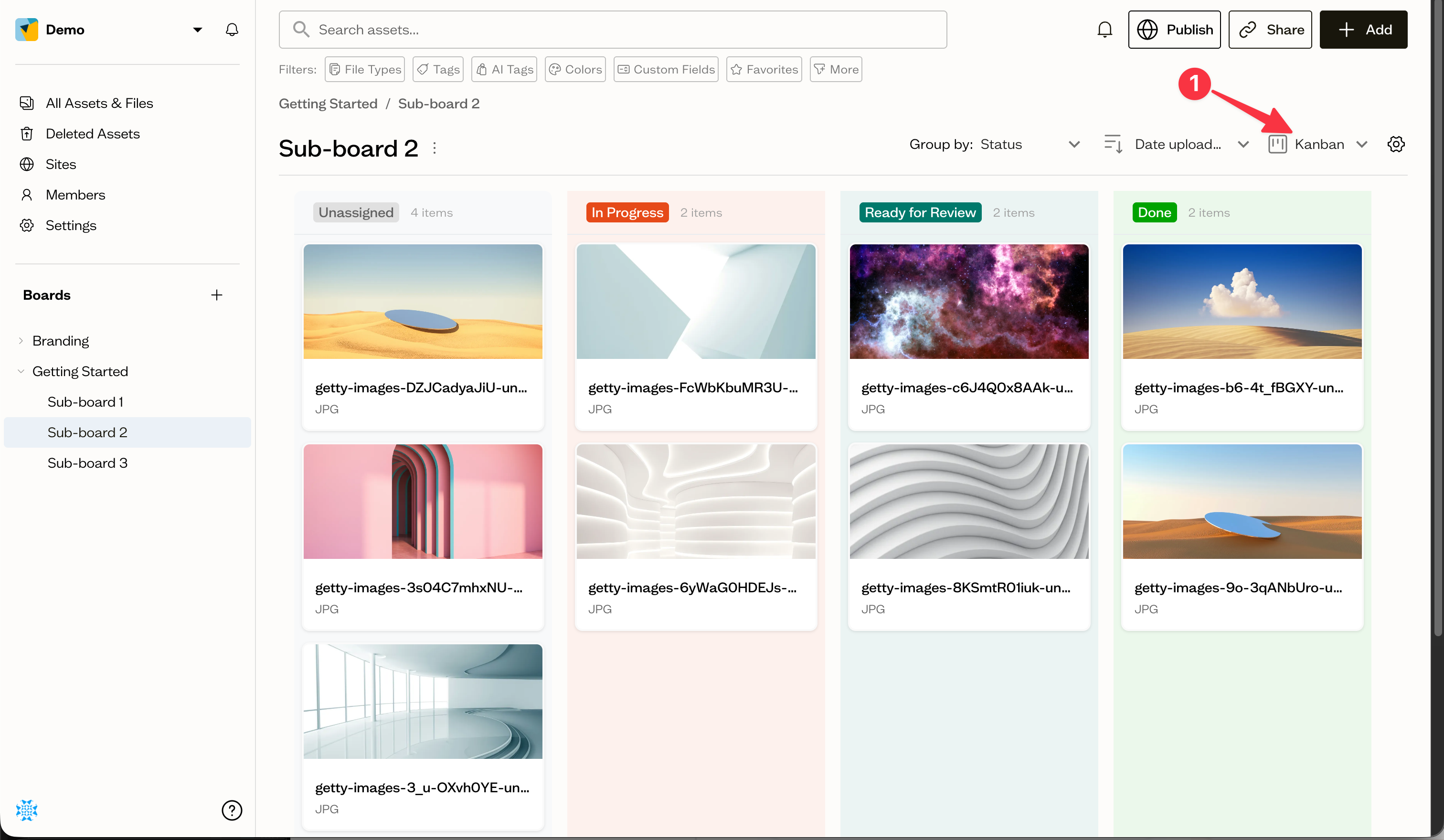
Switch the board to Kanban (1) view and group by your status field. Each option becomes a column.
Move assets through the stages
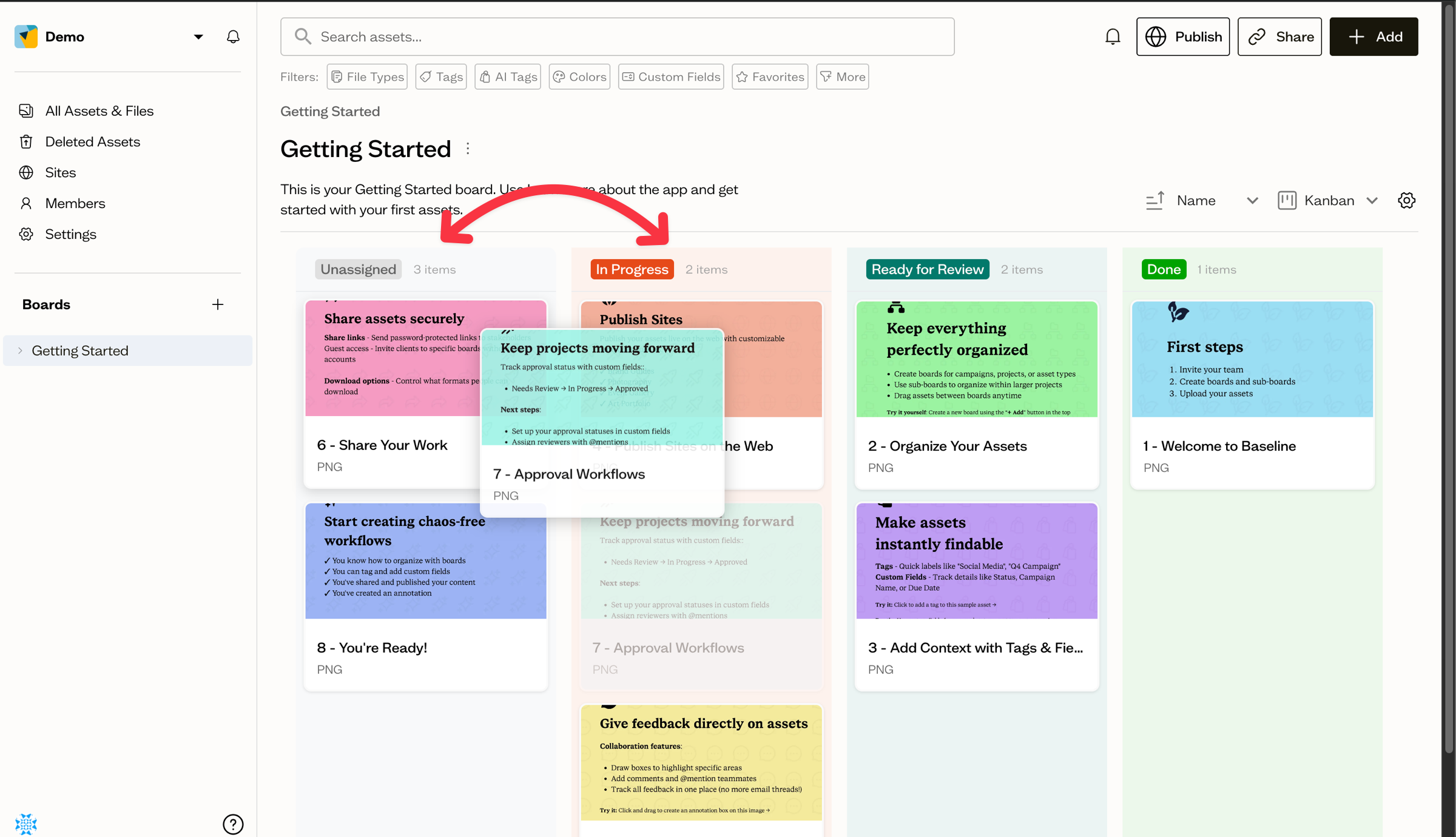
Drag an asset card from one column to the next as it progresses through review. Dropping a card updates its status value.
Next steps
Pair this workflow with comments and @mentions to notify reviewers when assets reach a stage.