
AI tags are labels Baseline generates automatically when it processes your assets, describing what they contain.
Where to find AI tags
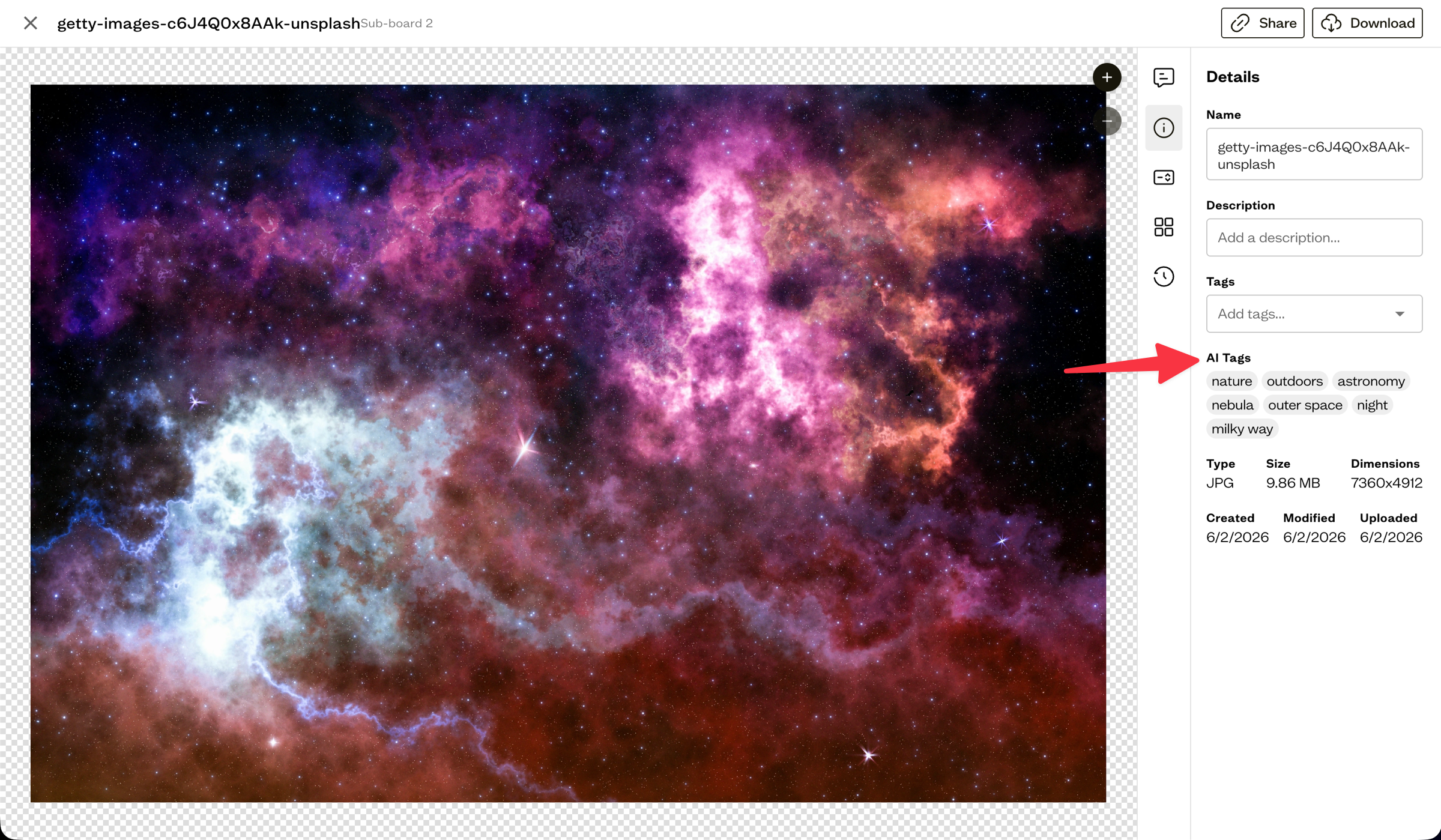
Open an asset and go to the Details tab. If AI tags were generated, they appear as a separate set of chips labeled AI Tags.
How they work
AI tags are created during processing and are read-only, so you do not add or edit them by hand. They sit alongside your manual tags and add another way to find assets.
Search with AI tags
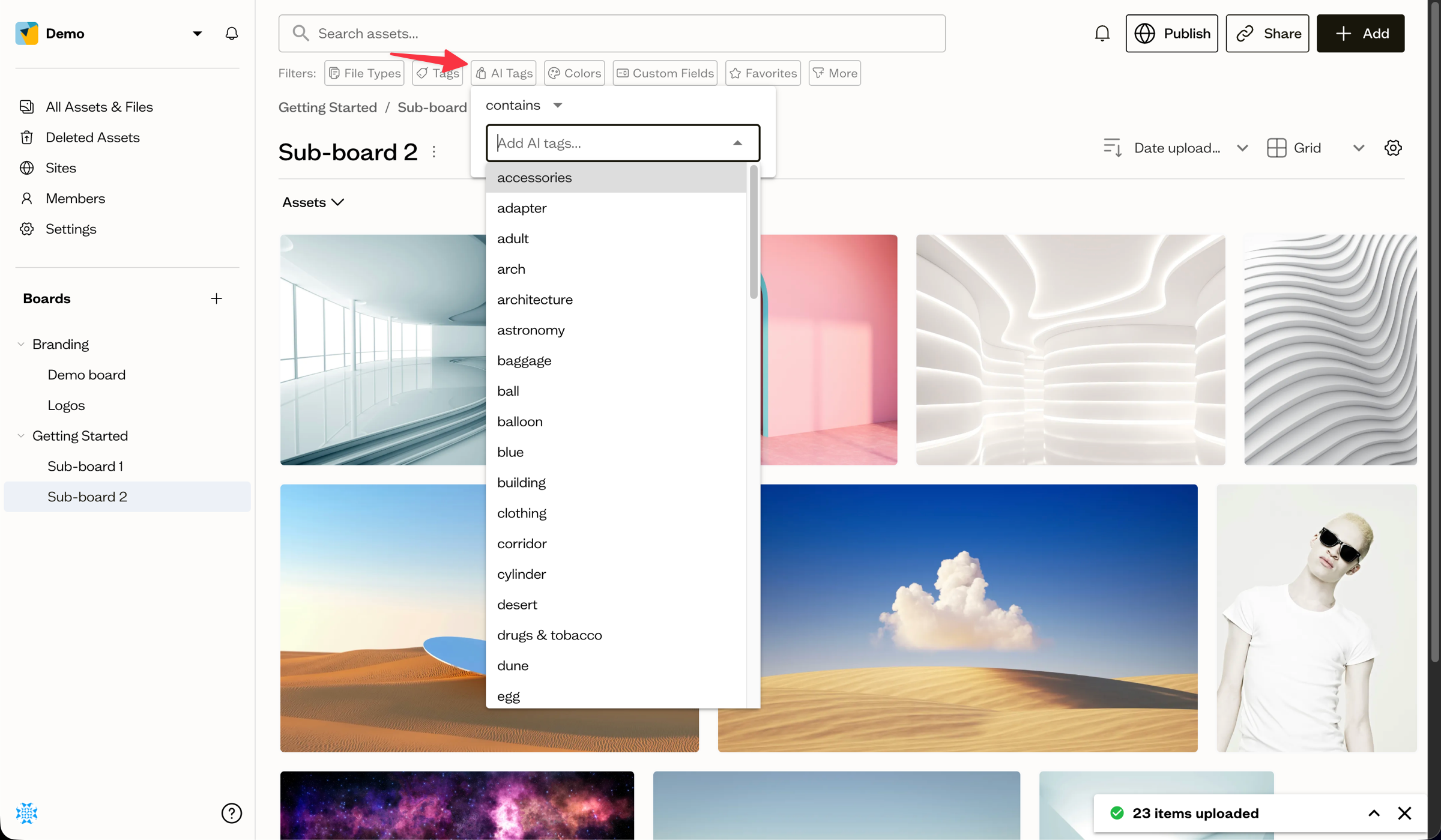
Use the AI Tags filter chip in the search bar to include or exclude assets by their AI-generated labels.
Next steps
Combine AI tags with your own tags and filters to find exactly what you need.