
Share links let you share an asset or a whole board with anyone, without requiring them to have a Baseline account.
Create a share link
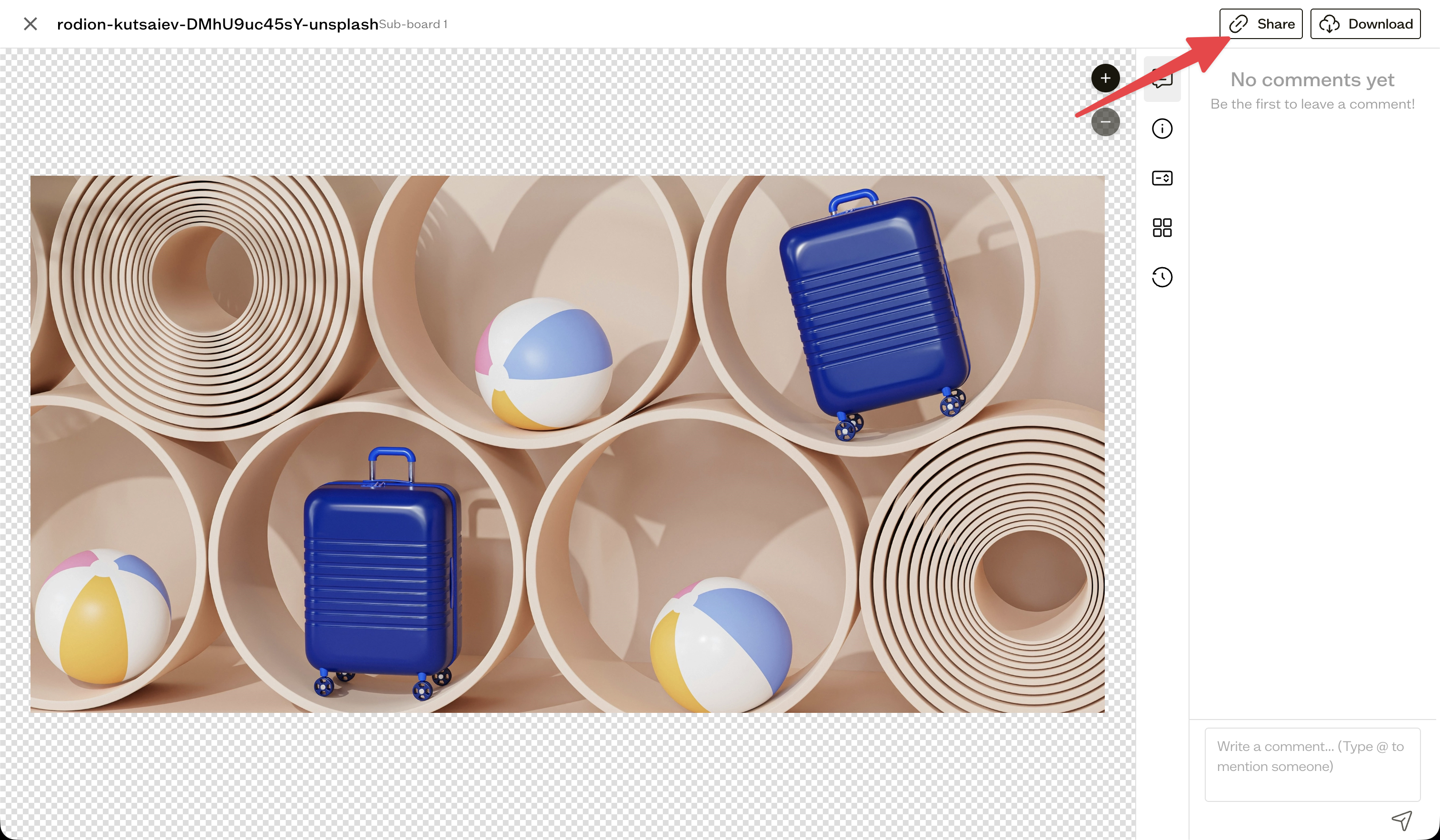
Open an asset and select Share, or open a board's Share menu and choose Share Link.
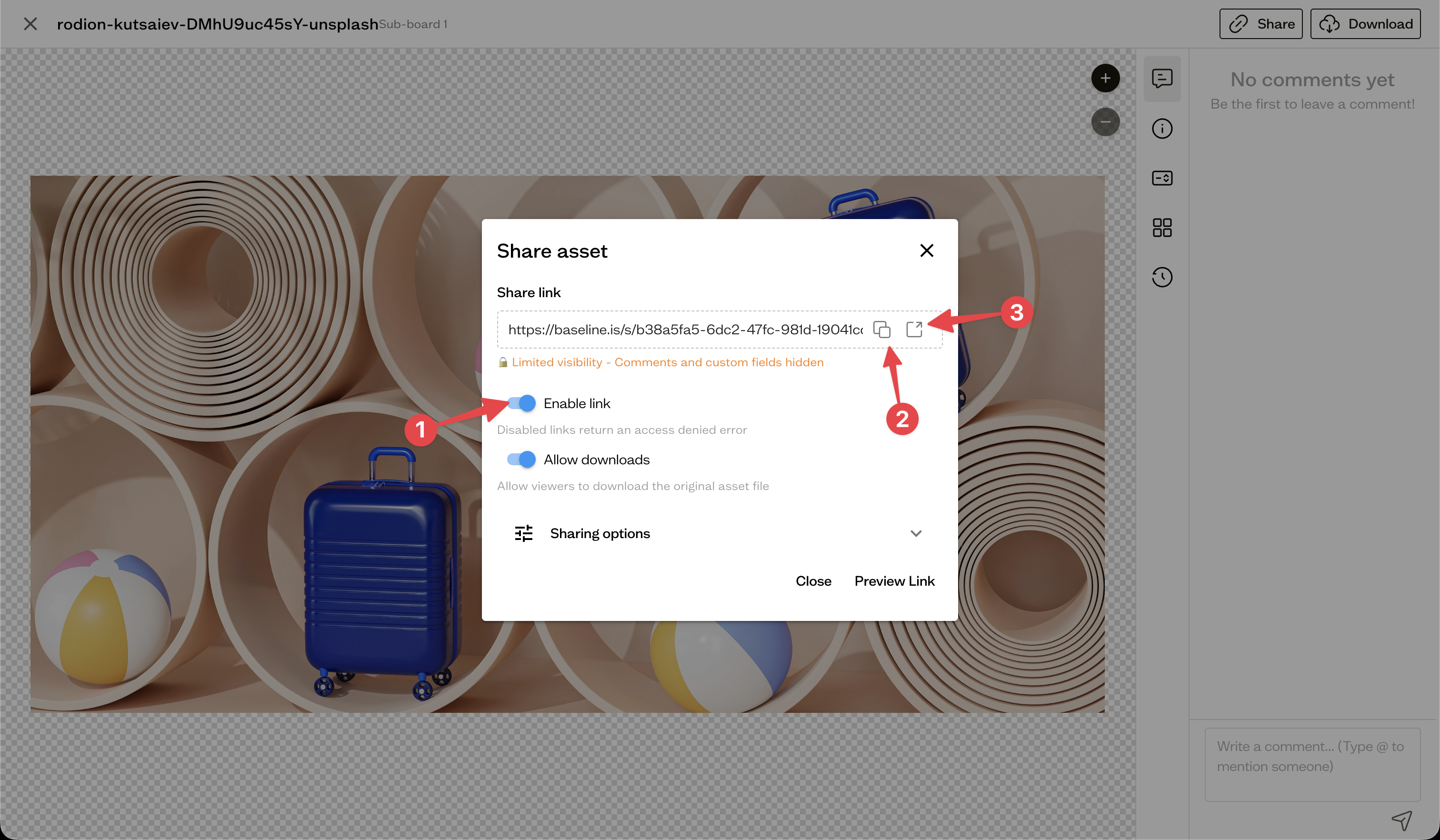
Copy and open
Use the copy button (2) to put the link on your clipboard, or open it in a new tab to preview what recipients will see by clicking the open icon (2). Toggle on Enable link (1) to make it active or disable it.
What recipients see
Anyone with the link can view the shared asset or board. What else they can do, such as downloading or commenting, depends on the options you enable.
Next steps
Configure what visitors can do with share link permissions.