
Notifications keep you up to date on comments, mentions, and board activity without having to check manually.
View your notifications
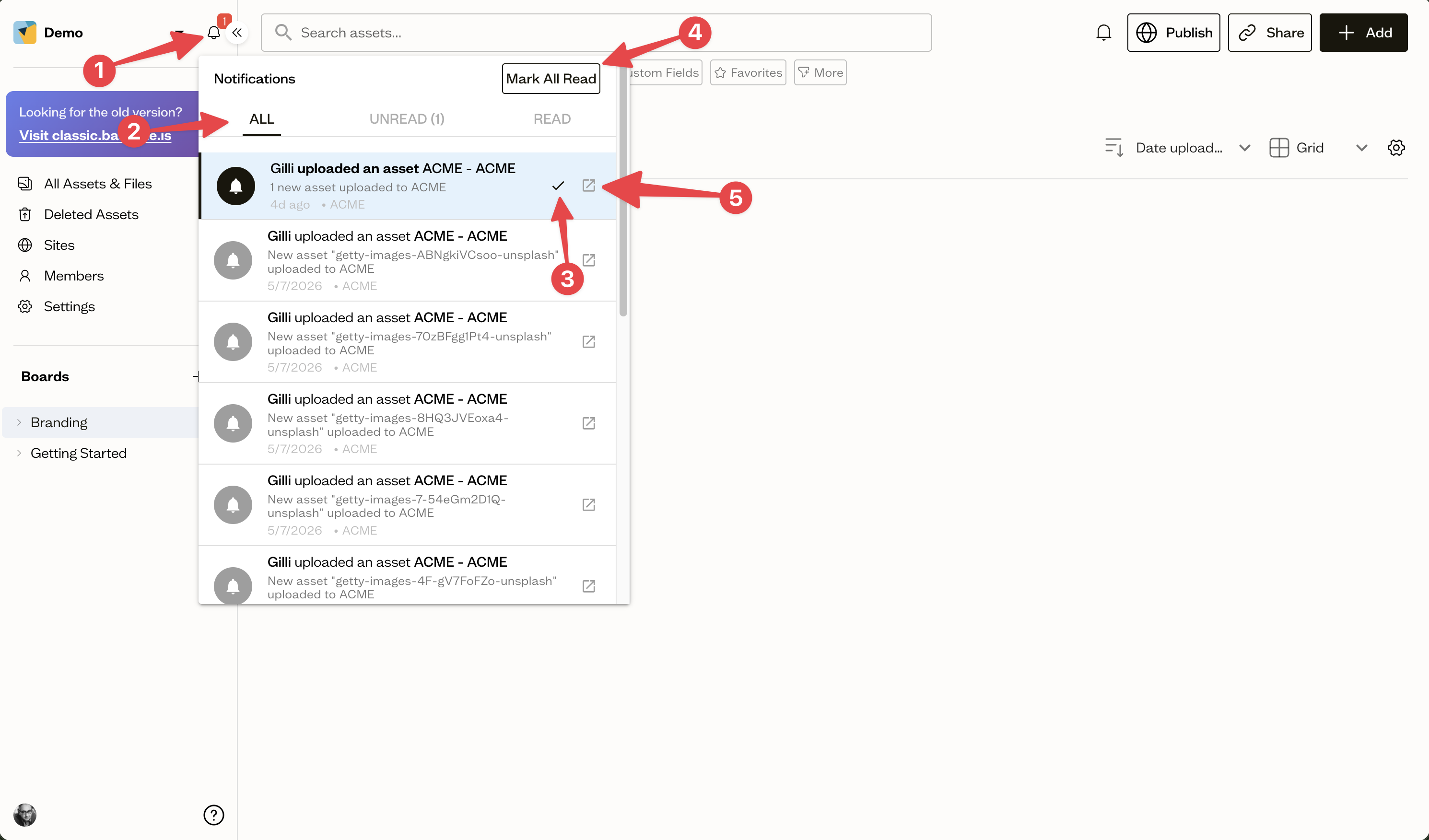
Select the bell (1) icon in the workspace header to open the notifications panel. Tabs (2) let you switch between All, Unread, and Read.
Manage notifications
Mark individual notifications as read (3), or use Mark All Read (4) to clear them. Select a notification to jump straight to the related asset or board.
Clicking on a notification (5) will take you directly to the related asset, board, or comment, so you can respond or review activity without any extra steps.
Next steps
Choose exactly which events reach you, and where, in your notification preferences.