
Baseline is better with your team. You can invite people as full workspace members or as guests with access to a single board.
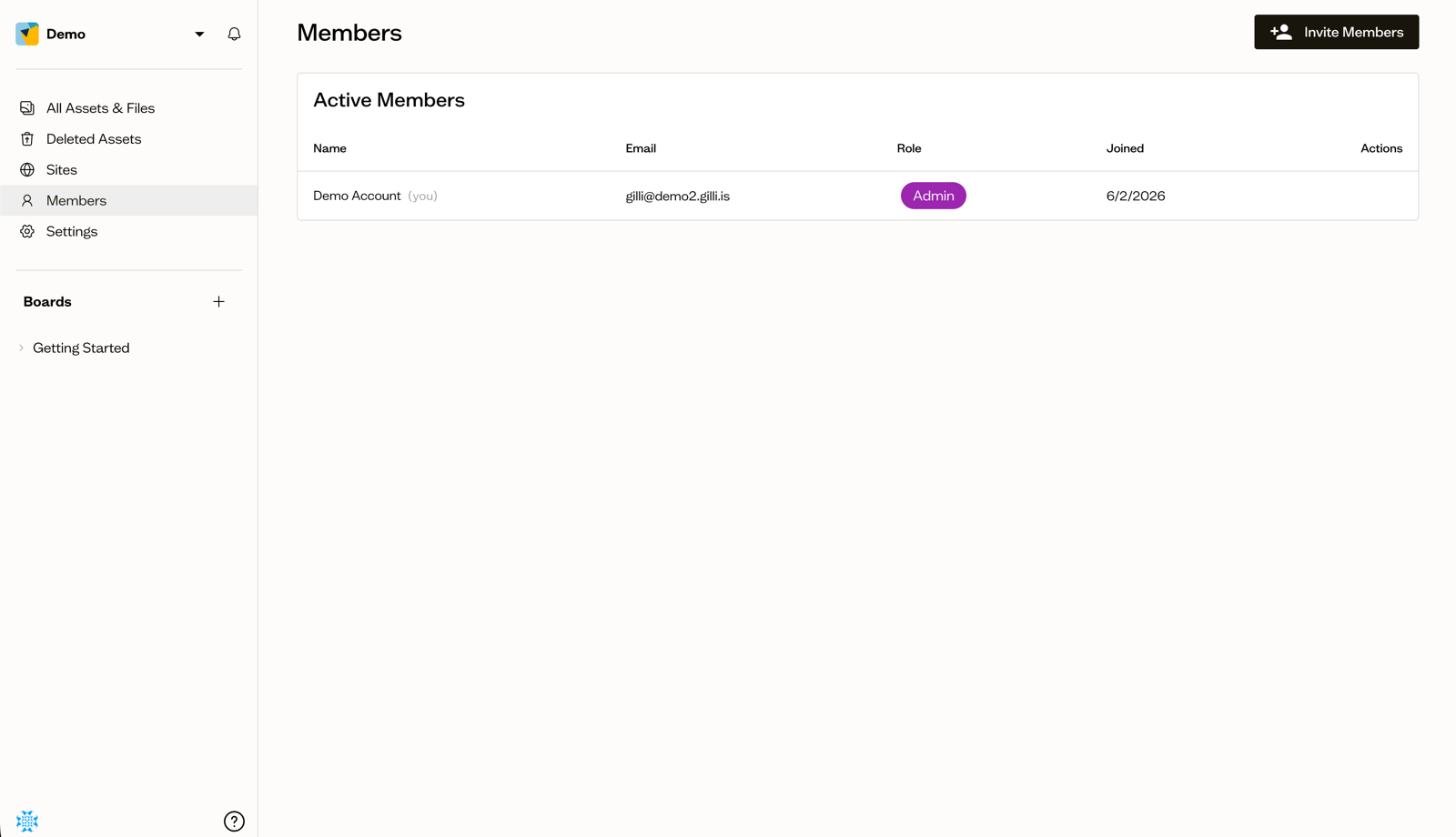
Invite workspace members
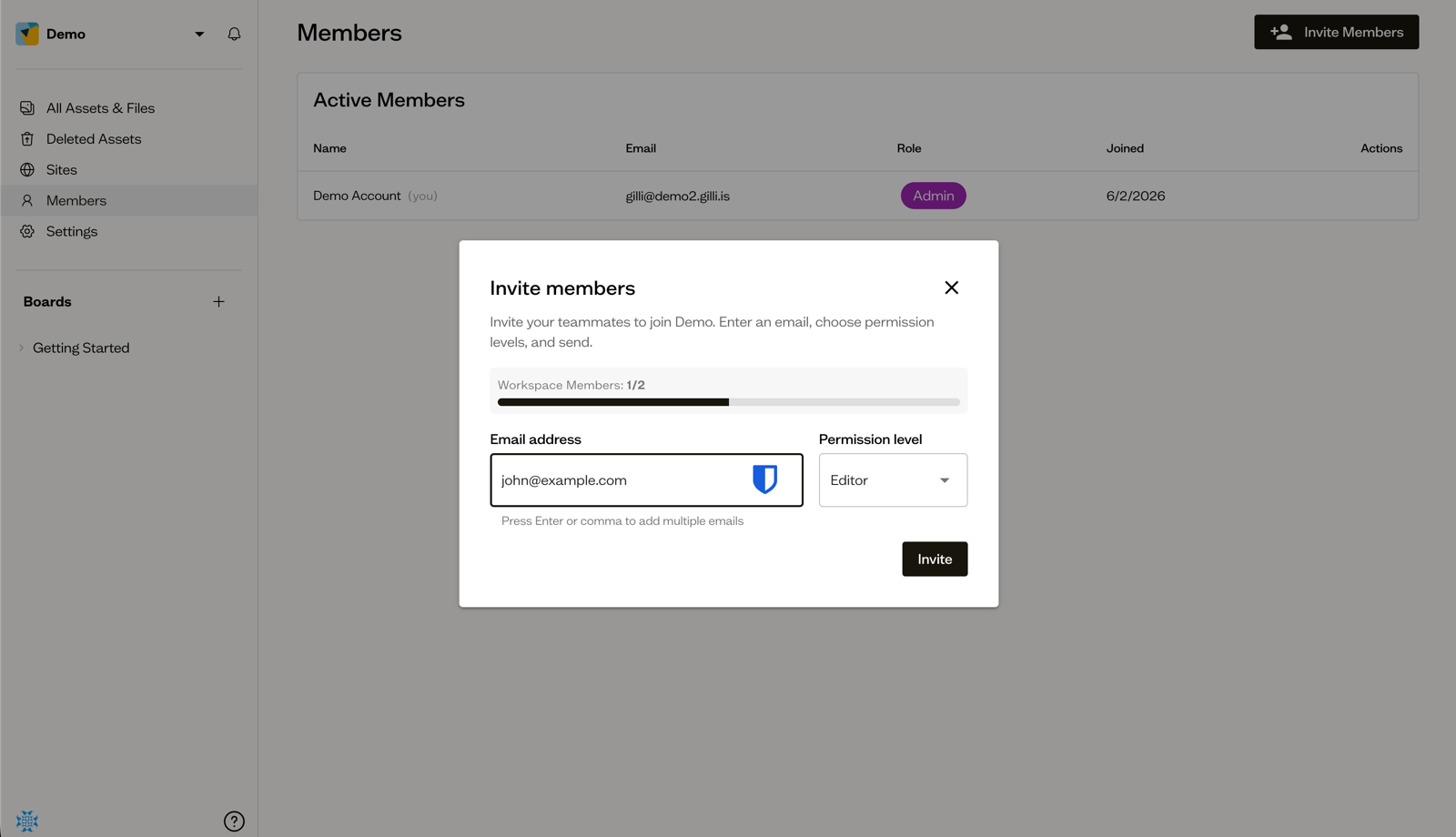
Open Members in the sidebar and select Invite Members (available to Admins). Enter one or more email addresses, choose a Permission level (Admin, Editor, or Commenter), and send the invites.
Invitees receive an email link that takes them to a You're Invited! page where they log in or create an account and accept.
Invite board guests
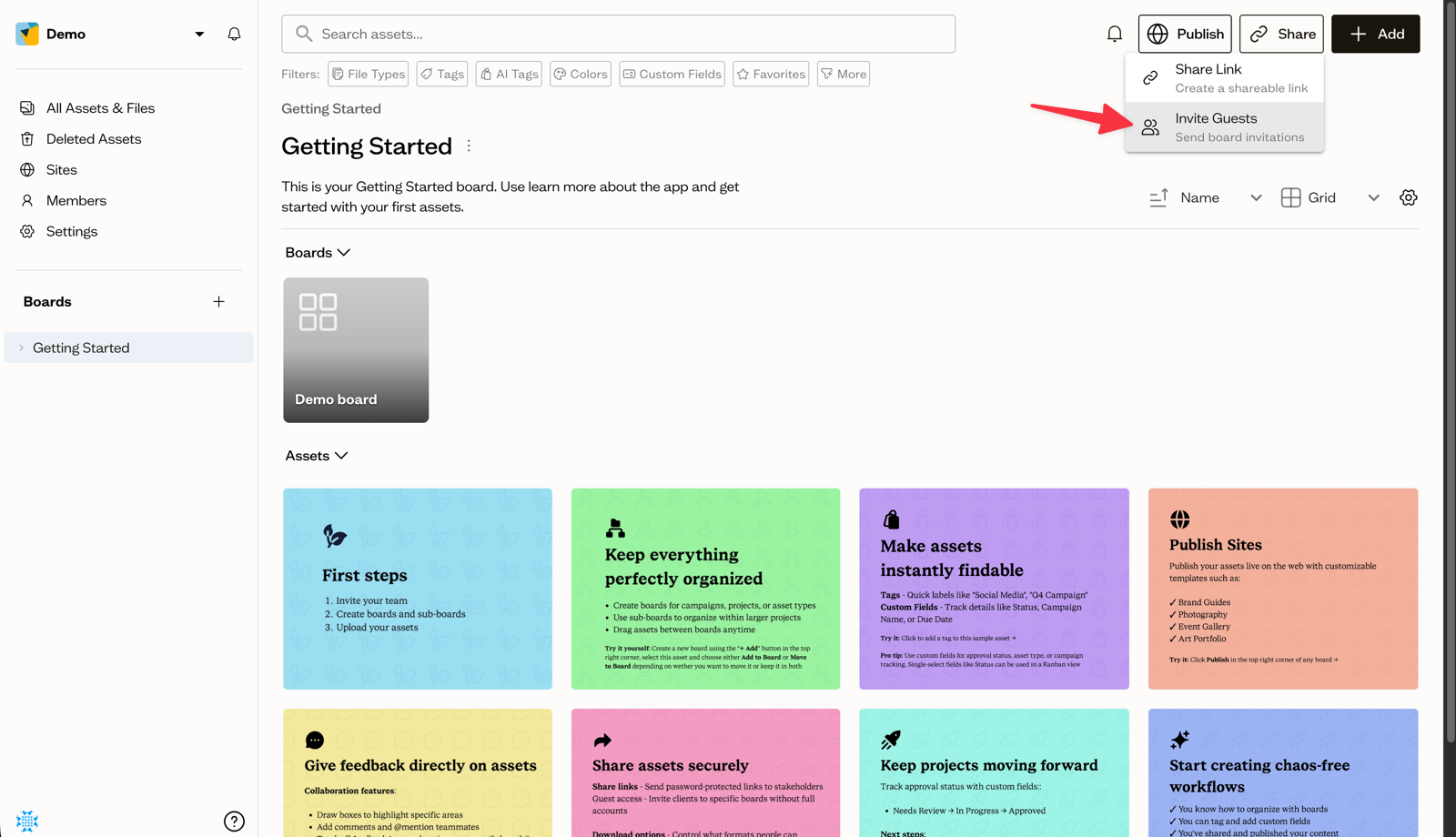
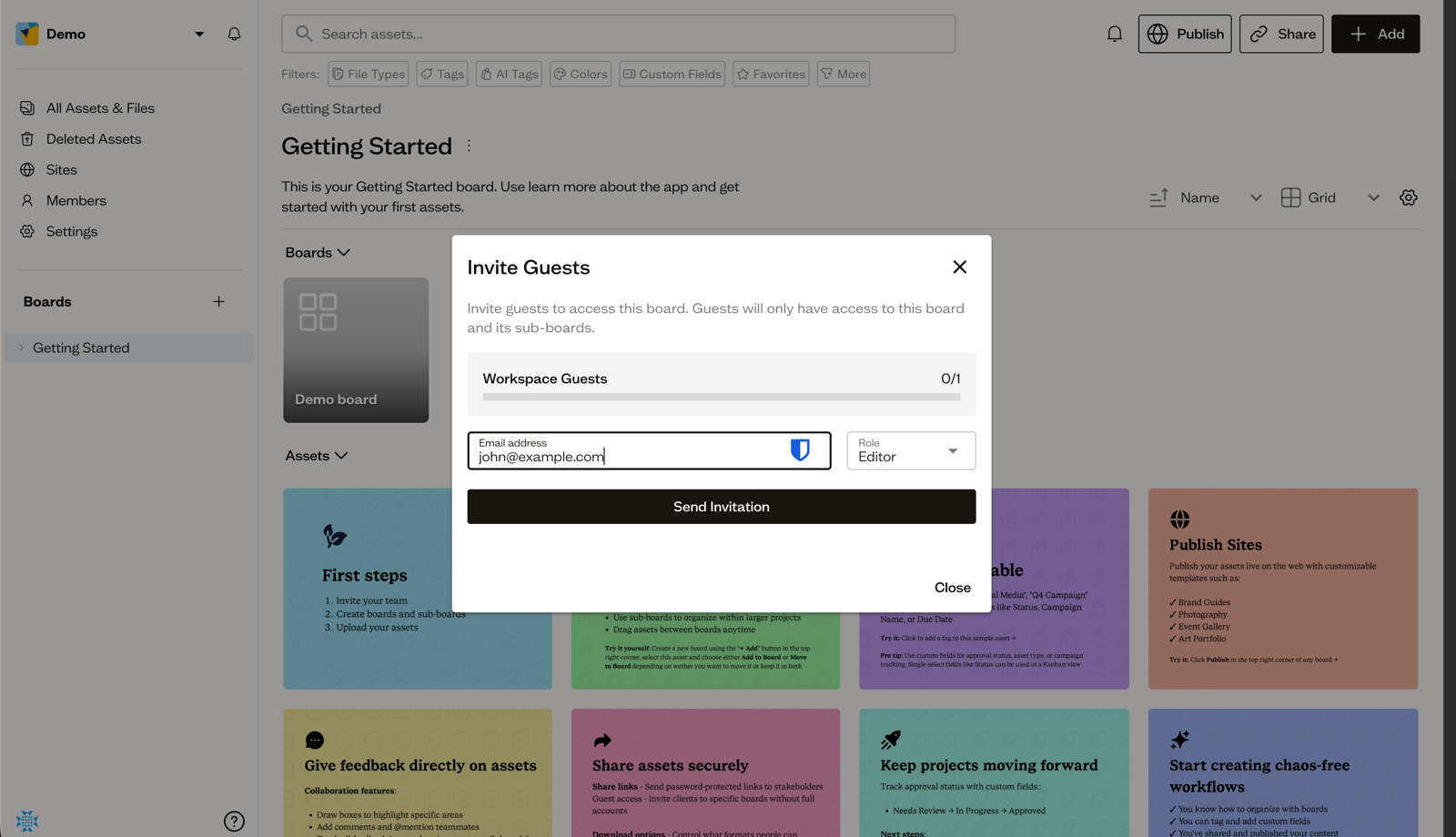
To give someone access to just one board, open that board's Share menu and choose Invite Guests. Guests can be assigned the Editor or Commenter role, and they only see that board and its sub-boards.
Choosing the right access
- Use members for teammates who need access across the workspace.
- Use guests for clients or contractors who only need one board.
Next steps
Read more about what each role can do before you send your invites.