
We've got a big one this time. The highlight of this update is asset versioning, a long-requested feature that lets you track the full history of every asset in your library. Here's everything that's new.
New Features
Asset Versioning
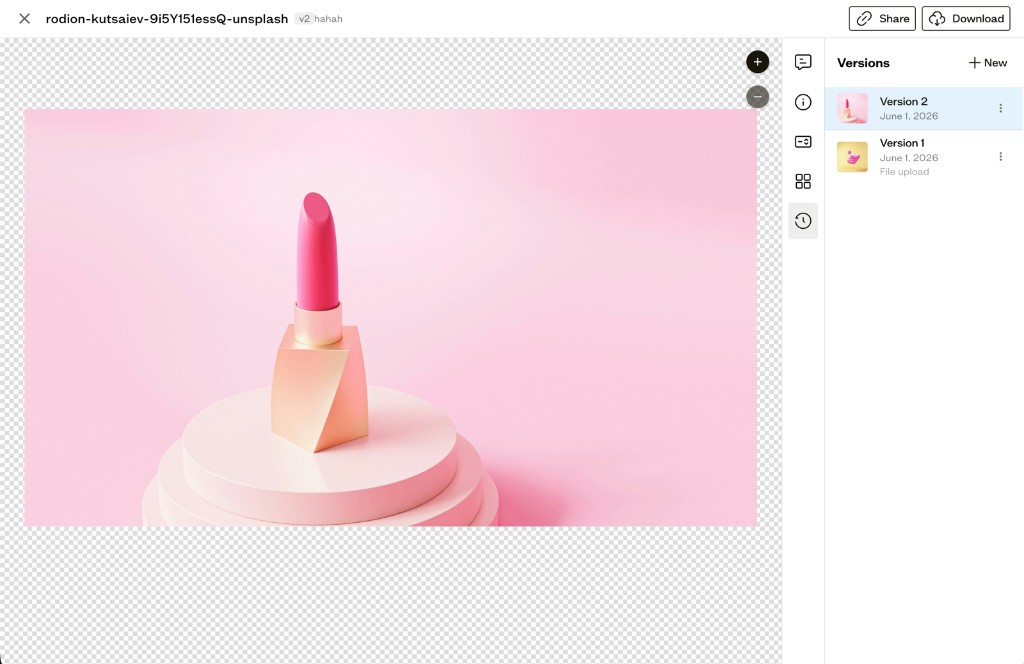
Every asset in Baseline now has a full version history. Whenever you upload a new file to replace an existing asset, the previous version is automatically saved so you can always go back.
To upload a new version, open any asset and click the Versions tab in the sidebar. From there you can see the full history of the asset, including when each version was created and what kind of change it was, whether that's a file upload, a color update, or a restore.
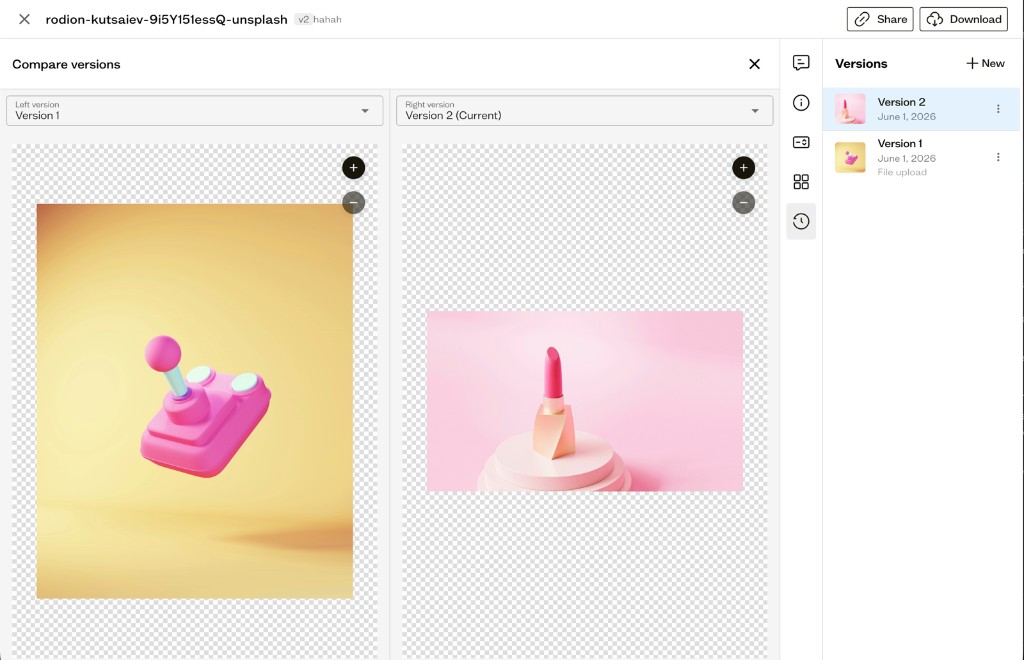
You can click on any version in the list to preview it, or open the Compare view to see both versions side by side.
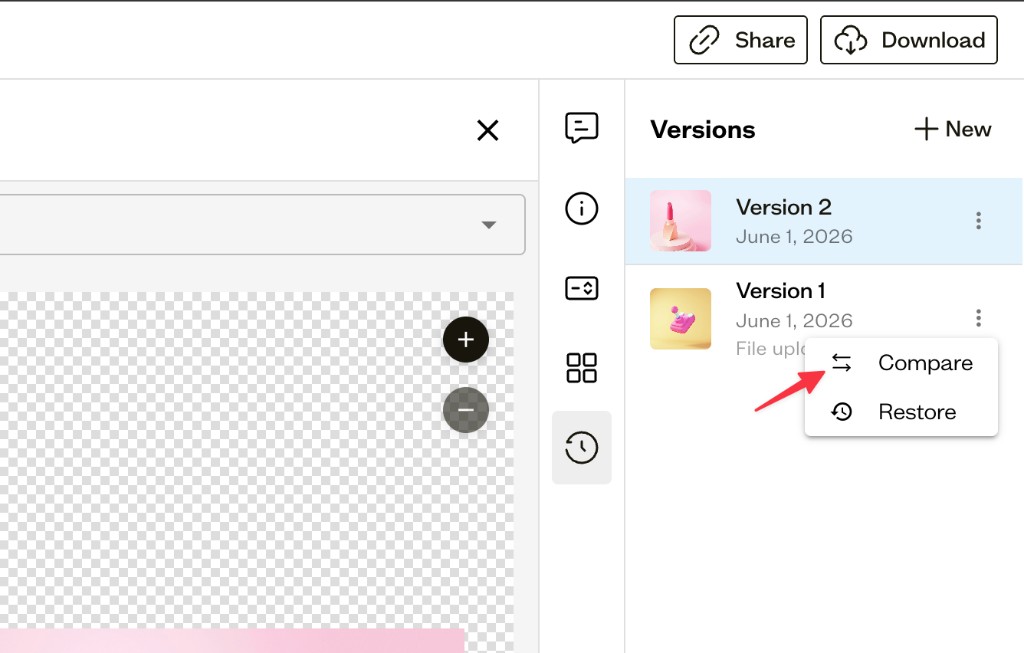
If you want to go back to an older version, just open the version's action menu and choose Restore. The current version will be saved to history first, so nothing is ever lost.
Version history is available for all asset types — images, videos, documents, fonts, and colors.
Delete Sites
You can now delete sites you no longer want directly from the site settings. Previously there was no way to remove a site once it had been created, so this has been a frequently requested addition.
Bug Fixes
- Fixed uploading folders multiple times in a row causing some files to fail silently
- Fixed an issue causing some verification emails not to be sent
As always, thanks for your continued feedback. If you have thoughts on versioning or anything else, we'd love to hear from you!