
For sensitive content, you can require a password before anyone can open a share link.
Add a password
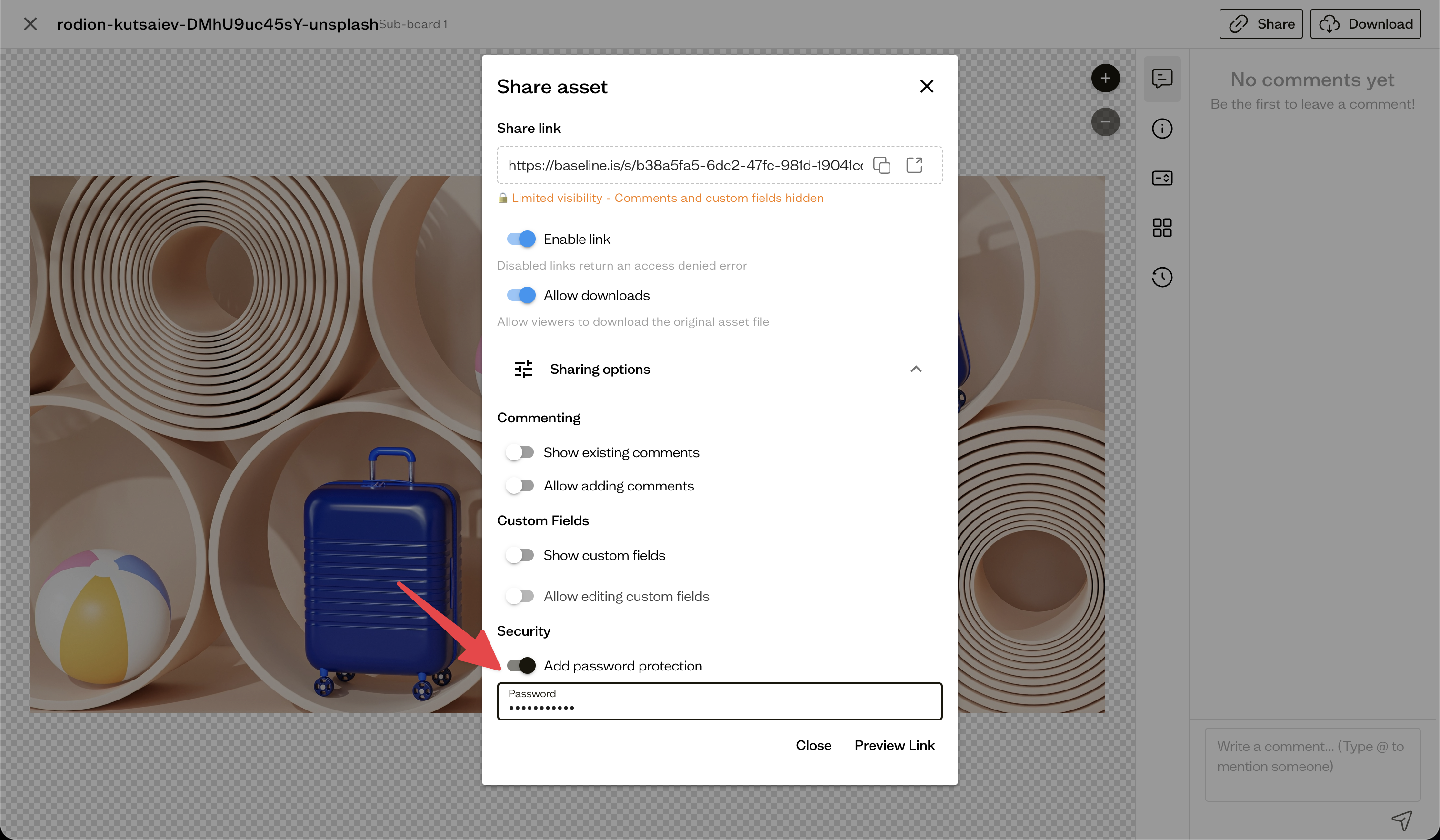
In the share dialog, expand Sharing options and turn on Add password protection, then set a password. Visitors will see a Password Required screen and must enter it to view the content.
Disable a link
If you need to cut off access entirely, turn off Enable link in the share dialog. The link stops working immediately.
Link expiry
Automatic expiry dates are not yet configurable in the app. To remove access, disable or delete the link.
Next steps
For ongoing access for a specific person, consider inviting board guests instead.