
You can sort a board's assets in Grid view, and rearrange items by dragging in Kanban view.
Sort assets in Grid view
In the board toolbar, open the Sort dropdown and choose how to order assets:
- Date uploaded
- Date created
- Date modified
- Name
- Size
- File type
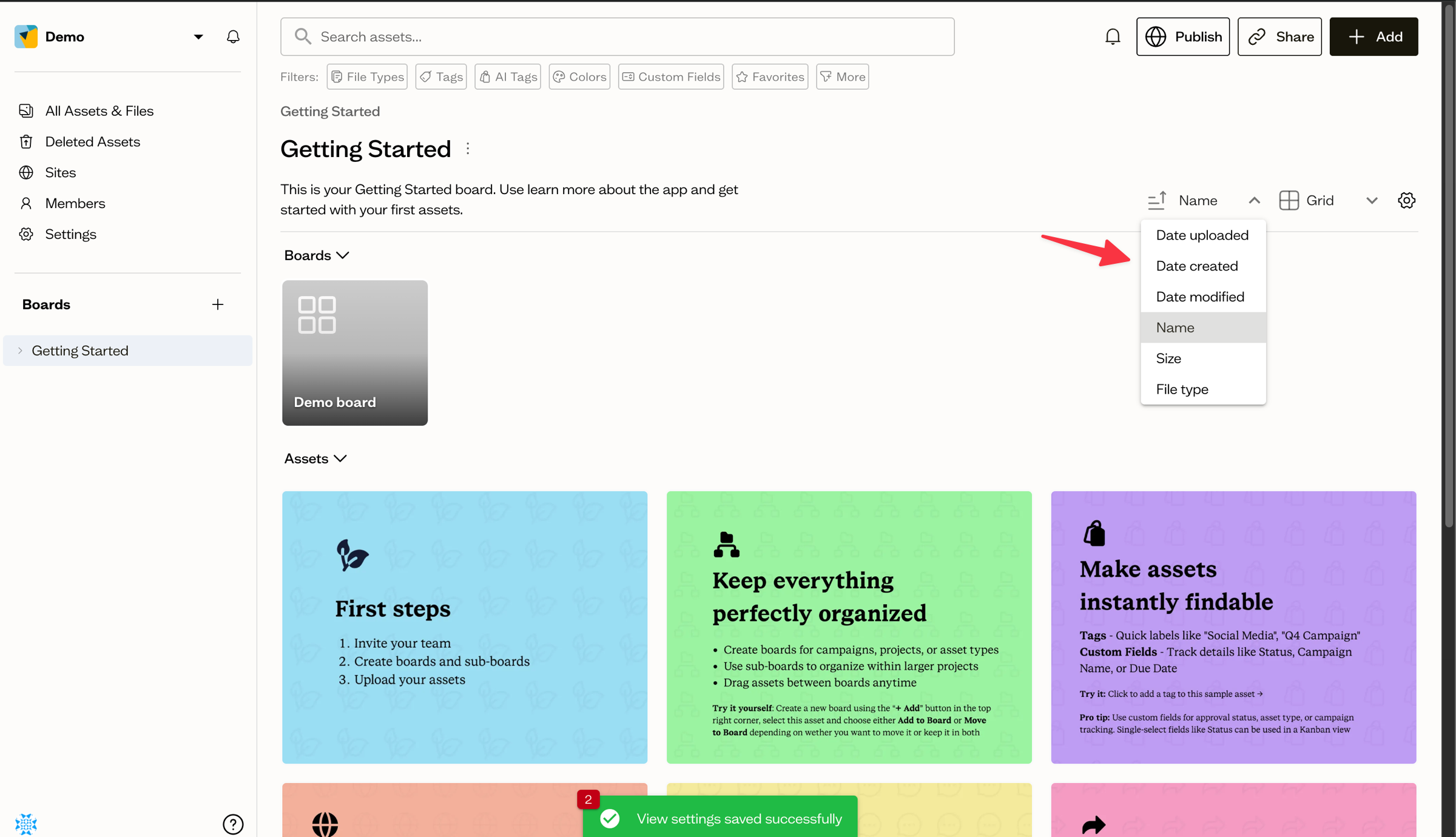
Use the direction button next to the dropdown to switch between ascending and descending order.
Drag to reorder in Kanban view
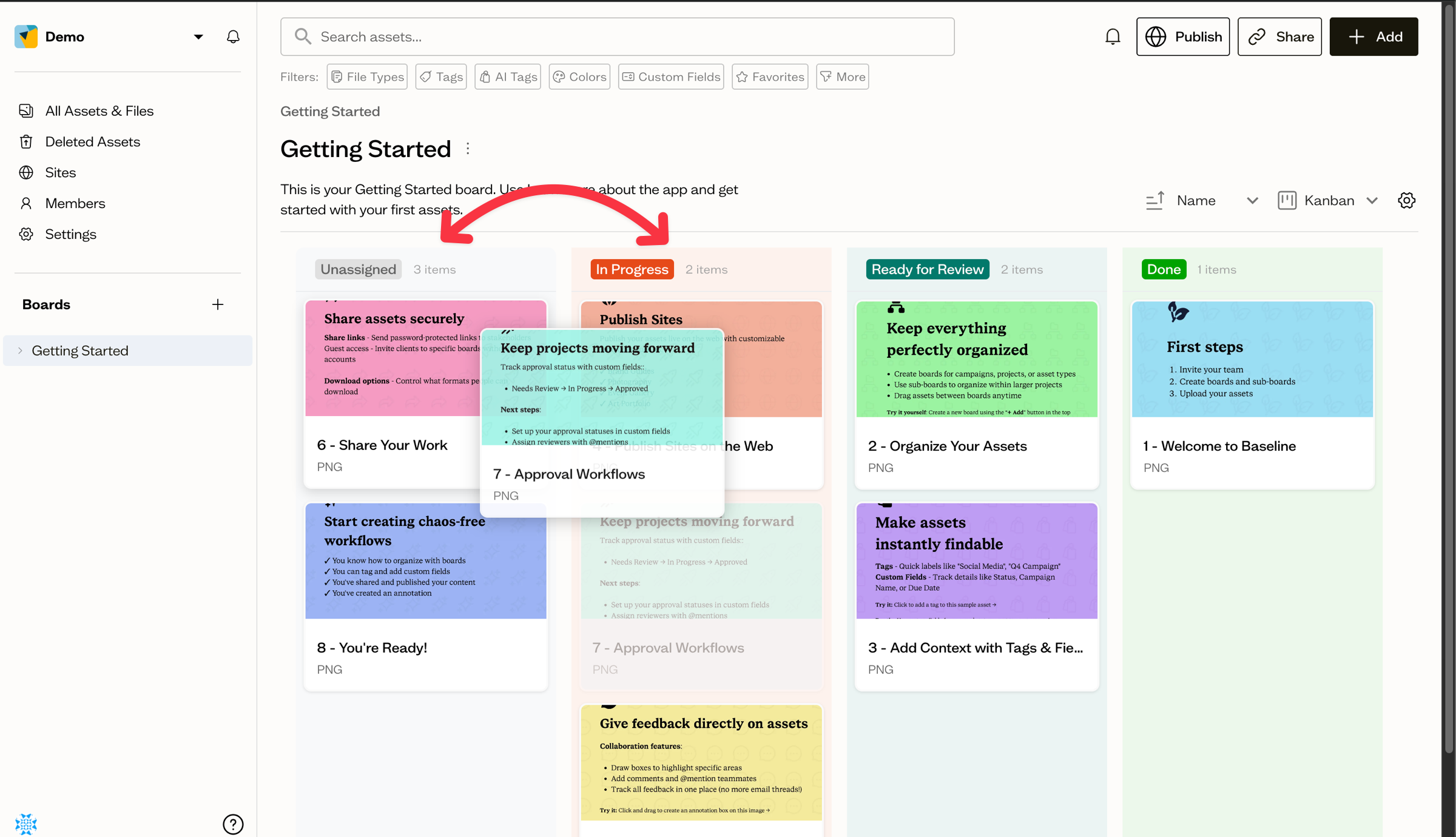
In Kanban view, drag asset cards between columns to change their value for the grouped field, for example moving an item from "In Progress" to "Done".
Save your order
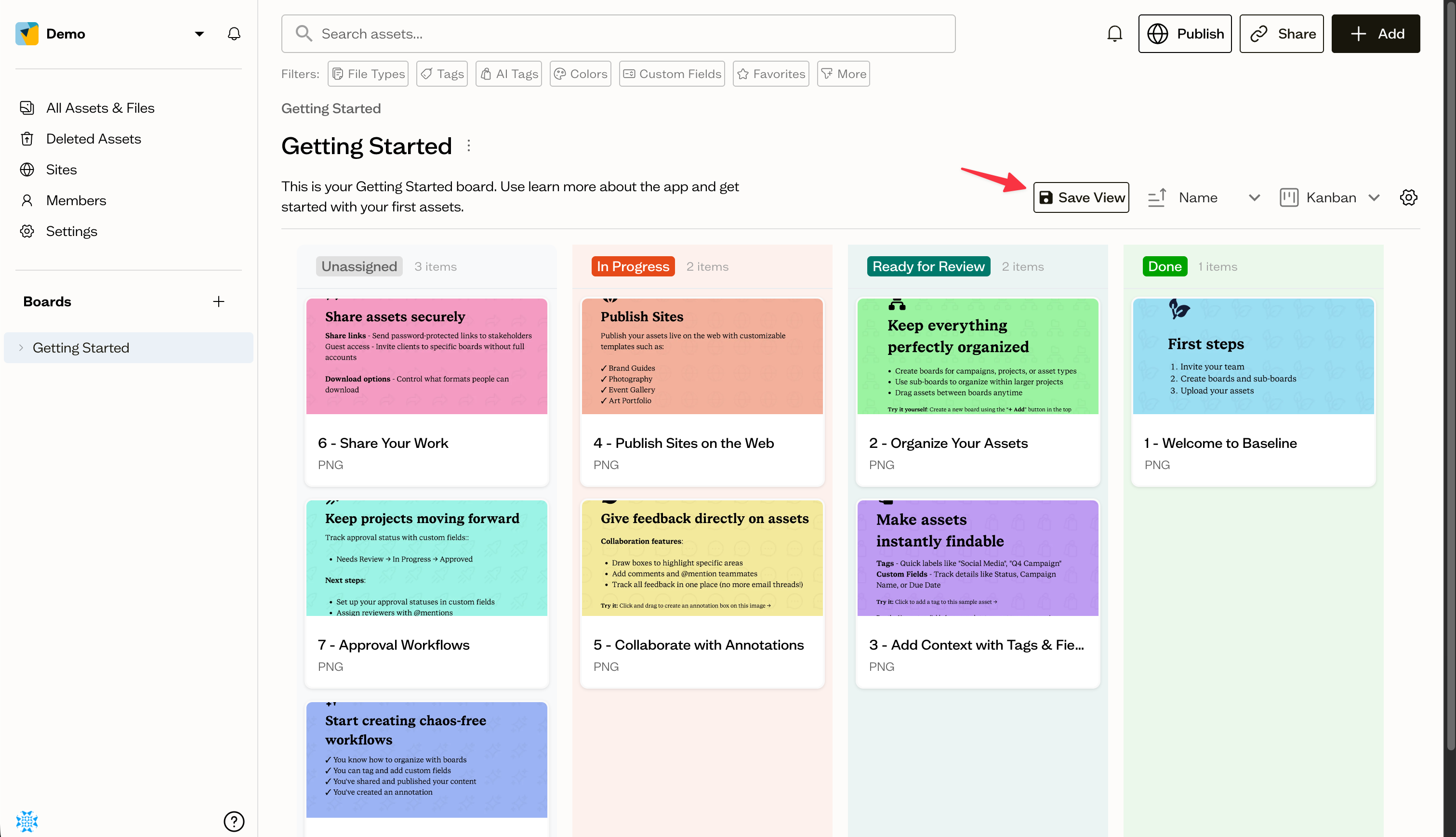
Once you have set a sort field and direction you like, select Save View so the board opens that way for everyone.
Next steps
Learn how saved views keep your preferred layout, sort, and grouping in place.