
Advanced filters help you find assets by their technical metadata. Open them with the More button in the filters row.
Open the More menu
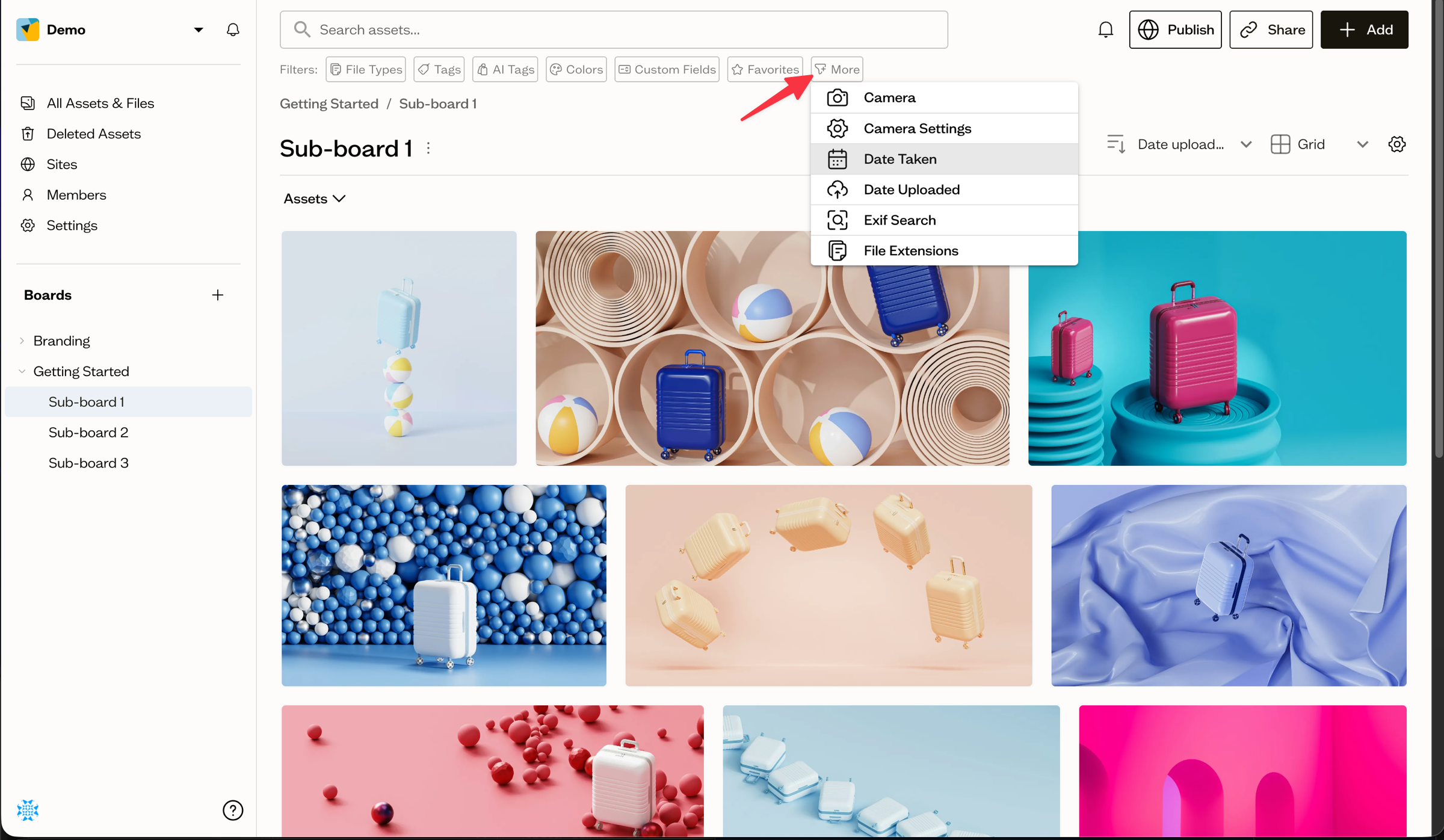
Select More to add advanced filters to your search.
What you can filter by
- Camera — camera makes and models
- Camera Settings — ISO range, aperture, exposure time, and focal length
- Date Taken — when a photo was captured
- Date Uploaded — when an asset was added to Baseline
- Exif Search — a general search across EXIF metadata
- File Extensions — include or exclude specific extensions
Combine with other filters
Advanced filters stack with the standard filter chips and your keyword, so you can build a precise query.
Next steps
Use the Tags "One of" option to match assets that have any of several tags.