
Annotations are comments pinned to a precise location on an asset, so feedback is never ambiguous.
Turn on annotations
Open an asset and make sure the Comments tab is active. Annotations appear and can be created while this tab is open.
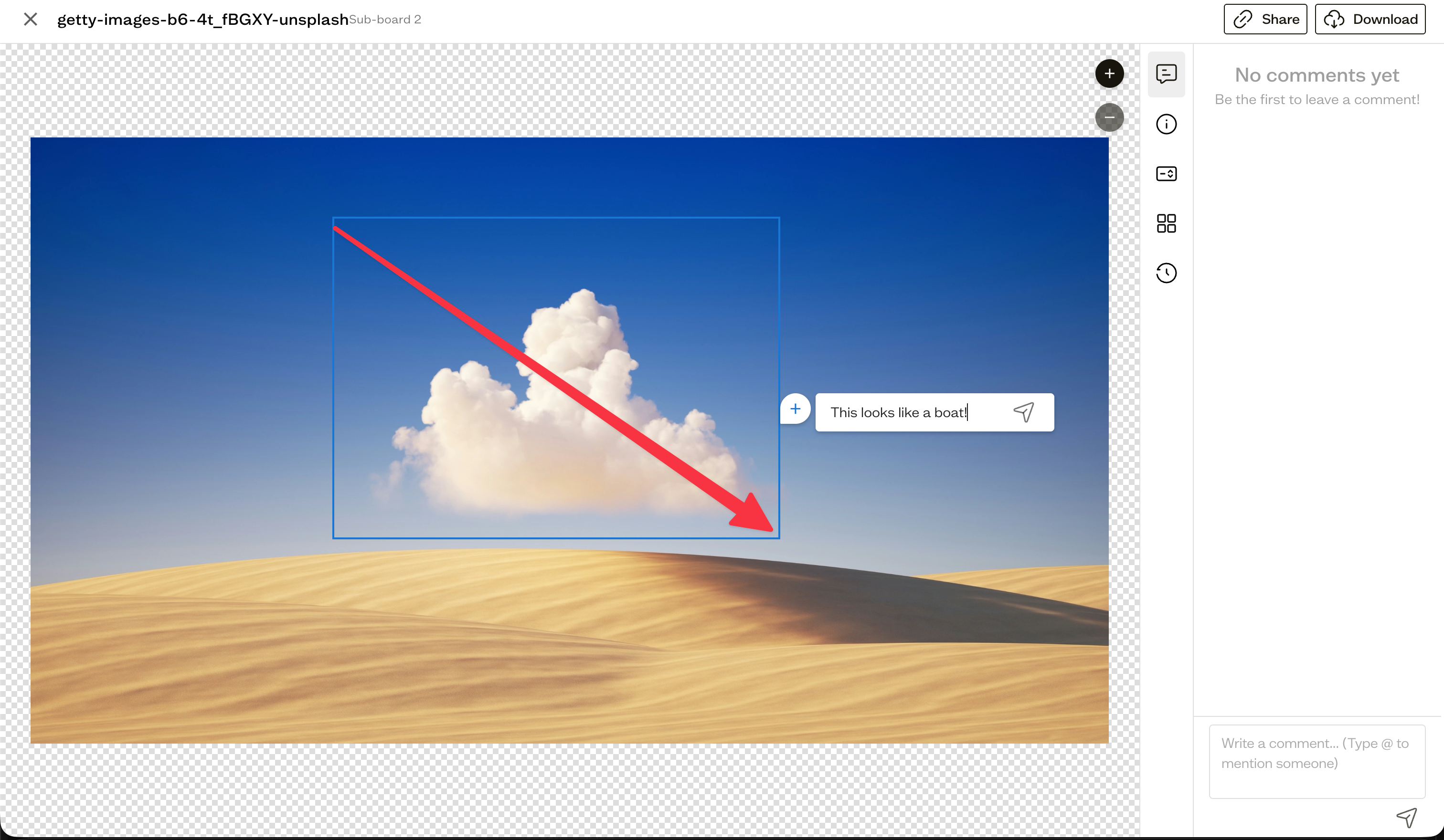
Drop a point or area
Click and drag on the preview:
- A small drag creates a point pin.
- A larger drag creates an area box.
Type your comment in the bubble that appears and submit it. Press Escape to cancel before submitting.
Pan and zoom
Hold Cmd (Mac) or Ctrl (Windows) to pan instead of drawing, and use the + and - buttons to zoom.
Annotate documents
For multi-page documents like PDFs, use the Pages tab to navigate. Annotations are tied to the specific page you place them on.
Next steps
Resolve discussions and adjust your notification preferences to stay on top of new annotations.