
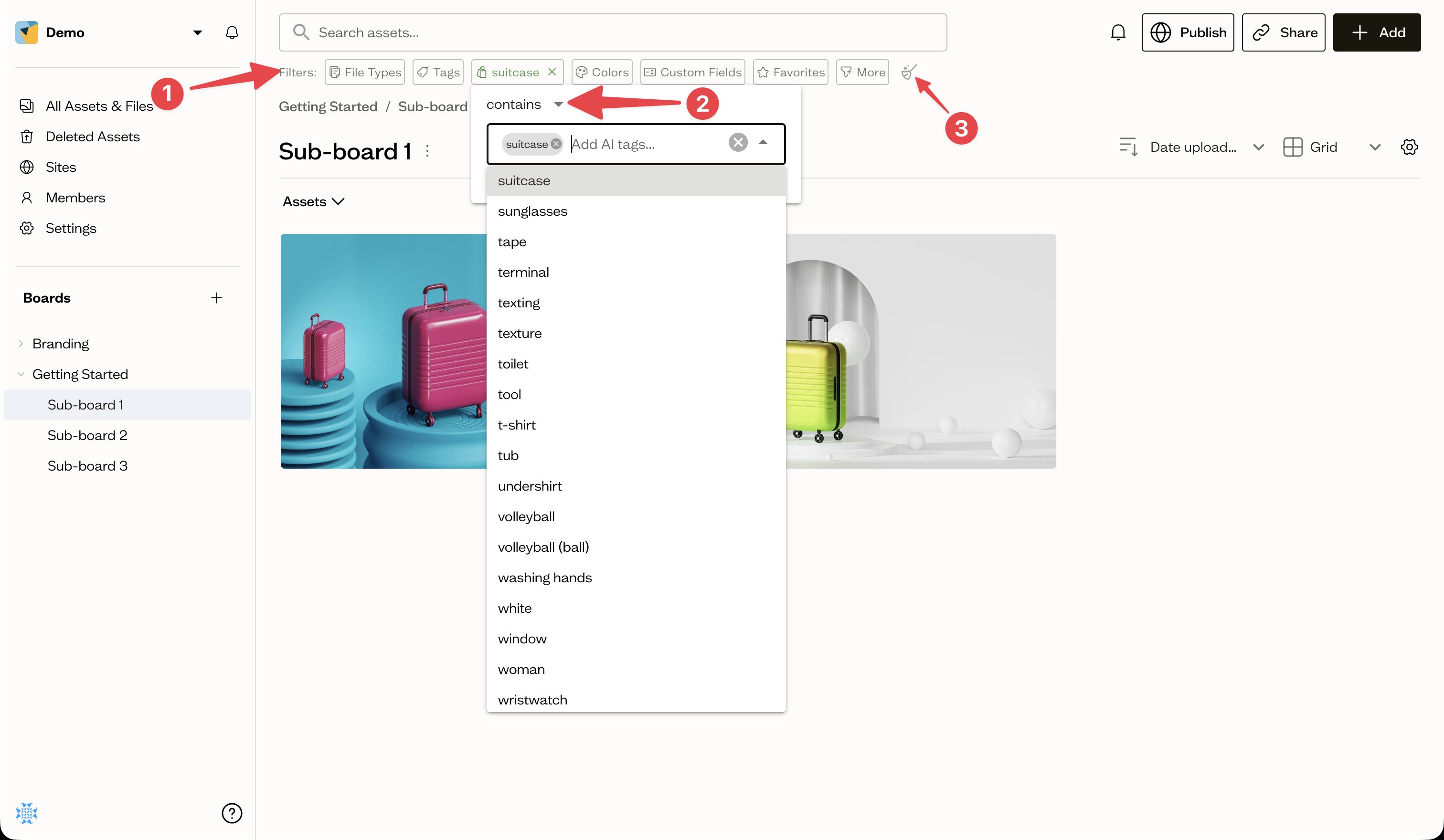
Filter chips sit in the Filters (1) row beneath the search bar and let you narrow results with a click. You can combine several chips, and use them with or without a keyword.
Available chips
- File Types — images, video, audio, documents, PDFs, and more
- Tags — your manual tags
- AI Tags — Baseline's auto-generated labels
- Colors — search by color or pick from a palette
- Custom Fields — filter by your fields' values
- Favorites — show only favorited assets
Matching options
Most chips let you choose how they match, for example **Contains **, One of, or Does not contain (2), so you can be as broad or precise as you need.
Clear filters
Select the clear (broom icon) (3) button to remove all active filters at once.
Next steps
For camera and date filters, open advanced filters from the More menu.