
Custom fields are defined at the workspace level and then appear on every asset. Admins manage them in workspace settings.
Open the Fields settings
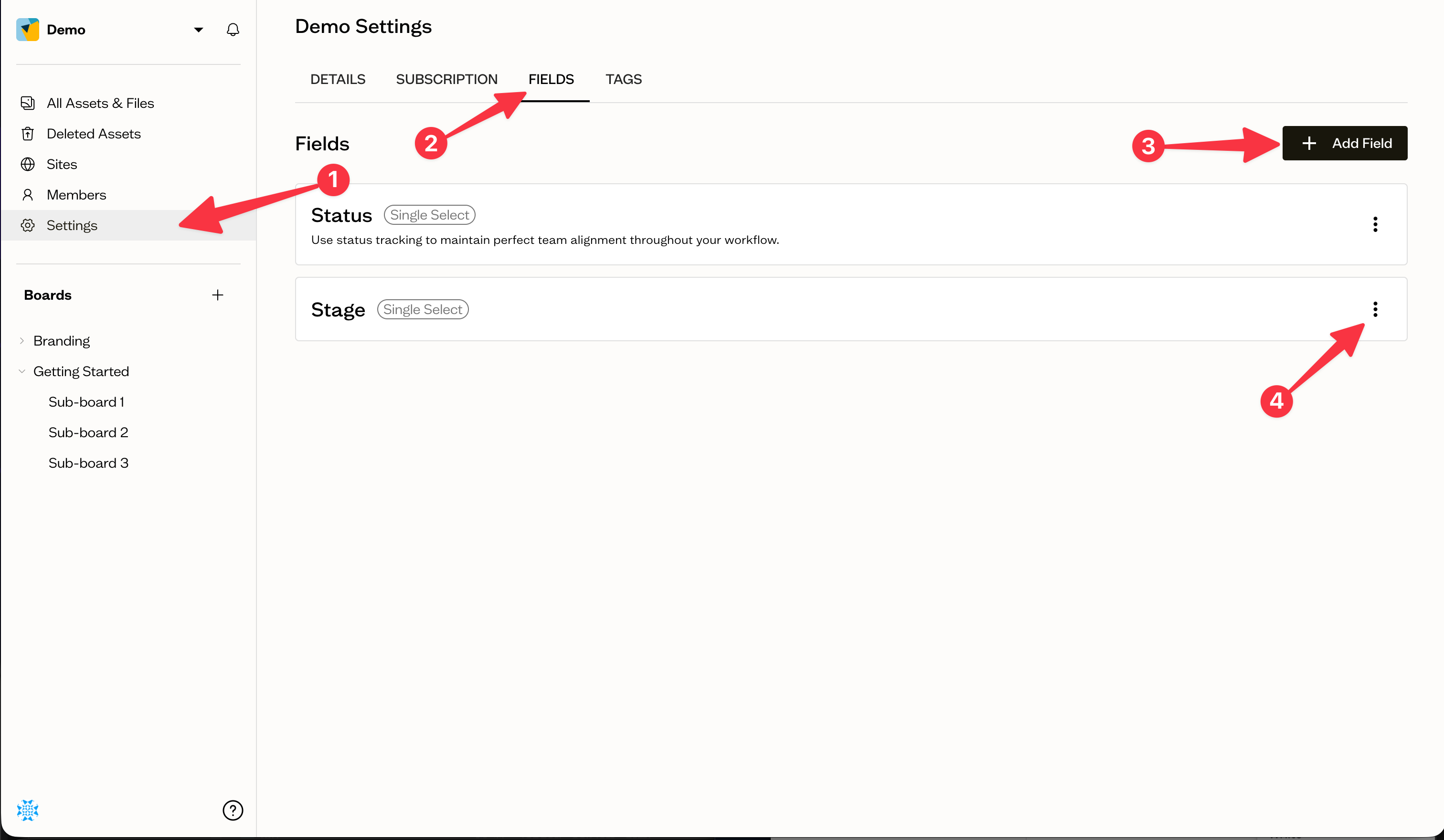
Go to Settings (1) for your workspace and open the Fields (2) tab. Select Add Field (3) to create a new one.
Create a field
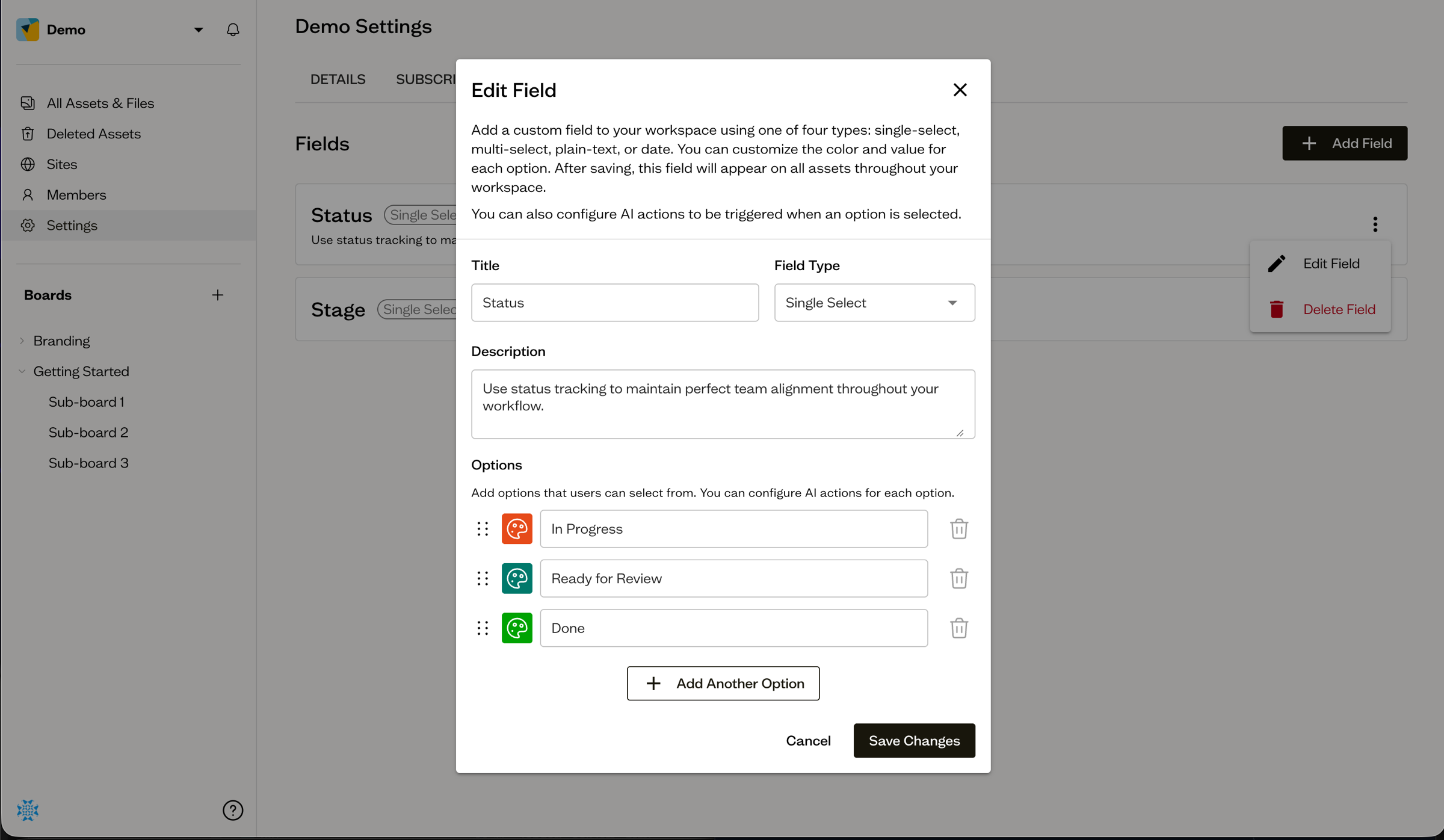
In the dialog, give the field a Title, choose a Field Type (Single Select, Multi Select, Text, or Date), and add a description if you like. For select fields, add at least two options, each with a label and a color.
Edit or delete a field
Each field card has a ⋮ menu (4) with Edit Field and Delete Field. Editing lets you change options, colors, and the title.
Next steps
Once your fields exist, learn how to set their values on assets, one at a time or in bulk.