
Board guests get signed-in access scoped to one board and its sub-boards, which is ideal for clients and contractors.
Invite a guest
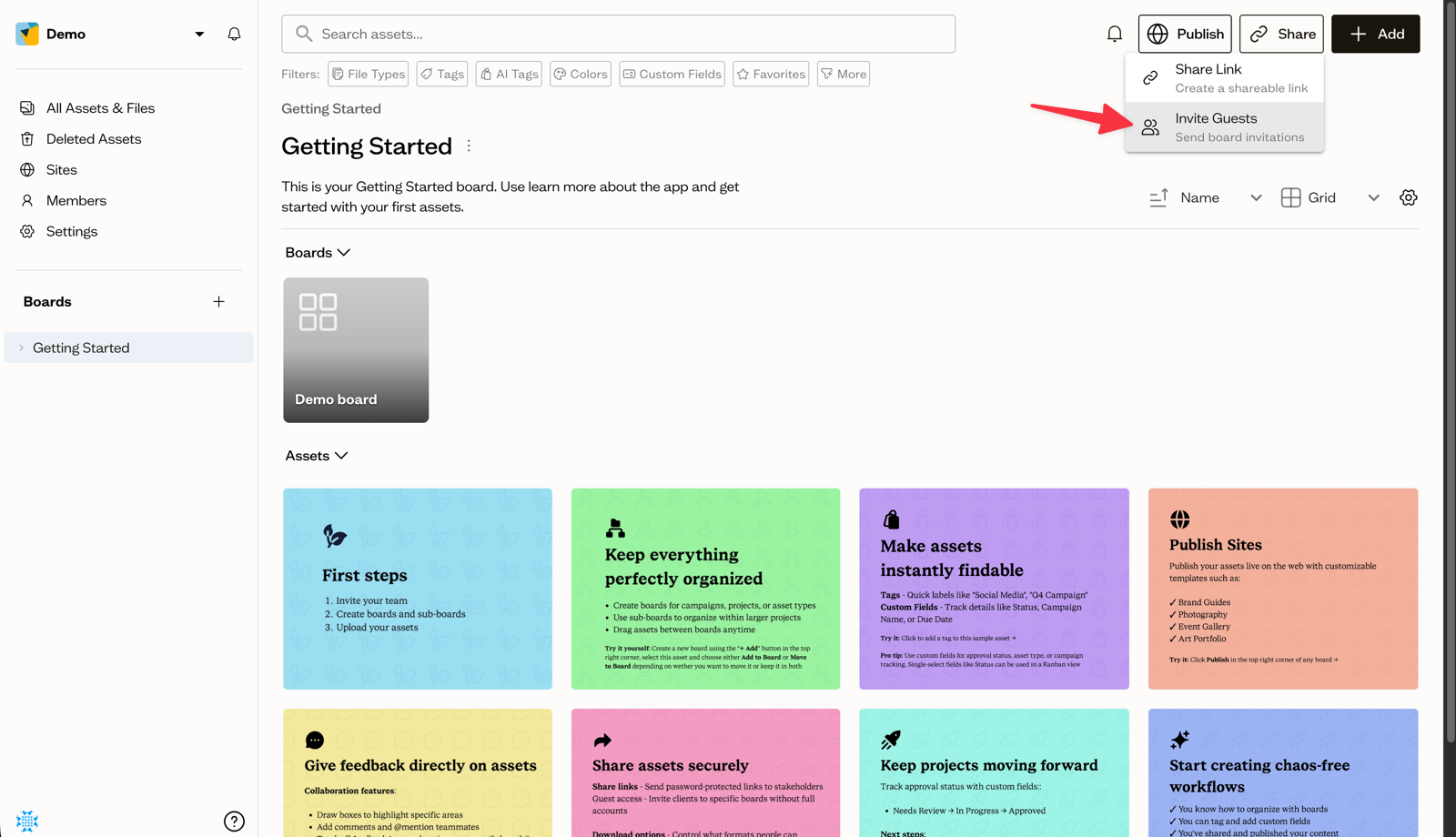
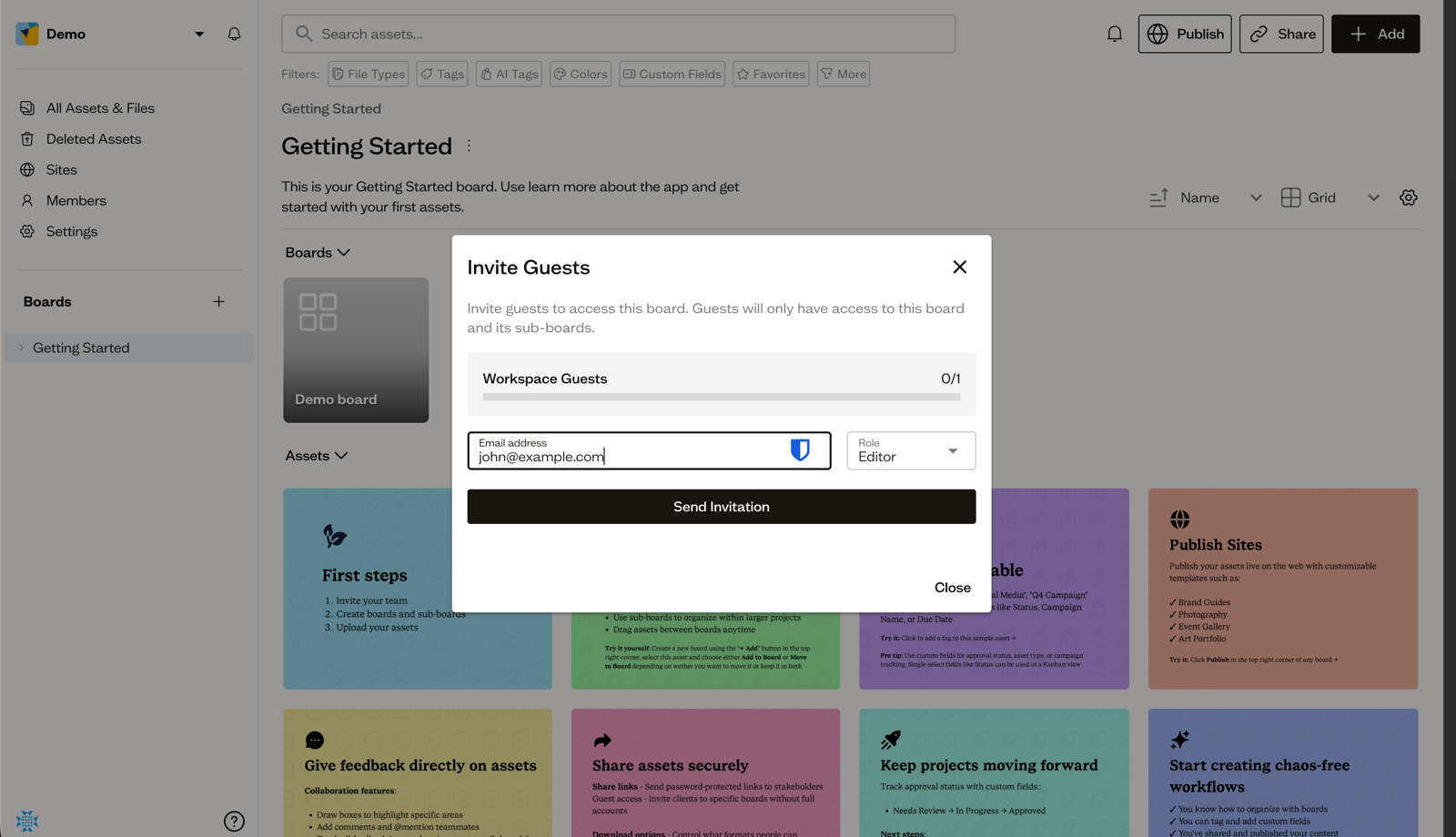
On a board, open the Share menu and choose Invite Guests. Enter the guest's email, choose a Role (Editor or Commenter), and select Send Invitation.
What guests can access
Guests only see the board you invited them to and its sub-boards. They do not see the rest of your workspace.
Manage guests
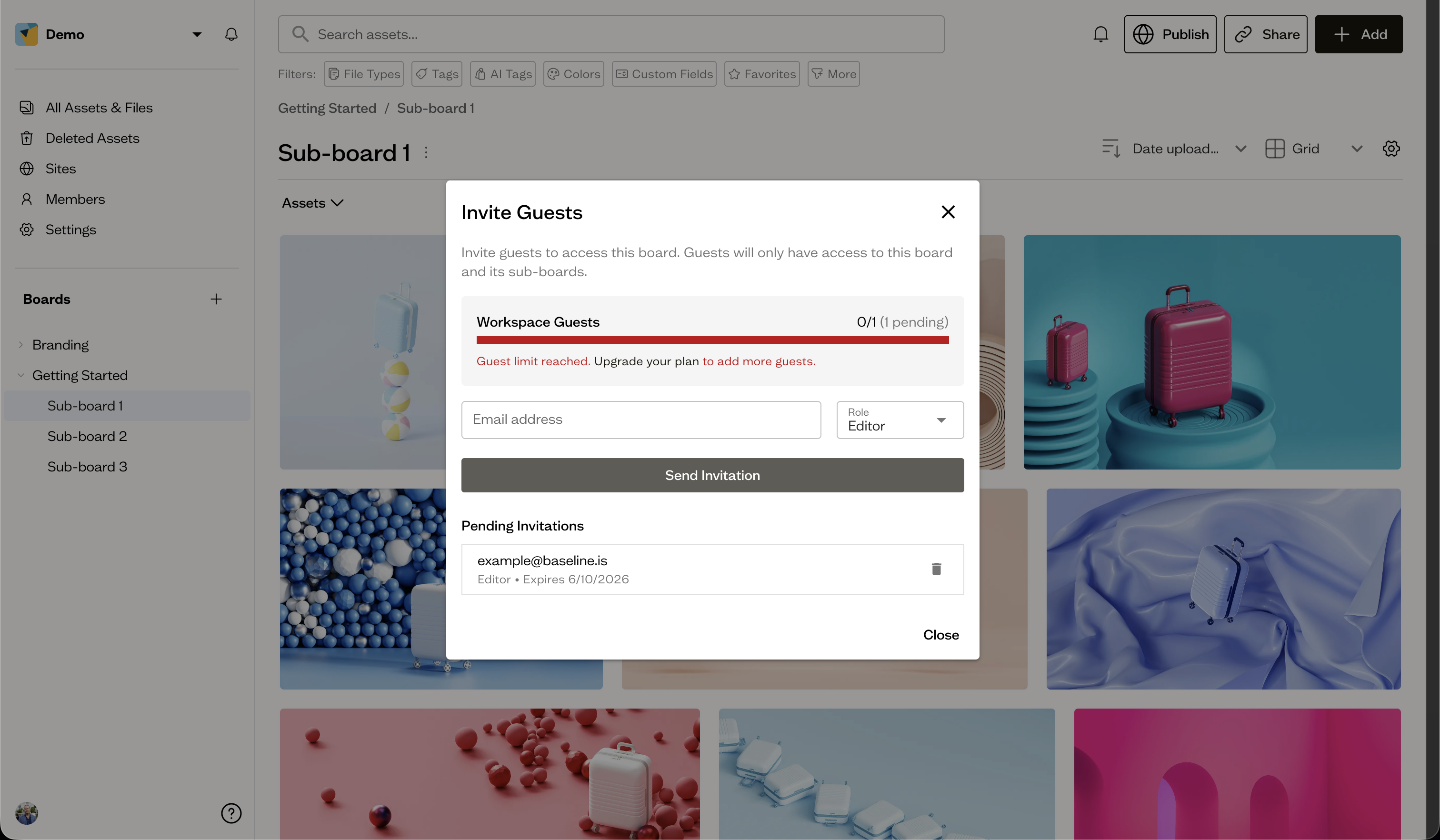
The Invite Guests dialog lists pending invitations and current guests, where you can cancel an invite or remove a guest.
Guests vs share links
Use guests when someone needs ongoing, signed-in access to a board. Use share links for quick, public access without an account.
Next steps
Compare access types in understanding roles.