
The site editor is where you design your published site by arranging sections and blocks on a canvas.
The layout
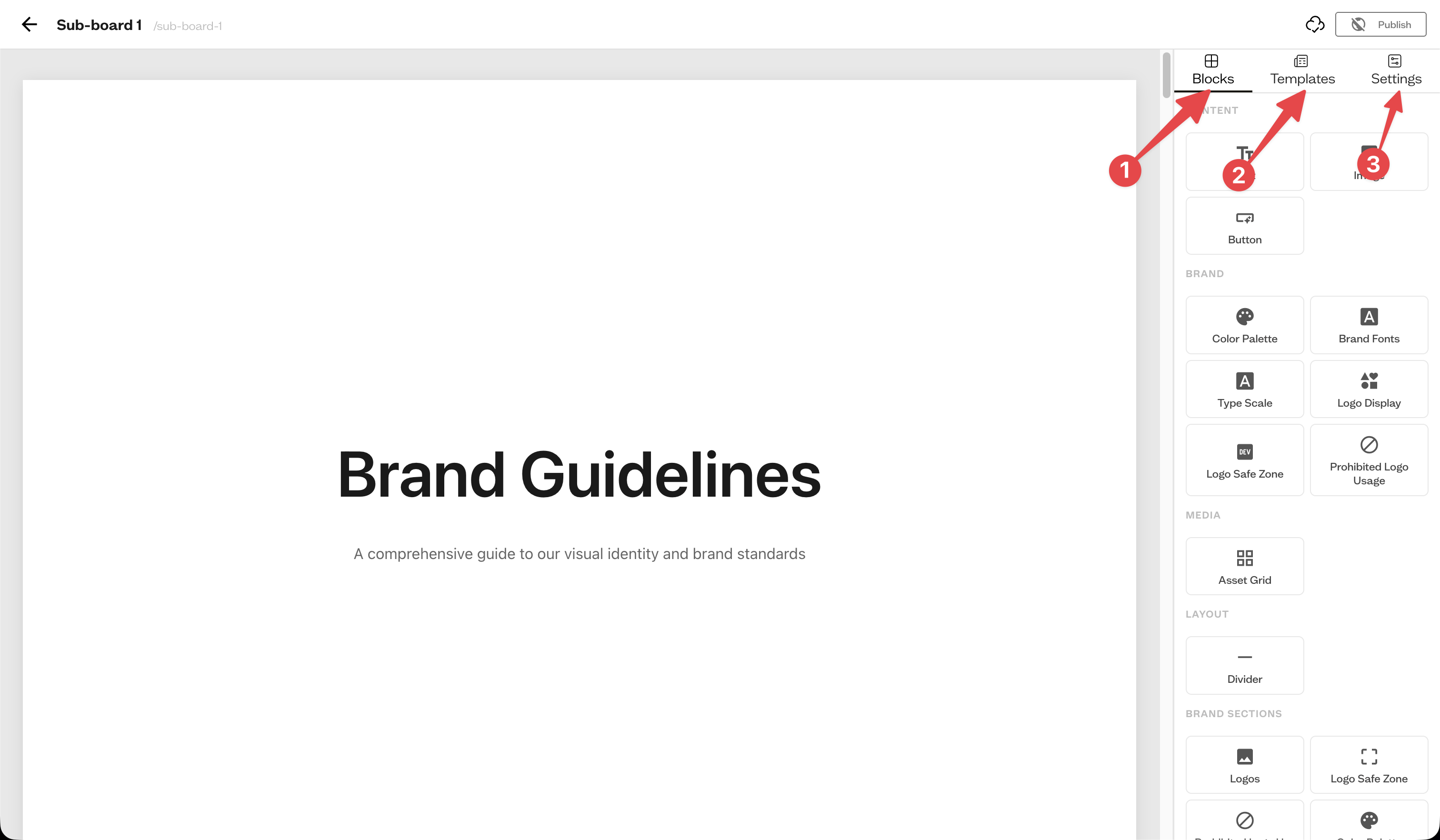
The canvas in the middle holds your sections. The right sidebar has three tabs: Blocks (1) to add content, Templates (2) to apply a full-page layout, and Settings (3) to style the theme and selected elements.
Add sections and blocks
Drag a block from the Blocks tab onto the canvas to create a section. Each section can be split into columns, and you can duplicate or remove sections and blocks from their toolbars.
Style your site
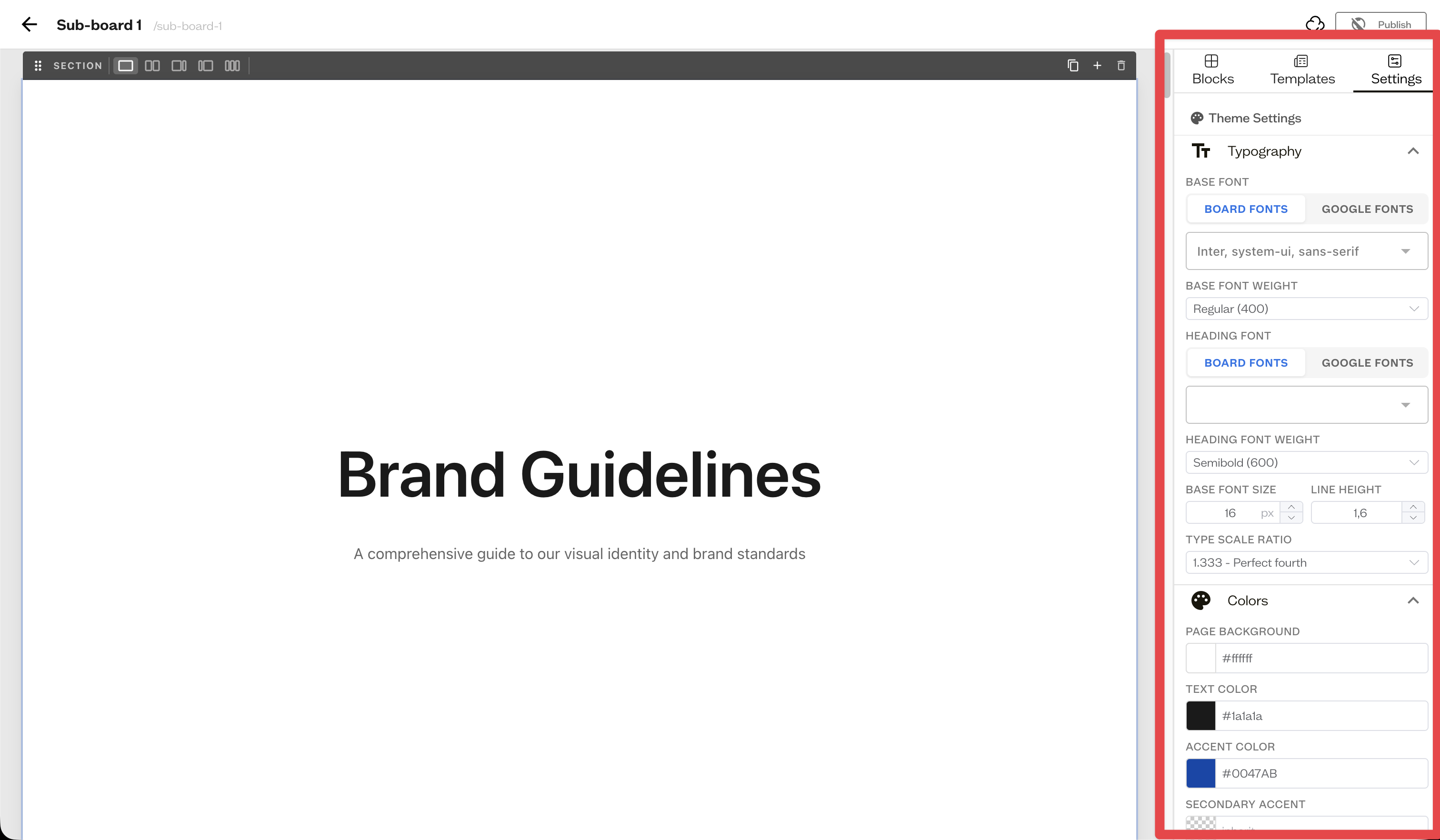
With nothing selected, the Settings tab shows Theme Settings for typography, colors, layout, and navigation. Select a block to edit its individual settings.
Saving and publishing
Your changes save automatically. When you are ready, use the Publish toggle in the header.
Next steps
Add brand blocks to showcase your colors, fonts, and logos.