
Most actions in Baseline can be applied to many items at once. When you select more than one asset or board, a bulk action bar appears so you can act on them together instead of one at a time.
Select multiple items
Select assets or boards in the grid. As soon as you have a selection, the bulk action bar appears at the bottom of the screen, showing how many items are selected.
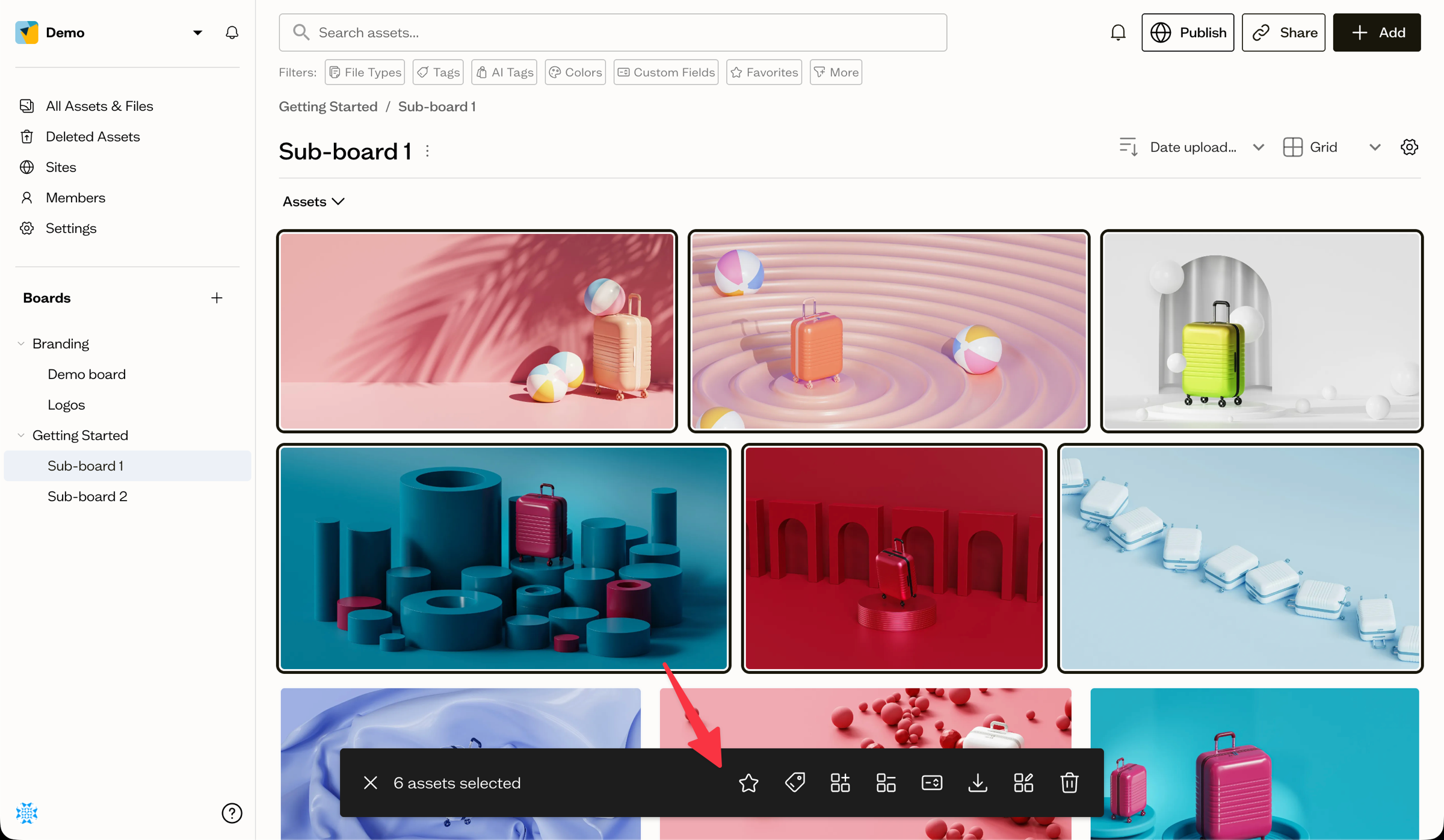
To clear your selection, use the clear button at the left of the bar.
What you can do
From the action bar you can:
- Add to / Remove from Favorites
- Edit Tags — apply a set of tags to every selected asset
- Add to Board and Move to another board
- Remove from Board — take items off the current board
- Edit Fields — set a custom field's value across the selection
- Download the selection
- Delete the selected items
Which actions appear depends on what you have selected and your role. Favorites and Download are available to everyone; editing tags, fields, boards, and deleting require the Editor or Admin role.
Next steps
Dive into specific actions like editing tags, setting field values, moving assets, or downloading.