
Creative workflow management is the practice of moving a piece of creative work from request to approved, delivered asset through defined stages, with a named owner and an explicit status at each stage. It covers intake and briefing, production, review and approval, delivery, and the retirement step almost every team skips. When it works, it is invisible: the current file is where people expect it, feedback lands on the asset it refers to, and nobody asks which version is live. When it fails, it looks like version sprawl, approvals by screenshot, and a studio manager rebuilding the week's status from memory on Monday.
This guide is about the process, not the shopping list. Most pages on this topic either explain the concept in the abstract or rank software, and neither explains why the same failures show up in every creative team's week.
Creative Workflow Management Is Not Project Management
Project management tracks tasks, time, and people. Creative workflow management tracks the work product itself: which file is current, who has reviewed it, what changed since the last round, and whether it is cleared for use. The two overlap, but they are not the same, which is why a task board can show everything as complete while the asset sitting in the client's inbox is three versions old.
A task can be closed the moment a designer uploads a comp. The asset is not approved at that point, it is submitted. If your system has no state between those two moments, approval becomes a conversation, and conversations stop scaling somewhere around four people.
The Five Stages of a Creative Workflow
A workable workflow has five stages, and each one produces an artifact: a brief, a working file, a reviewed version, an approved asset, and an archived asset. If a stage does not produce an artifact, it is not a stage, it is a meeting.
Intake and brief. Every request enters through one place and carries the objective, audience, deliverables, formats and dimensions, deadline, and the name of whoever approves the final. A request that arrives as "something for the spring push" gets interpreted five ways, and four of them are wrong. A structured request form plus a creative brief template that captures the missing pieces removes most of that ambiguity, and for design-heavy work a design brief template adds room for references and non-negotiables.
Production. One working file per deliverable, in one location, with one named owner. Working files and exported assets are different objects and belong in different places. Version sprawl usually starts when an export lands next to its source file in the same folder and both keep getting new names.
Review. Reviewers see the actual asset, at a size close to how it will be used, not a compressed screenshot pasted into a chat. Comments attach to the region they describe. A round has a deadline and a named set of reviewers, and the creative director is not one of nine people holding an implicit veto.
Approval. Approval is a recorded state change made by the person named in the brief, not the absence of further complaints. The distinction matters because "nobody objected" is how unapproved work ships. Approval should be visible somewhere a project manager can check without messaging anyone.
Delivery and retirement. Approved assets go to a place the people who need them can reach without asking, scoped to what they are allowed to see. Superseded assets get retired in the same motion. An outdated logo that is still easy to find will be used, and the person who used it will be blamed for a system failure.
Where Creative Workflows Break
None of these are exotic. They are the default outcome of an unmanaged process.
- The brief lives in a thread. Half the context is in Slack, the other half in a call nobody wrote down, and the client says the result is not what they meant.
- Approval happens by screenshot. Someone crops a comp and pastes it into email, and the annotation loses its coordinates. Two reviewers comment on different crops of different versions and both believe they reviewed the same thing.
- Status lives in three places. The task board says in progress, the shared drive says final, the account manager's spreadsheet says waiting on client. All three are maintained by hand, so all three are wrong by Thursday.
- File names do the job of version control. You end up with
spring_hero_final_v4_JB_commentsandspring_hero_final_v4_REAL. The second one is not real, but nobody knows that until the client picks it. - Delivery is manual. An account manager zips files and emails them because there is no client-facing place to point at, and the client works from that zip for six months.
- Nothing gets retired. Old logo files, last season's templates, and superseded guidelines stay in the same folder as current ones, and search results become a history lesson.
- Capacity is invisible. Nobody knows what is in flight until something is late, so the studio overcommits or underuses its team, and both look like scheduling failures when they are visibility failures.
Review Is Where the Time Actually Goes
Most teams describe their bottleneck as production. It is usually review. Production has a defined end, a comp either exists or it does not, while review has no natural stopping point, so it expands until a deadline forces it closed.
Two habits fix most of this. Bound the rounds: two rounds of consolidated feedback, a third only if something factual was wrong in the brief. Unbounded rounds reward the loudest reviewer, not the best one. Then consolidate feedback per asset rather than per reviewer, or you get five overlapping notes and one designer trying to reconcile them. Comments attached to the asset, threaded and resolvable, keep the exchange in one place, which is the difference between a review and a relay race. We go deeper on that step, including the client who approves verbally and disputes it later, in marketing approval workflows.
Version Control Is Not a Naming Convention
A naming convention is a promise people make to each other. Version control is a property of the system, and it is the only version that survives a busy Friday. If the library keeps every iteration and marks one as current, version decisions stop being social. If it does not, the newest file wins by default, a coin flip when two people uploaded at once.
This is where a folder on a shared drive stops being adequate. A folder can hold files; it cannot tell you which one is approved, who can see it, or when it was replaced. DAM versus file sharing covers that gap in detail, but the short version is that storage answers "where is it" and asset management answers "is this the right one."
That question gets harder with every client. An agency running twelve brands has twelve sets of current assets and twelve sets of retired ones, and the cost of mixing them is not a wasted hour, it is a client conversation. The framework in brand asset management for agencies is the governance layer underneath the workflow described here.
The Four Tool Categories, and What Each One Is For
Creative workflow software is not a single category, which is why so many teams end up with four subscriptions and no answer to "where is the approved file."
- Work management. Intake forms, tasks, timelines, dependencies, and capacity. This is where a request becomes scheduled work and where a studio lead sees what is coming.
- Review and proofing. Annotation on the asset itself, version comparison, consolidated feedback, and a recorded approval state.
- Digital asset management. The library of record: metadata, permissions, search, versioning, retention. This is the system that answers "which one is current."
- Brand portal or publishing layer. The permissioned, client-facing view, so people outside the team can self-serve approved material instead of requesting it.
Own fewer categories and connect them better. A team with a task board, a shared drive, and a weekly status meeting does not have a tooling problem, it has a process problem a fifth subscription will not solve. Add a category when you can name the failure it removes. "Clients keep asking us to email files" is a portal problem. "We cannot tell which comp is approved" is a review problem.
A 30-Day Sequence That Sticks
Rolling everything out at once fails, because people route around a system that slows them down before it starts helping. Sequence it so each week removes one visible annoyance.
- Week 1: Define the stages and name the approver. Write down the five stages as your team actually runs them, including the informal ones. Pick one approver per client or project. Publish it, and expect to argue about it once.
- Week 2: Fix intake. Stand up one request form with the fields from the brief and route every new request through it, including the ones that arrive in a direct message, by replying with the link. Expect two weeks of grumbling, then compliance, because the form saves the requester from follow-up questions.
- Week 3: Consolidate the library. Move current working files and approved assets into one system, retire duplicates, and mark retired files so they stop appearing in search. This week surfaces how many logo versions exist, always more than the team expects.
- Week 4: Open the client-facing side. Give each client a scoped view of their own approved assets, and set a quarterly review cadence so the library gets cleaned before a crisis instead of during one.
Do not skip week 3 because it is tedious. Every other stage depends on one authoritative copy of the work, and a review process attached to three sources of truth is worse than none, because it manufactures confidence.
What to Measure
Four numbers tell you whether it is holding: cycle time from approved brief to approved asset (track the median, not the average, since one stalled project distorts everything), rounds per asset (a median above two means the brief is the problem, not the review), rework rate after approval (the clearest sign that approval lacks authority), and how long a new hire takes to find the current version of a common asset.
Where Baseline Fits
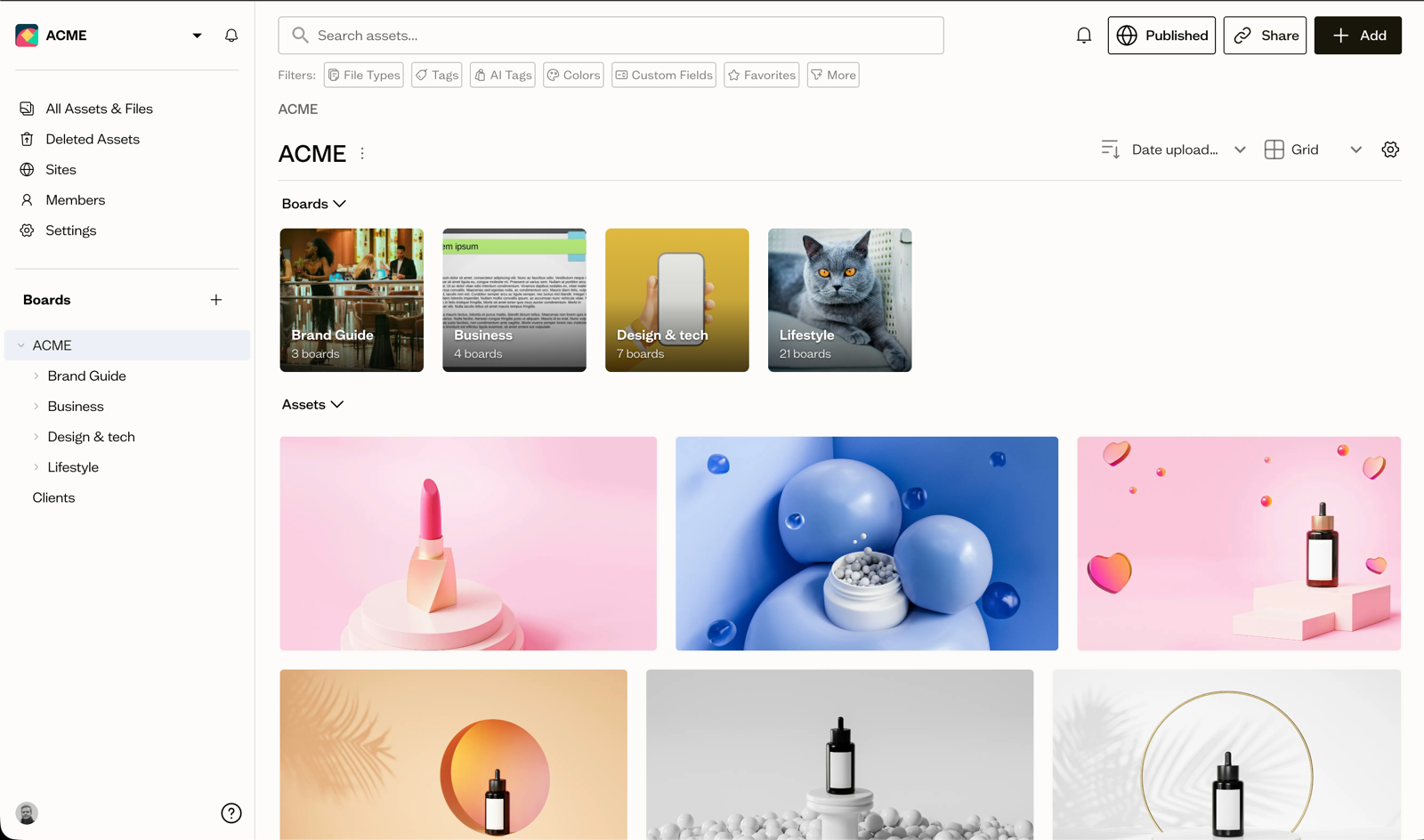
Baseline is a digital asset management system with a publishing layer attached, so the library and the client-facing view are one system rather than two. Approval status can be a custom single-select field with stages like Draft, In Review, and Approved, and a Kanban view groups assets by that field, so the queue is visible and assets move between columns as they progress. Reviewers annotate directly on the asset with point and area markers and threaded replies, keeping feedback with the version it refers to.
For delivery, share links can be password protected and given an expiry date, and clients can comment without creating an account, which removes the usual reason teams fall back to emailing zips. Assets can publish directly as a live brand guide or portal, and updating an asset in the library updates it wherever that board is published. If your bottleneck is intake rather than review, content collection forms can gather a client's logos, fonts, and colors through a no-login form and file them into the right board automatically.
Frequently Asked Questions
What is creative workflow management?
It is the system that moves creative work from request to approved asset: intake and brief, production, review, approval, and delivery. A managed workflow leaves a record at each stage, so anyone can check what is current and who approved it without asking around.
What are the stages of a creative workflow?
Five: intake and brief, production, review, approval, and delivery with retirement. Teams often merge review and approval, which is where trouble starts, because reviewing suggests changes and approving accepts responsibility. Separating them, with a named approver, stops work shipping on silence.
How many rounds of review should a creative project get?
Two, with a third only if the brief contained an error. More rounds rarely improve the work, they usually produce a design by committee. The better lever is consolidating a round's feedback into one pass, tied to specific areas of the asset, with a deadline attached.
Do small creative teams need workflow software?
Not necessarily software, but they need the stages and one place where the current asset lives. A team of three can run intake through a form and approvals through a shared status field without buying anything new. Tooling earns its cost when client-facing delivery becomes a daily interruption.
Creative workflow management is mostly the discipline of making status visible, so if you want the library and the approval trail in one place, you can start a Baseline workspace here.