Search "brand asset management" and the top results are mostly glossary pages from DAM vendors like Bynder, Frontify, and Canto: a paragraph-long definition, then a pitch for their software. A few independent guides (Templafy, Lingo, OpenAsset) cover similar ground, but none of them are written for the way agencies actually run into this problem, managing a dozen client brands instead of one.
This is the practical version: what brand asset management actually is, why it specifically breaks down at agencies, a framework for doing it properly, and a step-by-step audit you can run this week.
Last updated: September 10, 2026
What Is Brand Asset Management?
Brand asset management is the ongoing practice of organizing, governing, and distributing the files and rules that represent a brand, logos, color palettes, fonts, templates, photography, and the guidelines that say how to use them, so the right version reaches the right person at the right time.
It's not the same thing as just "having a shared drive." A shared drive stores files. Brand asset management adds the layer a shared drive doesn't: version control, permissions, searchability, and a system that stops an outdated logo from making it into a client deck six months after it was retired. We go deeper on that distinction in DAM vs file sharing.
The software category built for this is digital asset management (DAM). For a full breakdown of specific brand asset types, see Brand Assets: 12 Types & How to Manage Them Effectively; this guide focuses on the management side, the process and framework, not the inventory.
Why Brand Asset Management Breaks Down Specifically at Agencies
In-house brand teams manage one brand. Agencies manage a dozen, each with different logo files, different approval chains, and different people who need access, some of them freelancers who'll be gone in three weeks.
That difference changes what breaks:
Multi-client asset confusion. Without hard separation between client workspaces, it's a matter of time before Client A's assets end up in a deliverable for Client B. It's one of the most common brand asset incidents at agencies with more than a few active clients.
Freelancer and contractor sprawl. A shared drive with "everyone gets access" permissions means former freelancers often still have logo files six months after their last invoice. Brand asset management for agencies has to include an offboarding step, not just an onboarding one.
No client-facing view. Clients want to grab their own approved assets without emailing the account manager every time. Most internal DAM setups aren't built to expose a clean, client-safe subset of the library, which pushes people back toward emailing zip files.
Version drift across active campaigns. When five people on three accounts are all pulling from "the brand folder," someone is working from last quarter's version. The bigger the agency, the more this compounds.
The Brand Asset Management Framework
Skipping straight to "buy a DAM" without the first two steps is why a lot of DAM rollouts stall, the tool works fine, but nobody fixed the underlying mess before dropping it in the tool.
| Step | What it means |
|---|---|
| 1. Audit | Find out what you actually have before deciding how to organize it |
| 2. Organize | Decide on a structure before you decide on a tool |
| 3. Govern | Set rules for who can upload, approve, delete, or just view |
| 4. Distribute | Get approved assets to people without a request-and-wait cycle |
| 5. Measure | Track what's actually used, and what's outdated but still circulating |
1. Audit
Find out what you actually have before deciding how to organize it. Most agencies underestimate this by a wide margin, once every client folder, every old campaign, and every freelancer's local drive gets counted. The audit section below walks through this in detail.
2. Organize
Decide on a structure before you decide on a tool. Client-first hierarchy (each client gets an isolated workspace) is the right default for agencies; brand-first hierarchy (organized by internal brand, then client) works better for in-house teams managing one brand across many campaigns. Pick one and apply it consistently, a mixed structure is worse than either pure approach.
3. Govern
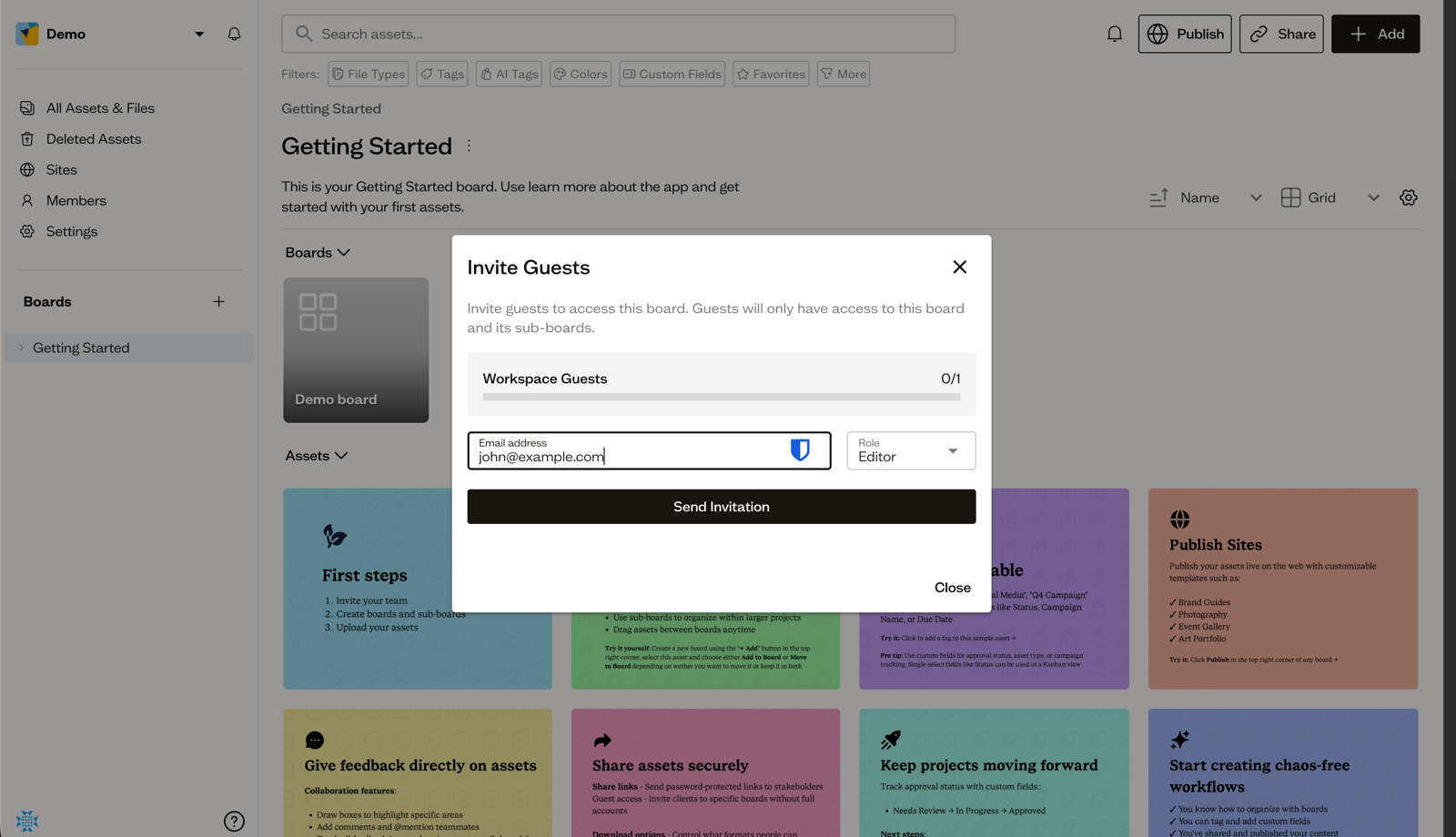
Set rules for who can upload, who can approve, who can delete, and who can only view or download. This is where role-based access matters: a freelancer needs upload and comment access to one client's board, not edit access to the whole library. Governance also covers naming conventions and retiring outdated assets, an asset that's wrong but still easy to find gets used by accident.
4. Distribute
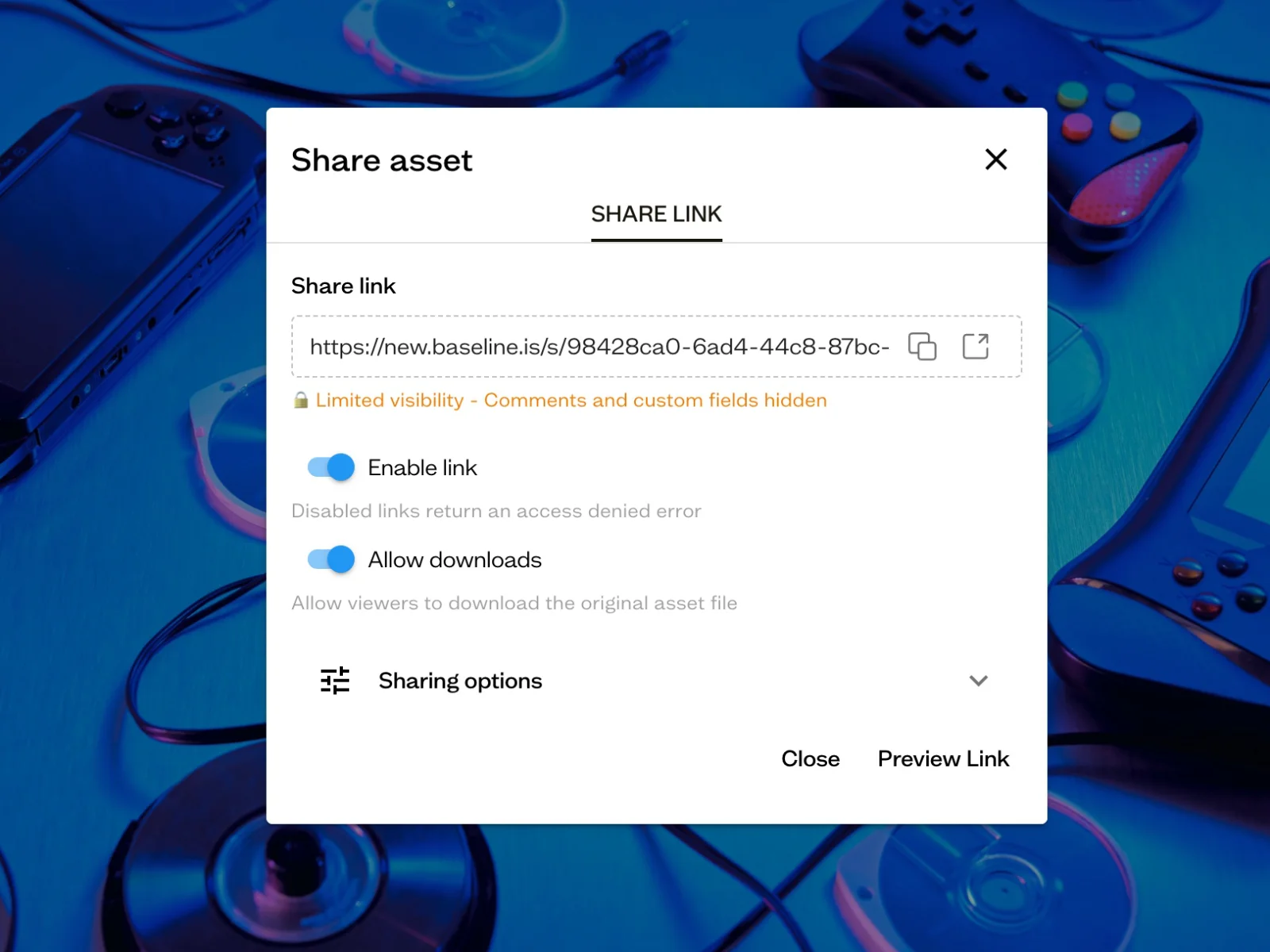
Get approved assets to the people who need them without a request-and-wait cycle. That means internal team access scoped correctly, plus a way to hand clients or partners a clean, permissioned view of just their own assets, not the whole agency library.
5. Measure
Track what's actually being used and by whom. This catches two problems: assets nobody uses (probably safe to archive) and outdated assets still getting pulled (a governance failure worth fixing before it causes a real incident).
How to Audit Your Brand Assets: A Step-by-Step Checklist
This is the step most agencies skip, and the one that determines whether everything after it actually works. Budget a few hours for a small agency, a day or two if you're managing ten-plus active clients.
Step 1: Inventory everything, including the mess. List every location assets currently live: shared drives, local machines, old DAM tools, email attachments people have saved, freelancer drives if you can get access. Don't organize yet, just find it all.
Step 2: Sort by client and by type. Group what you found by client (or by internal brand, if you're in-house), then by asset type within each: logos, color and type specs, templates, photography, approved campaign creative. This is where duplicate and near-duplicate files usually surface, three slightly different logo exports nobody can tell apart.
Step 3: Flag what's outdated. Cross-check every logo, template, and guideline file against the client's current brand standards. Anything that doesn't match gets flagged for archiving, not deletion yet, just flagged so it stops surfacing in search.
Step 4: Identify gaps. Note what's missing: a client with no packaged logo files, a brand with no documented color values beyond "the blue one," guidelines that exist only as a PDF nobody has opened since onboarding.
Step 5: Score access risk. For each client workspace, list who currently has access and whether that's still appropriate. This is usually where the freelancer-sprawl problem becomes visible, people with access who shouldn't still have it.
Step 6: Set a re-audit cadence. A one-time audit decays. Quarterly is reasonable for an active agency; twice a year is a minimum. Put it on a calendar, not on a "we should do this sometime" list. If you're also choosing or setting up a DAM, the digital asset management checklist covers requirements, setup and monthly upkeep in one list.
Choosing Brand Asset Management Software
Once the audit and structure are sorted, the tool matters less than most vendor marketing suggests, but it still matters. For agencies specifically, prioritize:
- Per-client workspace isolation, not just folders, actual separation that prevents cross-client mixups
- Role-based access down to the board or client level, so a freelancer or a client contact gets exactly the access they need and nothing more
- A client-facing view or portal, so clients can self-serve approved assets instead of emailing your account team
- Search that works on visual content, not just filenames, since agencies accumulate assets faster than anyone tags them consistently
- Transparent, published pricing, most enterprise DAM vendors require a sales call just to learn what it costs
We've written a full breakdown of how the major platforms compare on all of this: best DAM software for creative agencies covers eight platforms in depth, and what Bynder, Brandfolder, Canto, Frontify & Air actually cost covers pricing specifically, since most of these vendors don't publish it.
Where Baseline Fits Into This

Baseline is built around the agency-specific parts of this framework: per-client boards for real workspace isolation, board-level guest roles for freelancers and clients (Editor or Commenter, scoped to one board and its sub-boards), AI-powered search across visual content, and share links for handing clients a permissioned view of their own assets without an account.
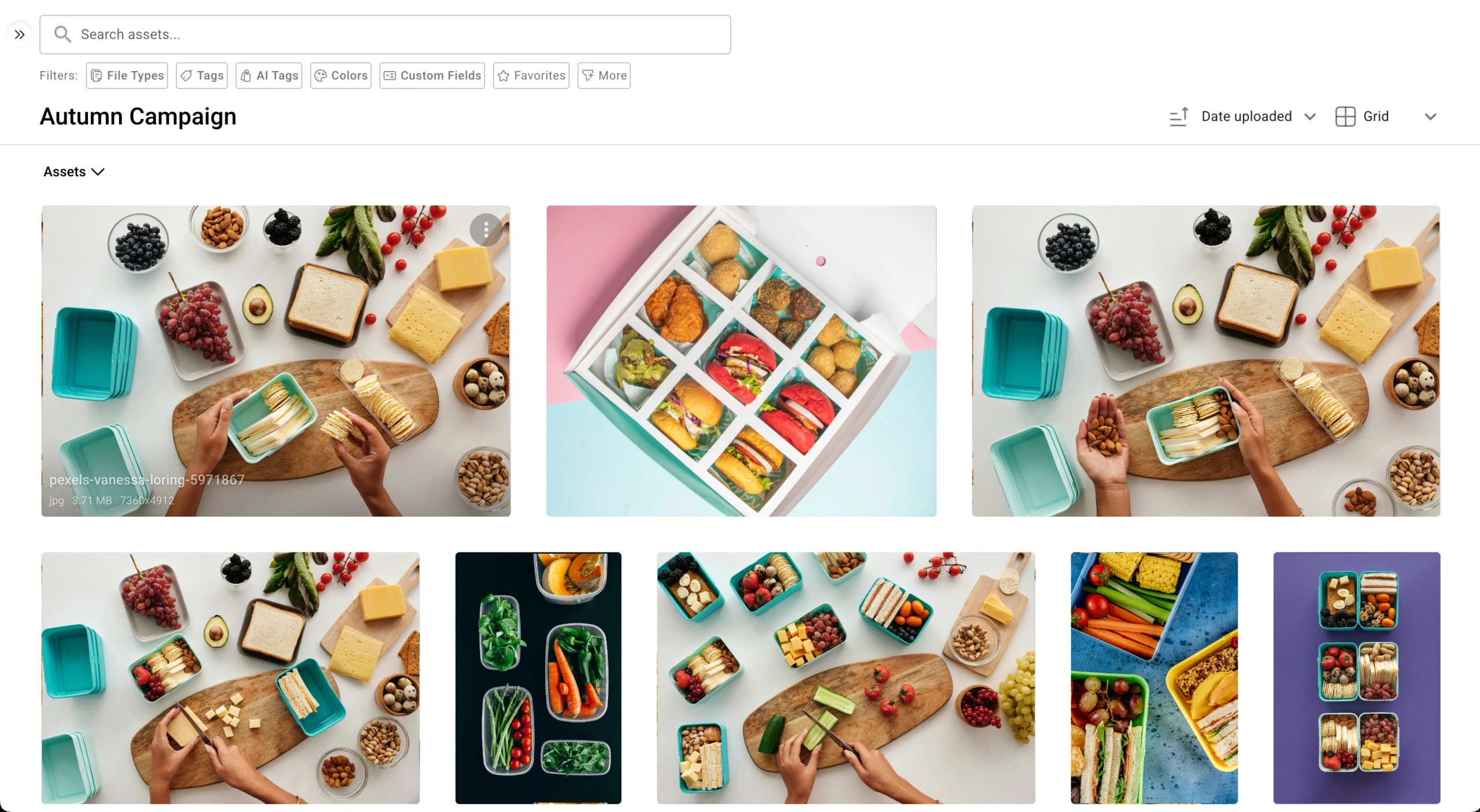
The part most DAM tools don't do: assets on a Baseline board can publish directly as a live, client-facing brand guide or portal, so governance (the rules) and distribution (getting assets to people) live in the same system instead of a DAM plus a separate brand-guidelines tool. Pricing is published, not quote-gated: $588/year (Starter), $2,028/year (Team), $4,188/year (Business), all billed annually.
See the full pricing breakdown or how Baseline compares to Bynder, Canto, Frontify, and Air.
Frequently Asked Questions
What is brand asset management?
The short version: keeping every brand file current, findable, and permissioned correctly, usually with DAM (digital asset management) software as the underlying system. See the full breakdown above for what that involves in practice.
What's the difference between DAM and brand asset management?
DAM is the category of software; brand asset management is the practice or discipline. A DAM tool is how most teams implement brand asset management, but the term also covers the process itself: the audit, the governance rules, the access structure, independent of any specific tool.
How often should agencies audit their brand assets?
Quarterly for an active agency with several live clients; twice a year at minimum. Client rosters, freelancer access, and brand guidelines all change often enough that a once-a-year audit misses real drift.
What software do agencies use for brand asset management?
It varies by size and budget. Enterprise agencies often use Bynder or Brandfolder; mid-market agencies commonly use Canto or Frontify; smaller, design-forward agencies gravitate toward Air or Baseline. See the full platform comparison for a breakdown by agency size.
Do freelancers need their own brand asset management access?
Yes, but scoped tightly: access to the specific client board or workspace they're working on, not the full agency library, and that access should be revoked when the engagement ends. This is one of the most commonly skipped steps, and the source of a lot of agency asset-sprawl problems. See client portals for agencies for how board-level guest roles handle this.
Get Started
If your agency's brand assets are scattered across drives, inboxes, and old campaigns, try Baseline free or see how it compares to Bynder, Canto, Frontify, and Air for every platform's pricing and features side by side.
Try Baseline free | See pricing | Compare 8 DAM platforms
Related Resources
- Living Brand Guidelines: Why Static PDFs Fail
- Brand Assets: 12 Types & How to Manage Them Effectively
- Best DAM Software for Creative Agencies (8 platforms compared)
- What Bynder, Brandfolder, Canto, Frontify & Air actually cost
- Every DAM Head-to-Head Compared
- Client Portals for Agencies
- What Is Brand Compliance?
- What Is a Brand Kit?
- Digital Asset Management Benefits