"Make it look more premium" is not a design brief, it's a reaction to a first draft that was never given real requirements to work from. Most design revisions don't happen because the designer got it wrong. They happen because the brief never said what "right" actually meant, functionally or visually, before work started.
A design brief fixes this: one document, filled out before the first mockup, that specifies what the design needs to do and what it needs to look like, not just a vague mood. This guide gives you a template you can use as-is, a filled-out example, the mistakes that turn briefs into guesswork, and how Baseline's forms turn the whole thing into something a client fills out directly instead of a doc you chase them to finish.
What Is a Design Brief?
A design brief is a short document that defines a design project's requirements before work starts: what the design needs to accomplish functionally, who it's for, what it needs to look like, and the technical constraints it has to work within. It's the reference a designer and client both point to when a revision request comes in, to check whether it's a new requirement or something the brief already covered.
A design brief is narrower than a creative brief. A creative brief defines the message, what the work should communicate, and to whom. A design brief defines the visual and functional requirements, what the thing needs to look like and do. A website redesign, a packaging update, or a new UI needs a design brief. An ad campaign or content series needs a creative brief. See the full comparison below.
Design Brief Template
Copy this. Every field has a one-line prompt so it's clear what actually goes in it, not just a header.
Project name: [internal name for this project]
Client / brand: [who this is for]
Project overview: One or two sentences: what's being designed, and why now?
Background: What's driving this project? An outdated design, a rebrand, a new platform, a usability problem users keep hitting?
Design objective: What should this design accomplish? One primary goal, not a wishlist of everything a redesign could theoretically fix.
Target audience / end user: Who actually uses or sees this? Their context matters more than demographics: what device, what mindset, what they're trying to do when they encounter it.
Functional requirements: What does the design need to DO? Specific actions it needs to support (checkout flow, navigation to 3 key pages, form submission), not just "be usable."
Visual requirements: Style, mood, and any existing brand guidelines or assets this needs to follow. Reference actual brand assets, not just adjectives like "modern" or "clean."
Technical specs: Dimensions, platforms or devices, file formats, and any hard technical constraints (CMS limitations, print specs, existing design system components that must be reused).
Competitors / references: 2-3 examples of what's working elsewhere, and 1-2 examples of what to avoid.
Success metrics: How will you know this design worked? A conversion number, a usability outcome, a business result, not "it should feel right."
Timeline: Kickoff date, internal review date, client review date, final delivery date.
Budget range: Even a range keeps design direction realistic before hours get spent on something out of scope.
Approvers: Who signs off, and is there more than one person who needs to agree?
Fourteen fields. If a client can't answer "functional requirements" or "technical specs," that's useful information too, it usually means the project needs a scoping conversation before design work starts, not after a draft misses requirements nobody wrote down.
Filled-Out Example
Here's the template completed for a fictional client, so you can see what "specific enough" looks like next to the vague version most design briefs actually ship with.
| Field | Vague (what most briefs say) | Specific (what actually works) |
|---|---|---|
| Design objective | "Make the website feel more modern" | "Reduce the average path to 'request a quote' from 4 clicks to 2, and update the visual system to match the 2026 brand refresh" |
| Target audience / end user | "Small business owners" | "Owners of 5-20 person service businesses, browsing on mobile during work hours, comparing 2-3 vendors before requesting a quote" |
| Functional requirements | "Easy to navigate" | "Persistent quote-request CTA visible on every page; service pages filterable by industry; contact form limited to 4 fields to reduce drop-off" |
| Visual requirements | "Clean and professional" | "Match the primary/secondary palette and type scale in the current brand guide exactly; photography style: real team photos, not stock; no rounded-corner cards, current brand uses sharp edges" |
| Success metrics | "Looks better than before" | "15% increase in quote-request form completions within 60 days of launch" |
Same pattern as any well-written brief: the specific version names a number, a concrete behavior, or an exact reference, not an adjective that could describe almost any project.
Common Design Brief Mistakes
Only specifying what it should look like, never what it should do. "Modern and clean" says nothing about whether the design needs to drive signups, reduce support tickets, or pass an accessibility audit. Visual and functional requirements are both necessary; a brief with only one is an incomplete brief.
Treating adjectives as requirements. "Premium," "bold," "friendly" mean something different to every person who reads them. Anchor visual requirements to actual references: existing brand guidelines, competitor examples, or specific assets, not adjectives alone.
Technical specs discovered mid-project. Platform constraints, file format requirements, or existing design-system components that must be reused should be stated up front. Finding out about a CMS limitation after three rounds of design work wastes everyone's time.
No existing brand assets referenced. A design brief for something inside an established brand should point directly at the current guidelines, logo files, and color values, not leave the designer guessing at what's already locked versus what's actually up for reinterpretation.
No named approver. The same failure mode as any other brief: work goes through multiple rounds of conflicting feedback because nobody was ever identified as having final sign-off.
Design Brief vs. Creative Brief vs. Project Brief
These get used interchangeably, but they cover different ground:
- Design brief: Defines the visual and functional requirements for a design deliverable: a website, a product, a packaging redesign. Answers "what does this need to look like and do?"
- Creative brief: Defines the message and audience for creative work: advertising, campaigns, content. Answers "what are we saying, and to whom?" See the full creative brief template.
- Project brief: The broadest of the three, covering scope, timeline, budget, and stakeholders for any project, design-related or not. Often sits above a design or creative brief as the umbrella document.
In practice, a website redesign might need both a design brief (visual and functional requirements) and a lighter project brief for timeline and budget. For most agency design work, the template above covers what actually gets used day to day.
How Baseline Turns This Into a Form a Client Actually Fills Out
A design brief in a doc depends on someone opening it, understanding every field, and remembering to attach the right reference files separately. Baseline's Content Collection Forms turn the template above into something a client completes directly, with references attached in the same place.
Build the brief as a form once. Each field becomes a question: Text questions for the written sections (objective, functional and visual requirements), File Upload for references, mockup inspiration, or existing brand assets, and Email for approver contact. Conditional logic can skip sections that don't apply.
References attach right where the visual requirements field asks for them. A client filling out the "visual requirements" question can drop reference images directly into that question instead of describing a mood in words and emailing screenshots separately.
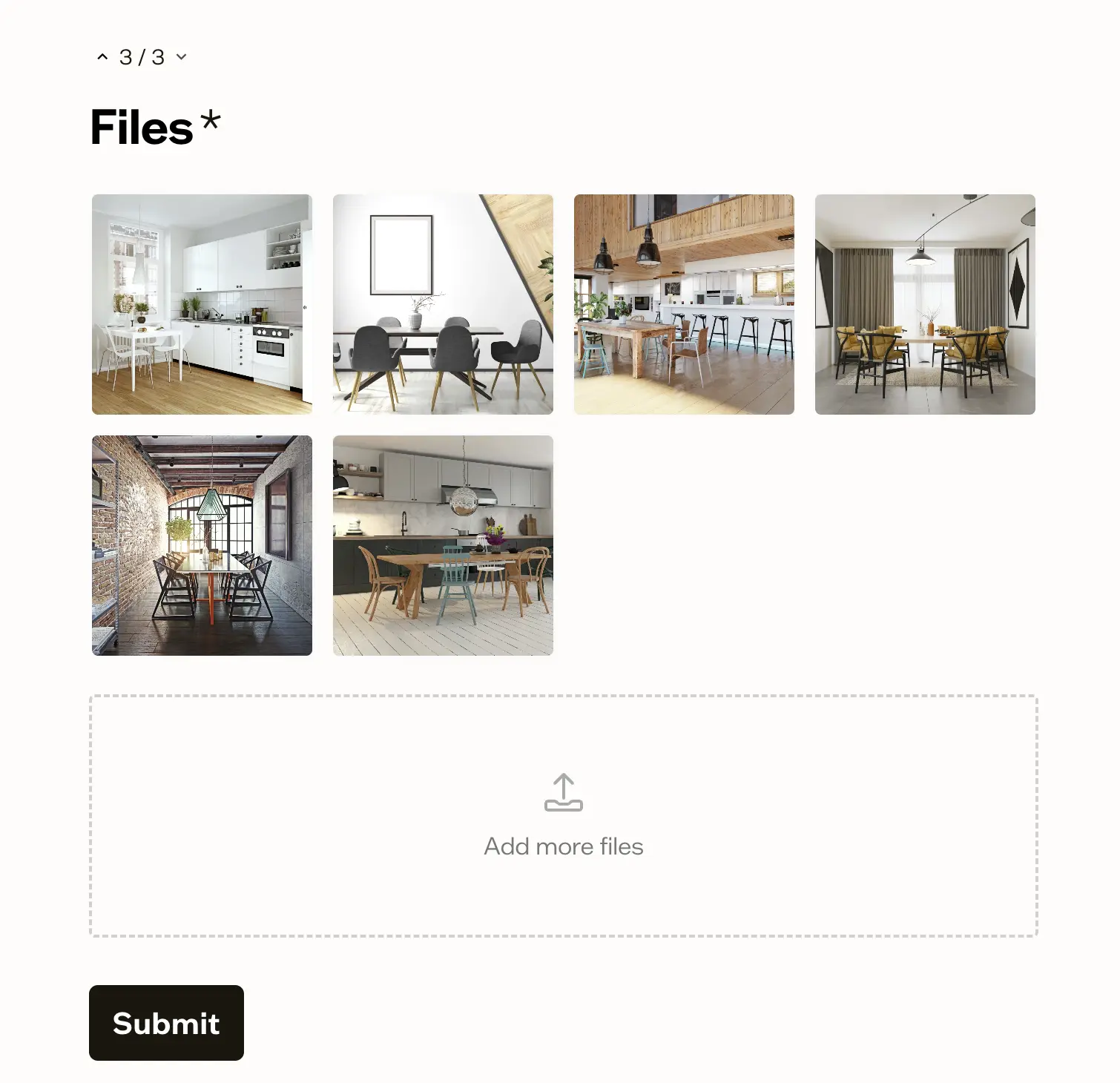
References land where the design work actually happens. Because the completed brief and any attached files land in a board inside the same platform as the DAM, "see attached for our current logo files" becomes an actual asset reference the designer can open directly, not a separate email attachment to track down. Every submission is tracked with its status and answer count, so nothing gets missed waiting in an inbox.
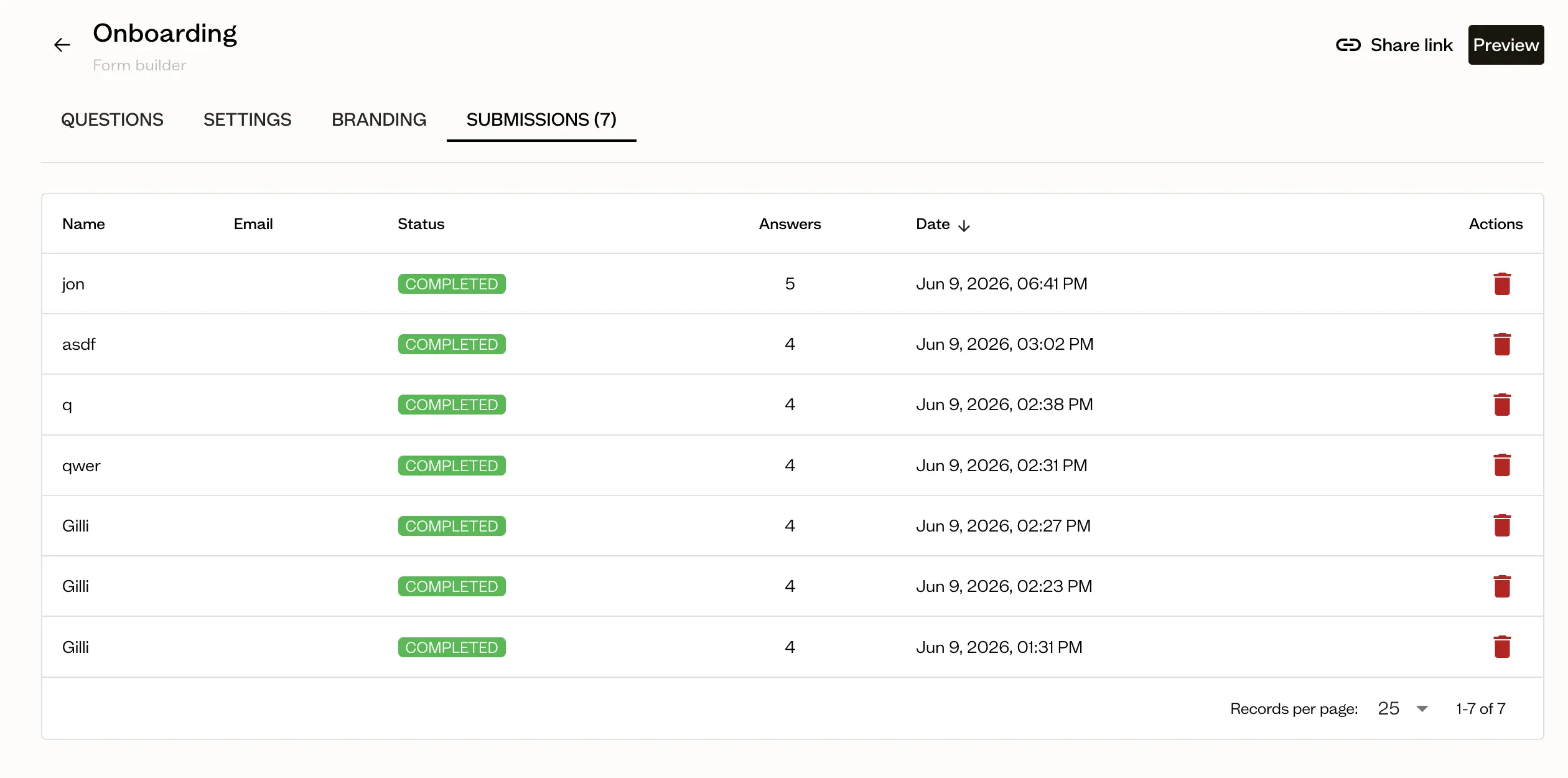
No login required for the client. They get a link, fill it out in one sitting, upload references, and submit. Nothing standing between "send the brief" and "brief is answered."
Who This Is For
Design and creative agencies briefing new visual or product design work for clients. The template standardizes what "specific enough" means, so brief quality doesn't depend on which account lead happened to write it.
In-house design teams briefing internal stakeholders on a website, product, or packaging redesign. The structure works the same whether the requester is a client or another department.
Freelance designers who need a lightweight way to get functional and visual requirements in writing before starting, without building an intake process from scratch.
Frequently Asked Questions
What is a design brief?
A design brief is a short document, agreed on before work starts, that defines the objective, audience, functional and visual requirements, technical specs, and success metrics for a design project. It's the reference both the client and designer use to check whether a revision request is a new requirement or something the brief already covered.
What should a design brief include?
At minimum: project overview, background, one primary objective, a specific target audience, functional requirements (what the design needs to do), visual requirements (what it needs to look like, tied to real references), technical specs, competitive references, success metrics, timeline, budget range, and named approvers. See the full template above.
What's the difference between a design brief and a creative brief?
A design brief covers the visual and functional requirements for a design deliverable, like a website, product, or packaging. A creative brief covers the message and audience for creative work more broadly, like a campaign or content series. See the comparison section above for detail.
How long should a design brief be?
Short enough to read in five minutes, one to two pages for most agency projects. If it's running longer, it's likely absorbing project-plan or scope-document content that should live separately.
Who writes the design brief, the client or the designer?
Usually the agency or design team drafts it from client input (a call, a questionnaire, or a form), then the client reviews and confirms before design work starts. The brief should translate what the client said into specific, checkable requirements, not just restate their adjectives.
Does Baseline have a design brief template built in?
Not as a one-click pre-built form, no. You build the template above as a form once, using Text, File Upload, and Email questions, and reuse it for every project after that. Submissions land as organized boards sitting next to the reference assets they mention, rather than a doc and a separate folder of attachments. See how Baseline's forms work for the full mechanics.
Pricing
Content Collection Forms are available starting on the Starter plan ($59/month): File Upload, Text, Email, and Color questions, with up to 300 boards to organize completed briefs into and up to 10 board guests. Higher tiers add custom form branding, more storage, and unlimited board guests. See full pricing for the complete breakdown.
Get Started
Stop reacting to first drafts that missed requirements nobody wrote down. Build the brief once as a form, and every project starts with the same specific, checkable information.
Try Baseline free | See how client onboarding works | See pricing