
Marketing asset management is the practice of collecting, organizing, storing, finding, sharing and eventually retiring every file a marketing team produces or uses: logos, product photos, campaign creative, video, copy documents, fonts, color palettes and templates. It is what stands between "the file is somewhere in Drive" and a team that can put its hands on the current, approved version of any asset in under a minute.
Most marketing teams do not have a marketing asset problem, they have a marketing asset management problem. The photoshoot from last quarter exists, the current logo exists, the approved campaign video exists. What is missing is the system layer: one place they live, a way to find them that does not depend on whoever uploaded them, and a guarantee that what gets downloaded is the version everyone agreed on.
This guide covers what marketing asset management actually involves, the workflow that makes it hold up, what to demand from the software, and how Baseline approaches it for marketing teams and agencies. If you want the sibling practices first, see brand asset management for the brand-side setup and digital asset management benefits for the broader case.
What Is Marketing Asset Management?
Marketing asset management is the systematic process of organizing, storing, tracking, distributing and retiring the digital content a marketing team relies on, so that every campaign, channel and teammate works from the same current materials.
The asset list is broader than most teams first assume:
- Brand materials: logos in every format, fonts, color palettes, brand guidelines
- Campaign creative: hero images, social graphics, display banners, video cuts
- Product content: product photography, lifestyle shots, packaging renders
- Documents: messaging frameworks, campaign briefs, press kits, sales collateral
- Templates: social templates, deck templates, email layouts
- Raw material: photoshoot selects, source files, b-roll
The practice itself comes down to five verbs. Collect every asset into one place, including what clients and vendors send in. Organize it so structure does not depend on one person's memory. Find it in seconds, not search sessions. Distribute it to channels, clients and partners without emailing attachments. Retire it when it is outdated, off-brand or out of license, so the wrong version stops circulating.
When those five work, the marketing team stops being a filing service for the rest of the company. When they do not, every campaign starts with the same scavenger hunt.
The Problems It Solves
The symptoms are familiar to anyone who has run marketing for more than one campaign at a time:
- Search time. A designer spends half an hour digging through folders named final_v2, final_FINAL and final_actuallyFINAL, gives up, and rebuilds an asset that already existed. Teams that fix findability save an average of five hours per week on search alone.
- Version confusion. Sales uses last year's logo. A regional channel launches with off-brand colors. Someone sends a client the draft instead of the approved final. None of these are talent problems; they are versioning problems.
- Duplicated work. When existing assets cannot be found, teams recreate them. One photoshoot investment should serve web, social, print and presentations for years, but only if the selects are findable later.
- Off-brand output. Regional teams, partners and new hires produce materials that drift from the brand because the current guidelines and assets are not reachable in the moment they need them.
- Dead files. Out-of-license photography and expired offers keep getting used because nothing marks an asset as retired.
The compounding cost is the part that gets missed. Five people each losing ten hours a week to finding and re-making files is fifty hours a week of marketing capacity gone. At a blended creative rate of $75 an hour, that is $195,000 a year, before counting a single campaign that shipped late.
Marketing Asset Management vs Brand Asset Management vs DAM
These terms get used interchangeably, including by the tools themselves, and the confusion costs teams real time when they shop for software.
Digital asset management (DAM) is the umbrella: a system for storing, organizing, finding and distributing any team's digital files, with versioning, permissions and search as the core. Marketing asset management is DAM aimed at the marketing function, with campaign, channel and reuse workflows on top. Brand asset management narrows further to the brand layer: logos, fonts, colors, guidelines, and keeping every touchpoint consistent with them.
The practical takeaway for a marketing team is scope. If your problem is "our logo is everywhere and nowhere", start with brand asset management. If your problem is "every campaign rebuilds its own asset pile", you need the marketing-wide practice this page describes. Most teams need both, on the same platform, because the brand assets and the campaign assets live in one library anyway.
If you are evaluating platforms, our brand asset management software comparison covers six vendors with pricing checked live in November 2026, and how DAM differs from file sharing covers why a shared drive is not a DAM no matter how tidy the folders are.
What Marketing Asset Management Software Should Do
Any tool that deserves the name should pass this checklist. If it fails one, the rest of the feature list does not matter.
- One central library. Every approved asset lives in one place, with structure that survives team changes. Nested boards or folders that match how the team thinks: by client, by campaign, by channel.
- Search that works without filename discipline. AI tagging that describes what is in the image, visual search, and filters by file type, date, camera metadata and custom fields. Marketing teams cannot rely on every upload being named well, so the system has to find things anyway.

- Versioning that makes the current file obvious. Every iteration logged, earlier versions recoverable, and the approved file unmistakable. When the logo changes, the change should be instant for everyone.
- Approvals inside the library. Review and sign-off where the assets already live, with visual annotations pinned to the asset, status visible at a glance, and clients able to comment without an account. We cover this in depth in marketing approval software.
- Distribution without attachments. Share links with passwords and expiry dates, and portals where clients and partners pull the current assets themselves, so your team stops being a delivery service. The agency version of this is client portals.
- Rights and expiry metadata. Custom fields for usage rights, license windows and campaign dates, so an asset can tell you when it stops being usable. See metadata tagging for how this works in practice.
- Reuse paths. The same photo feeding a brand guide, a portal and a download package without being copied three times, because copies drift.
That last point is where traditional DAM ends and where a marketing team should keep pushing: the library is not just an archive, it feeds the places the assets actually appear.
A Marketing Asset Workflow That Holds Up
Capability lists describe software. This is the working practice, in five stages.
1. Collect. Everything lands in the library: internal production, client deliverables, vendor files, new photography. Intake forms with no login for the client or vendor side turn "please email us your files" into a structured submission that lands in the right board already tagged. The client-side version of this is client onboarding.
2. Organize. Boards by client or campaign, sub-boards by channel or stage, custom fields for status, campaign, usage rights. This is a one-time setup with permanent payoff, and our DAM checklist walks through it board by board.
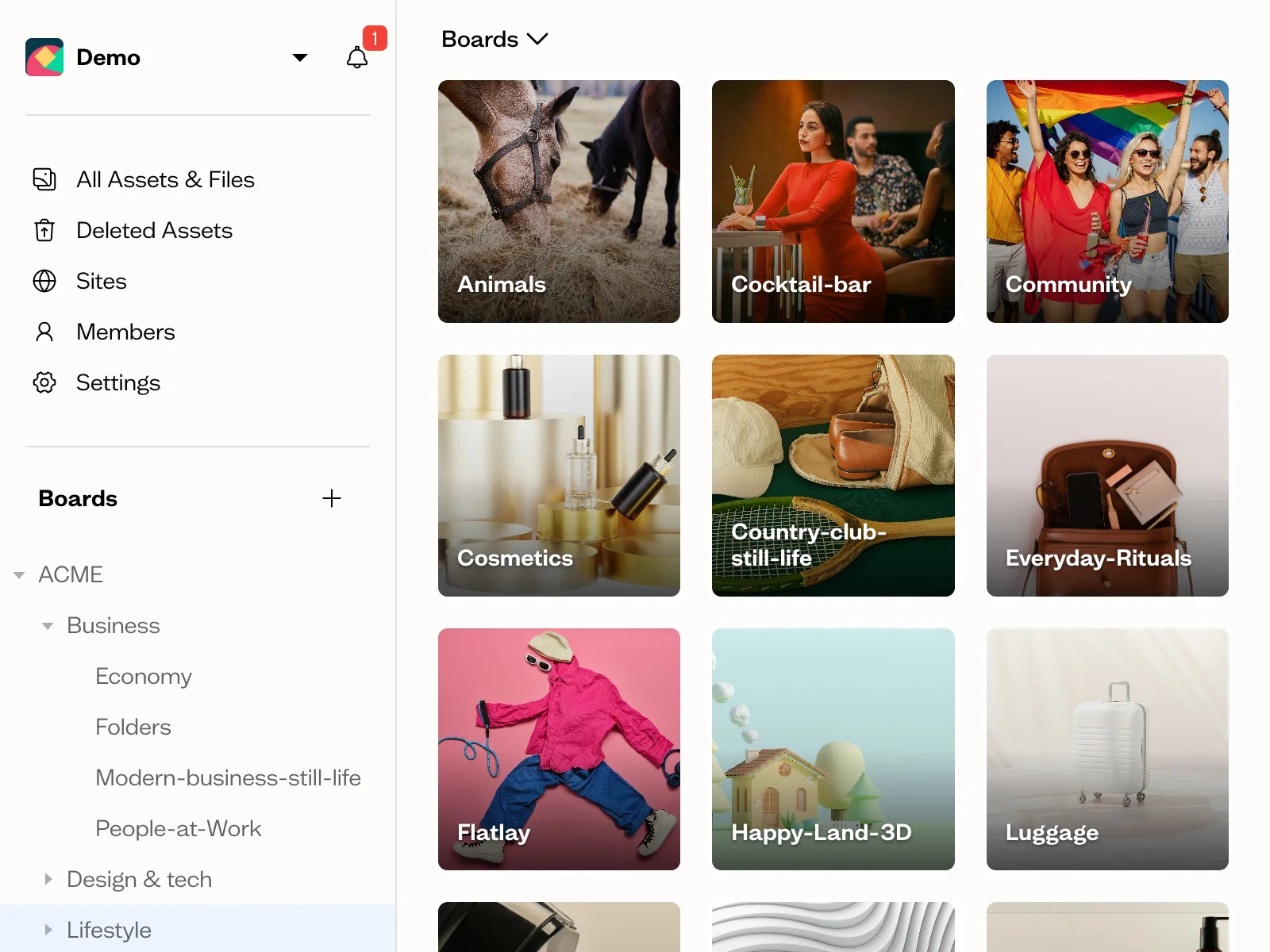
3. Review and approve. Draft, in review, approved: a status field and a Kanban view turn approvals into something you can see rather than something you chase. Reviewers annotate the asset itself, and the approved state is visible to everyone who might download it later.
4. Distribute. Channels, clients, partners and sales get links or portal access instead of attachments. The assets they see are the ones your team works with, not exports that drift out of date a week later.
5. Audit and retire. Periodically check what is being downloaded and what is sitting unused, and mark anything out-of-license or off-brand as retired. A library that only grows becomes a landfill with search.
Teams that run this loop stop renting their own history. A campaign from two years ago becomes a starting point instead of a rebuild.
How Baseline Handles Marketing Asset Management
Baseline is a DAM platform built around visual assets, with one difference from the traditional category: the library also publishes. Boards of assets become live brand guides, galleries and portals, and when an asset changes in the library, every published page using it updates too. Update once, publish everywhere.
For marketing teams, that collapses the two systems most teams maintain: the asset library and the presentation layer. The campaign board is the campaign microsite. The client's brand board is the client's brand guide, always current.
For agencies, each client gets an isolated workspace with its own permissions, guidelines and approval workflow, so one team can run many brands without cross-contamination. Dave Gustafson, owner of the digital marketing agency WSI Peak Digital Strategy, manages 15 client brands in Baseline and describes the before-state as digging through project systems, emails and client websites to find branding information: "Baseline has made a big difference both in terms of my efficiency and my client satisfaction. We save an estimated 10 hours per week using Baseline."
Pricing is published, not negotiated: a genuinely free plan (no trial countdown, no credit card), paid tiers from $59 to $399 a month, and no sales call required to see any of it. That is unusual in this category: Bynder, Canto, Frontify and Brandfolder publish no prices at all, only quotes, as our platform comparison documents. Start on the free plan and let the storage limit decide when it is time to upgrade.
Who This Is For
Marketing agencies running several clients at once, where every client is another pile of assets and another set of approval chains.
In-house marketing teams producing for multiple channels, regions or product lines from one brand system.
E-commerce and product marketing teams with large photography libraries that need to stay current, licensed and reusable across listings, ads and packaging.
Any team that has typed "final" into a file search this month.
Pricing
Baseline's marketing asset management features are included on every plan, including AI tagging, search, custom fields, approval workflows and collaboration:
- Free ($0): 2 members, 1 GB storage, up to 10 boards, AI tagging and visual search
- Starter ($59/month, $588/year billed annually): 3 members, 250 GB, up to 300 boards, board sharing and 1 content collection form
- Team ($199/month, $2,028/year billed annually): 10 members, 1 TB, unlimited boards, file versioning, remove Baseline branding
- Business ($399/month, $4,188/year billed annually): 50 members, 3 TB, unlimited board guests, priority support
Enterprise adds custom storage, SSO and API access at custom pricing. See full pricing for the complete breakdown.
Frequently Asked Questions
What is marketing asset management?
Marketing asset management is the practice of collecting, organizing, storing, finding, distributing and retiring every digital file a marketing team uses: logos, photos, campaign creative, video, documents, fonts and templates. The goal is that anyone on the team can find the current approved version of any asset quickly, and that outdated material stops circulating.
What counts as a marketing asset?
Anything a marketing team produces or uses to do its work: brand materials (logos, fonts, color palettes, guidelines), campaign creative (images, graphics, video), product photography, copy and messaging documents, templates, press kits, sales collateral, and the raw files behind all of them.
How is marketing asset management different from digital asset management?
Digital asset management (DAM) is the general category: software for storing, organizing, finding and distributing a team's digital files. Marketing asset management is that discipline applied to the marketing function, with campaign, channel, approval and reuse workflows on top. Most modern DAM platforms, including Baseline, serve both.
How is it different from brand asset management?
Brand asset management narrows to the brand layer: logos, fonts, colors and guidelines, and keeping every touchpoint consistent with them. Marketing asset management covers the full marketing library, campaign creative and product content included. They overlap heavily and usually run on the same platform.
Do we need this if we already use Google Drive or Dropbox?
If your team is larger than two people and runs more than one campaign at a time, shared drives stop holding up: search depends on naming discipline, there is no approval state, no version certainty, and no way to publish or share externally without copies. The difference is spelled out in DAM vs file sharing.
How much does marketing asset management software cost?
It depends entirely on the vendor's sales model. Baseline publishes its prices: a free plan, then $59 to $399 a month. Most of the large DAM vendors (Bynder, Canto, Frontify, Brandfolder) do not publish prices at all and work through quotes, which typically puts them in enterprise budget territory. Our pricing comparison documents what each vendor publishes and what it does not.
How do you organize marketing assets?
By how the team actually retrieves them: a board or library per client or brand, sub-boards per campaign or channel, custom fields for status, campaign, usage rights and expiry, and AI or manual tags for content-based search. The organization scheme matters less than it being consistent; our DAM checklist covers a tested setup.
Get Started
Audit one thing this week: pick your most-used campaign asset and time how long it takes three different people to find the current approved version of it. If the answers disagree or take more than a minute, you have found the problem this page exists for.
Start free on Baseline, upload one client or one campaign, and see how much of the workflow the free plan already covers. There is no trial countdown and no credit card.
Related reading: brand asset management for the brand-side setup, marketing approval software for the review workflow, and client onboarding for collecting a new client's assets in one sitting.