
Color swatches let you keep your brand palette next to your other assets. Baseline supports solid colors as well as linear and radial gradients.
Open the Add Color dialog

Select a board, then open the Add button and choose Add Color. The dialog has tabs for Solid, Linear, and Radial.
Add a solid color
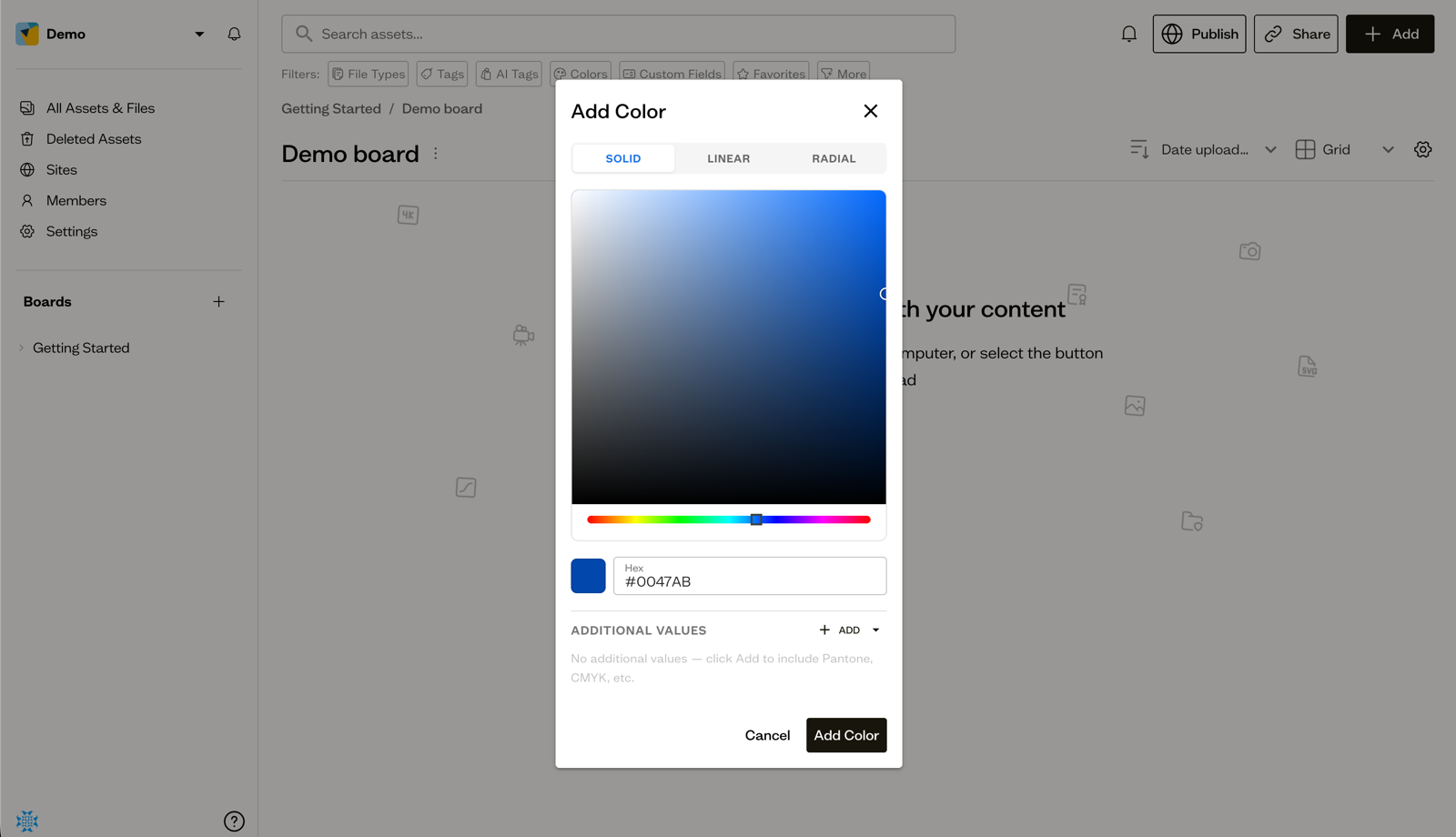
On the Solid tab, pick a color with the color picker or enter a Hex value. In Additional Values you can attach other representations such as Pantone, CMYK, RGB, HSL, RAL, NCS, or a custom label. Select Add Color to save.
Add a gradient
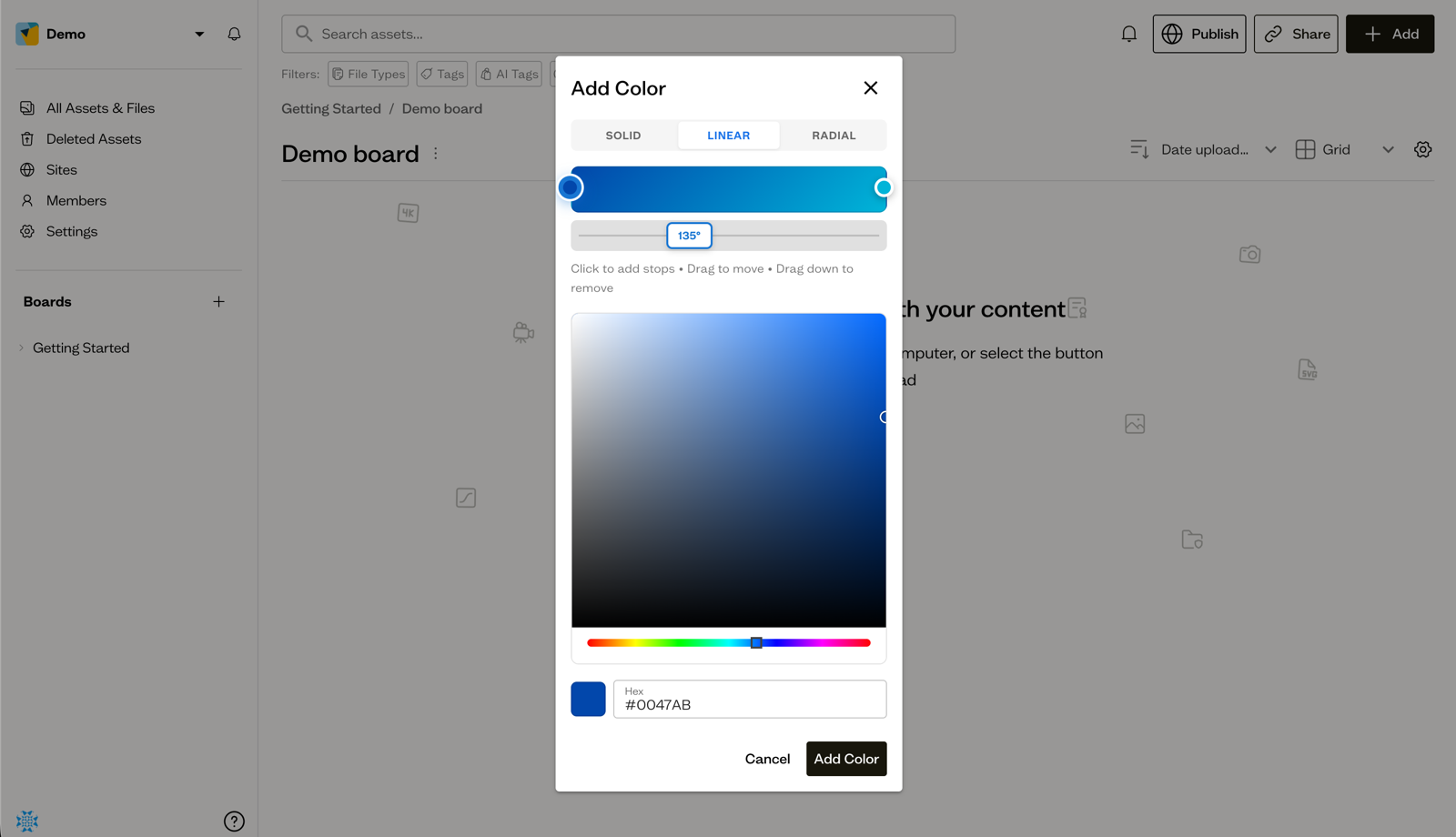
On the Linear or Radial tab, build a gradient with the stop slider: click to add stops, drag to move them, and drag down to remove. Linear gradients also let you set the angle. Select Add Color when you are done.
Where colors appear
Saved colors show up as swatch card assets in the board, displaying the hex value or gradient. You can reuse them later in published sites, for example in a Color Palette block.
Next steps
Add your fonts to the same board to keep your full brand kit together.