Most projects don't fail in the middle. They fail at kickoff, quietly, because nobody wrote down what the project actually is. Three weeks in, the client says "this isn't what we meant", the team points at what was agreed on a call, and there is no document to check because the agreement lived in a meeting and a message thread.
A project brief fixes this: one short document, agreed before work starts, that says what the project is, what's inside and outside its scope, who's involved, what it costs, and when it ships. This guide gives you a project brief template you can copy as-is, a filled-in example, the mistakes that make briefs useless, and how Baseline's forms turn the whole thing into something a client fills out directly instead of a Google Doc you chase them to open.
Project Brief Template
Copy this. Every field has a one-line prompt so you know what actually goes in it, not just a header.
Project name: [an internal name, so nobody has to keep saying "the website thing"]
Client / sponsor: [who this project is for, and who inside their organization sponsors it]
Project summary: One or two sentences: what are we doing, and why now?
Background: What makes this project necessary? A launch, a rebrand, a broken process, a site that aged out?
Objective: The one thing this project must accomplish. One primary goal, not five.
Scope: What's included, and just as important, what's explicitly out. This is the field that prevents scope creep.
Stakeholders: Everyone with a say: who contributes, who reviews, and who has final sign-off.
Target audience: Who the output is for, specifically. The person, their situation, what they currently use or believe. Not "everyone".
Deliverables: Exact list with formats and quantities (e.g., "12 pages designed and built; Figma source files; one recorded handover"). Not "a new website".
Success metrics: How you'll know it worked. A number or a named outcome, not "we'll know it when we see it".
Timeline: Kickoff, internal milestones, client review dates, final delivery. Attach a name to each date.
Budget range: Even a range keeps decisions realistic. If the number is fixed, say so here.
Dependencies and risks: What this project waits on, and what could realistically delay it. Two or three, not a risk register.
Approver: One name. The person whose yes is final.
Fourteen fields. If the client can't answer the scope or the approver field, that's useful information too: the project isn't ready to brief yet.
Project Brief Example (Filled In)
Here's the template filled out as a sample project brief: a fictional mid-sized agency is rebuilding the marketing site of one of its clients, a logistics software firm. Every row shows what "specific enough" looks like next to the vague version most briefs ship with.
| Field | Vague (what most briefs say) | Specific (what actually works) |
|---|---|---|
| Project name | "Website project" | "Northline Site Rebuild, Jan to Mar 2026" |
| Client / sponsor | "The client" | "Northline Logistics, a mid-sized freight software firm; sponsor is their marketing lead" |
| Project summary | "Redo the website" | "Replace Northline's 2023 marketing site with a 12-page site aimed at operations leads, live by end of February" |
| Background | "The site is old" | "The current site predates their 2025 rebrand and still sells the old product line; demo requests are down 40% since" |
| Objective | "Improve our website" | "Generate 10 demo requests from mid-sized logistics firms within 60 days of launch" |
| Scope | "Website redesign" | "12 pages designed and built, content imported for 8. Out of scope: new photography, blog migration, SEO strategy" |
| Stakeholders | "The client's team" | "Maria (marketing lead, weekly reviews), Jonas (IT, one infra review before handoff), Dana (COO, final sign-off)" |
| Target audience | "Logistics companies" | "Operations leads at 50-500 person freight firms who shortlist tools through peer recommendations and one analyst report" |
| Deliverables | "A new website" | "12 designed pages built and live, Figma source files, one recorded handover session" |
| Success metrics | "A better site" | "10 demo requests from the new site within 60 days of launch, all pages live by February 28" |
| Timeline | "Q1, ASAP" | "Kickoff Jan 8, design review Jan 29, client review Feb 12, launch Feb 28. Dana signs off each gate" |
| Budget range | "TBD" | "$18,000 to $22,000 fixed, invoiced half at kickoff and half at launch" |
| Dependencies and risks | "N/A" | "Client supplies final product screenshots by Jan 19 and Q&A copy for 8 pages by Jan 26; late copy pushes launch a week" |
| Approver | "Someone at the client" | "Dana (COO). Her yes is final; everyone else's feedback routes through Maria" |
The pattern in every row is the same: the specific version names a number, a person, or a date. The vague version could describe any project for any client, which is exactly why it helps nobody make a decision.
What Is a Project Brief?
A project brief is a short document that defines a project before work starts: the objective, the scope, the stakeholders, the budget, and the timeline. It's the reference both the client and the team point to when a question comes up mid-project, instead of relitigating what was agreed over email.
It is not a project plan, a statement of work, or a Gantt chart. A project plan sequences the tasks; a statement of work covers the legal and contractual detail. The brief sits above both: short enough that everyone actually reads it, and written first, because the plan and the contract are only as good as the definition they're built from.
For creative and design work, the project brief is the umbrella document. A creative brief hangs underneath it for the message and the audience, and a design brief for visual and functional requirements. This page covers the umbrella.
Common Project Brief Mistakes
Scope written as a wish list, not a boundary. If the scope field only lists what's included, every new request becomes an argument. Write the exclusions too. That sentence is the one you'll point to in week four.
No single approver. Four stakeholders who each have veto power is how a two-week review becomes a four-week review. Name the one person whose yes is final, and get everyone else's objections routed through them.
The brief is written after the work starts. A brief written to document decisions already made is a changelog, not a brief. It has to exist before the first deliverable, or it's just paperwork with hindsight.
Timeline dates with no owners. A date without a name attached is the one that slips first, because slipping it becomes nobody's failure. Every date gets an owner, including the client's own review dates.
Budget left blank to avoid an awkward conversation. An unstated budget doesn't remove the constraint, it just moves the discovery to the invoice. A range takes ten seconds to write and saves weeks of work aimed at the wrong budget.
Project Brief vs. Creative Brief vs. Design Brief
These get used interchangeably, but they cover different ground:
- Project brief: The umbrella document for any project, creative or not. Objective, scope, stakeholders, timeline, budget. Answers "what are we doing, and within what limits?"
- Creative brief: Sits under the project brief for creative work: the message and the audience for a campaign or content. Answers "what are we saying, and to whom?" See the full creative brief template.
- Design brief: Sits under the project brief for design deliverables: the visual and functional requirements for a website, product, or packaging. Answers "what does it need to look like and do?" See the full design brief template.
In practice, a website project needs this brief's timeline and budget plus a design brief's requirements, and a campaign needs this brief plus a creative brief. Don't over-engineer it: for most client work, one project brief covers what's actually enforceable, and the specialized brief earns its keep only when the deliverable is genuinely design-led or message-led.
How Baseline Turns This Into a Form a Client Actually Fills Out
A project brief in a doc depends on the client opening it, understanding each blank, and remembering to send it back with the attachments. Baseline's Content Collection Forms turn the template above into something the client completes directly.
Build the brief as a form once. Each field becomes a question: Text questions for the written sections (summary, objective, scope), File Upload for existing assets and references, and Email for the approver's contact. A question can be set to appear only after an earlier question is answered, so follow-ups that don't apply to a given project can stay out of the flow.
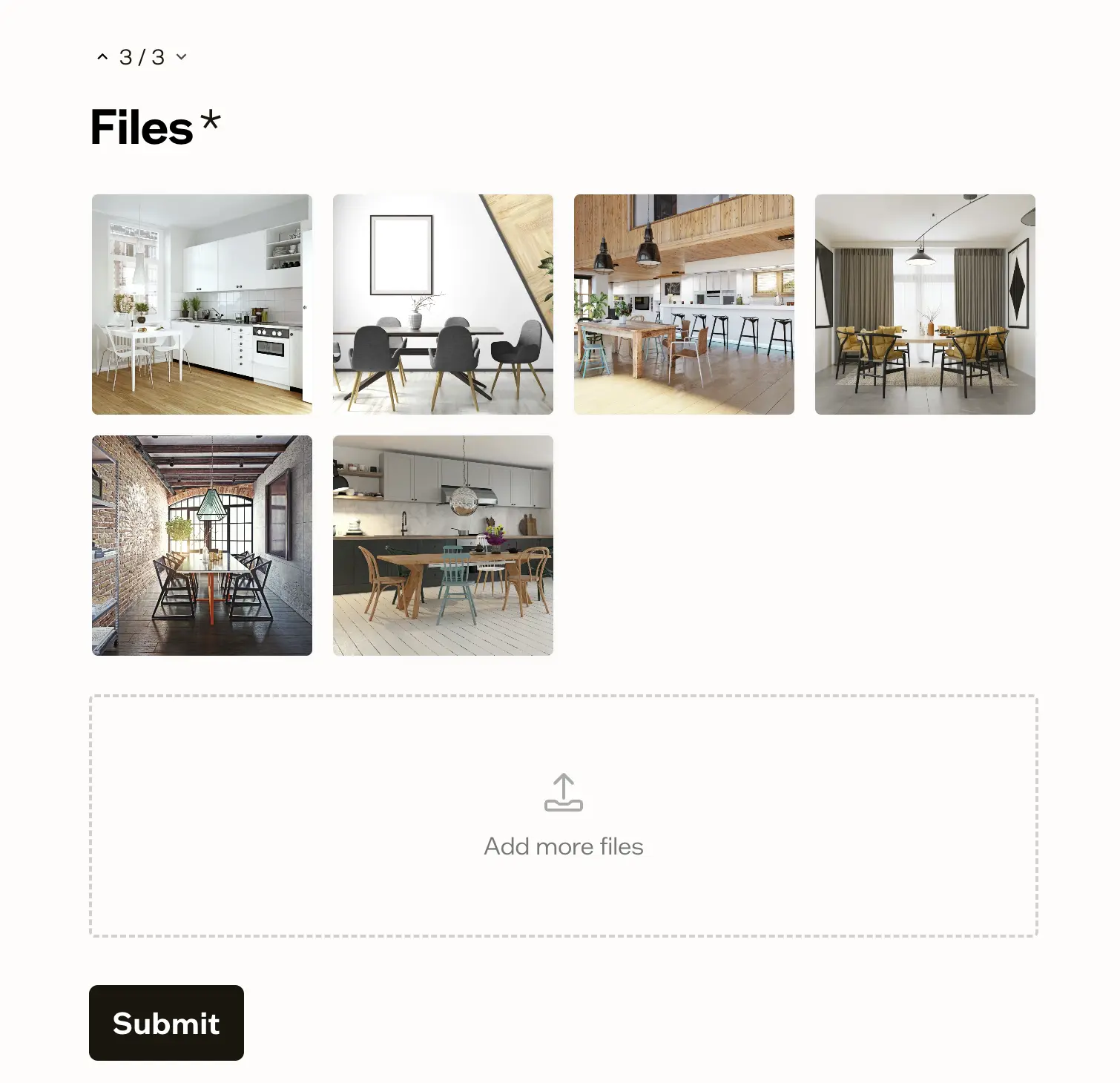
References attach to the question that asks for them. When the brief says "current site screenshots" or "existing brand assets", the client attaches the files right there in the question, and they land in the same place as the answers instead of in a separate email.
No login required. The client gets a link, fills out the brief in one sitting, and submits. No account creation standing between "send the brief" and "brief is answered".
Completed briefs land organized, not in an inbox. Every submission is tracked with its status and the number of files uploaded, and every answer is readable in the submission detail view. Each submission can also create its own board named after the client, with automatic guest invites on Business and above, so every completed brief sits in one place next to the assets it references.
Who This Is For
Agencies kicking off client projects. The template standardizes what "agreed" means across every account lead, so the quality of a kickoff doesn't depend on who happened to run it.
In-house teams briefing internal stakeholders. The same structure works whether the requester is a paying client or your own product team.
Freelancers and project managers who need expectations in writing before work starts, without building an intake process from scratch.
Frequently Asked Questions
What is a project brief?
A short document, agreed before work starts, that defines a project's objective, scope, stakeholders, deliverables, timeline, and budget. It's the reference both sides use to check whether a mid-project request was part of the agreement or is a change to it.
What should a project brief include?
At minimum: a project summary, background, one primary objective, an explicit scope with exclusions, named stakeholders with a single approver, a specific target audience, an exact list of deliverables, success metrics, a timeline with owners, and a budget range. See the full template above.
How long should a project brief be?
One page for most projects, two at most. If it's running longer, it's absorbing the project plan or the statement of work, which should live separately and be written after the brief.
Who writes the project brief, the client or the agency?
Usually the agency or the team doing the work drafts it from client input, a kickoff call, or a form, and the client confirms it before work starts. The brief should translate what the client said into checkable specifics, not restate their adjectives.
What's the difference between a project brief and a project plan?
The brief defines the project: objective, scope, people, budget, dates. The plan sequences the work inside those boundaries: tasks, owners, dependencies. The brief comes first, and a plan built on an undefined project inherits every gap in that definition.
Does Baseline have a project brief template built in?
Not as a one-click prebuilt form, no. You build the template above as a form once, using Text, File Upload, and Email questions, and it's reusable for every project after that. Forms are a paid feature: the free plan doesn't include them, Starter ($59/month) includes one, and Team ($199/month) and above include more. See how client onboarding works for the full mechanics.
Can a project brief change after work starts?
Clarifications, yes. If the objective, scope, or deliverables change materially, that's a revision to the brief and usually a scope conversation, not an assumption that the team will absorb it silently.
Pricing
Content Collection Forms are a paid feature: the free plan doesn't include them, and they start on the Starter plan ($59/month), which includes one form with File Upload, Text, Email, and Color questions. The Team plan ($199/month) raises that to 20 forms and adds your own branding on the public form, and Business ($399/month) makes forms unlimited. The template and example above need no tool at all. See full pricing for the complete breakdown.
Get Started
Stop rewriting the brief structure from an old doc every time a project starts. Build it once as a form, and every client's answers come back in the same place, organized the same way.
Try Baseline free | See how client onboarding works | See pricing