
Ask five people on your team what a "brand book" is, and you'll get five different answers. A PDF from the design agency. A slide deck nobody's opened since onboarding. A Google Doc with the logo pasted in at the wrong resolution. A binder in a drawer that predates half the current team.
That confusion isn't an accident. It's what happens when a brand book is treated as a one-time deliverable instead of a living reference.
A brand book is a document that defines how a brand looks, sounds, and behaves: its logo usage, color palette, typography, imagery style, and tone of voice, so that anyone creating content for the brand applies it the same way.
This guide covers what a brand book actually is, what belongs in one, real examples, and why the traditional PDF-based brand book is quietly working against the consistency it's supposed to protect.
What Is a Brand Book?
A brand book (sometimes called a brand guide, brand style guide, or brand manual) is a reference document that captures the rules for how a brand should be presented, visually and verbally, across every piece of content it produces.
At minimum, a brand book answers the questions a designer, marketer, or outside vendor asks every time they build something new:
- Which logo file do I use, and where can it not go?
- What are the exact colors for hex, RGB, CMYK, Pantone?
- What fonts are approved, and in what weights and sizes?
- What kind of photography or illustration style fits the brand?
- How does the brand "sound"? Formal, playful, technical, warm?
A good brand book removes the guesswork. Instead of a new hire eyeballing an old deck to figure out "the blue," they open the brand book and get the exact hex code.
Brand Book vs. Brand Guidelines vs. Style Guide vs. others
These terms get used interchangeably, and in practice they mostly describe the same thing, though there are subtle differences worth knowing:
| Term | Typical Meaning |
|---|---|
| Brand Book | The most common umbrella term; often implies a polished, presentation-style document |
| Brand Guidelines | Emphasizes the rules: usage do's and don'ts, more instructional in tone |
| Style Guide | Broader term also used in writing/editorial contexts (e.g., an AP style guide), not always brand-specific |
| Brand Manual | Older, more formal term, common in enterprise and manufacturing contexts |
| Brand Portal | Not a document at all: a self-service hub where teams and partners access the assets the brand book describes |
Functionally, the first four all serve the same purpose: a single source of truth for how the brand should look and sound. The differences between them are naming conventions, not different tools. A brand portal is a distinct layer on top: it's where people go to download the logo files, photography, and templates that your brand book governs the use of.
What to Include in a Brand Book
A brand book doesn't need to be exhaustive to be useful. It needs to cover the decisions people actually have to make. Here's what belongs in a solid one:
1. Brand Story and Positioning
A short section on the "why" behind the brand: mission, values, and positioning. This gives context for the rules that follow, so people understand the reasoning instead of just memorizing constraints.
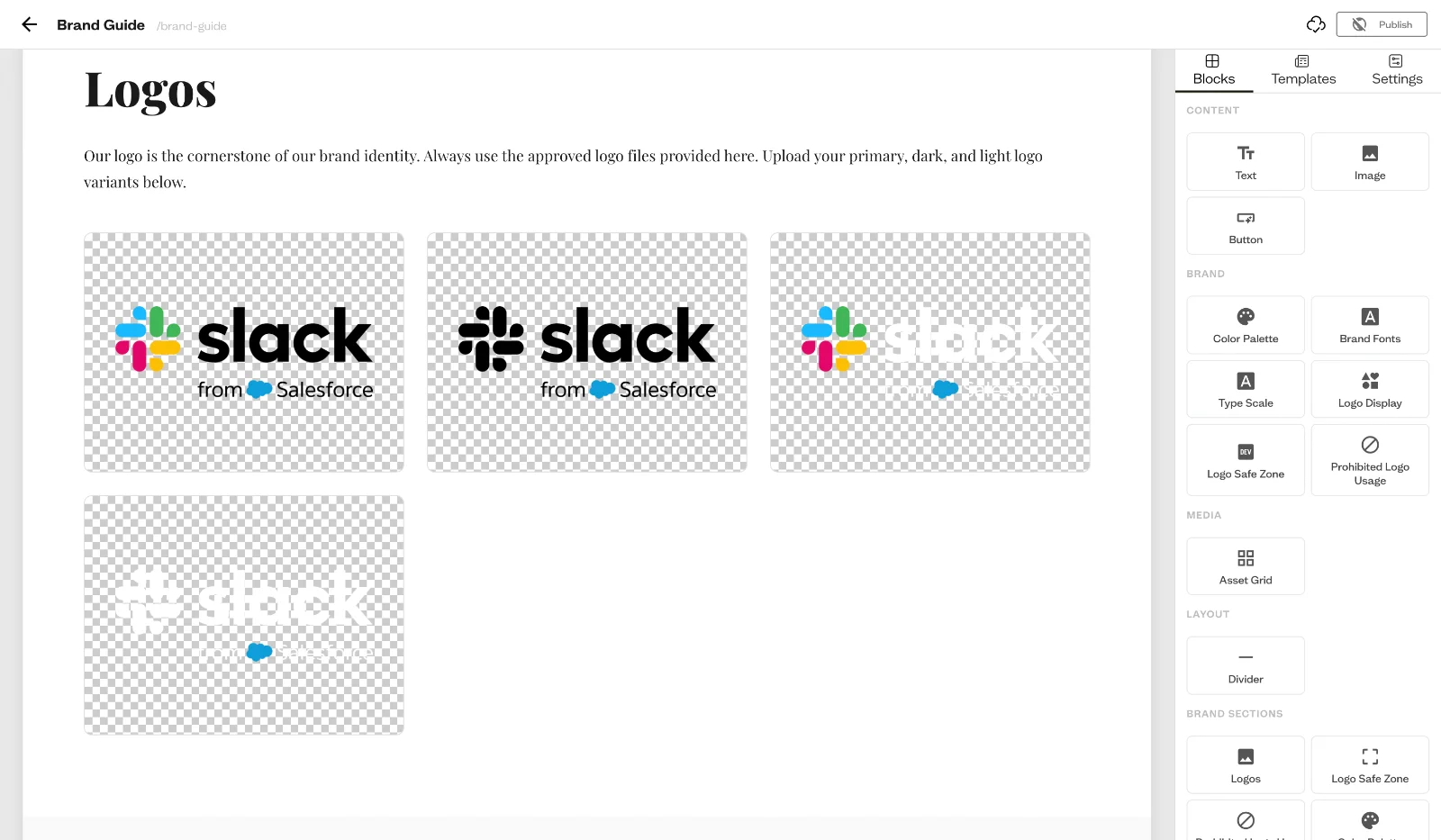
2. Logo Usage
- Primary logo and approved variations (horizontal, stacked, icon-only)
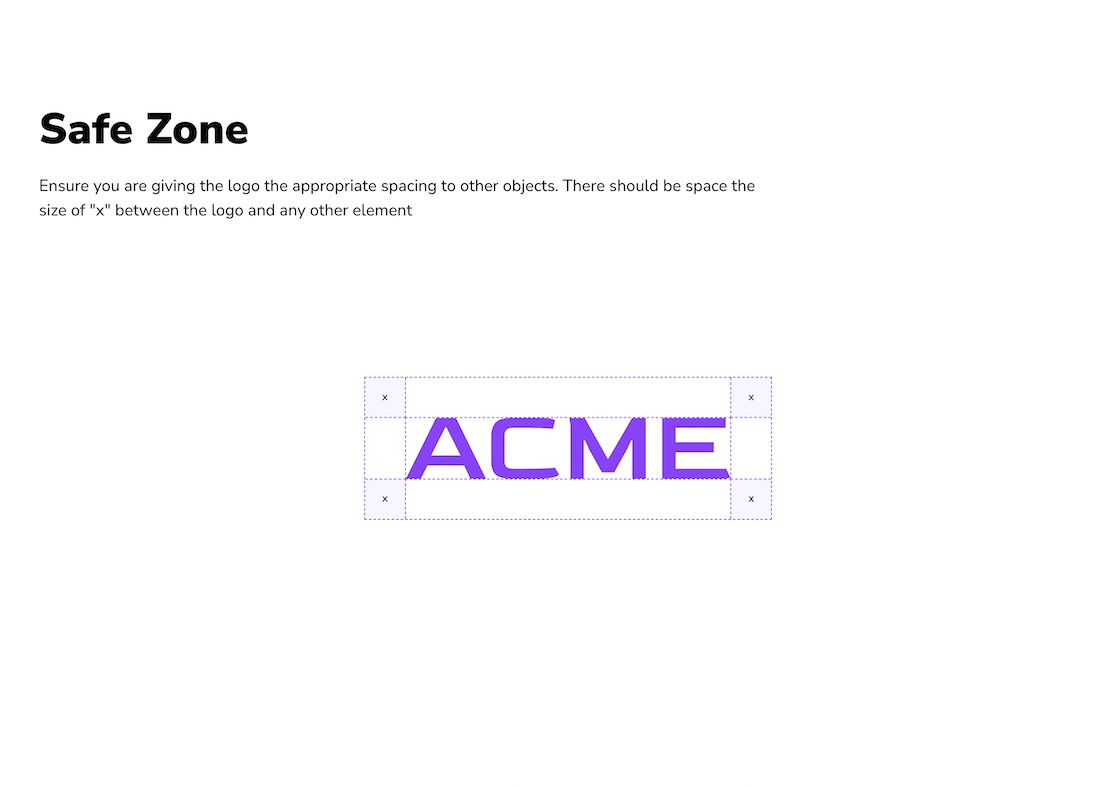
- Minimum size and clear space requirements
- Approved color treatments (full color, single color, reversed)
- Explicit "don'ts": stretching, recoloring, adding effects, placing on busy backgrounds
3. Color Palette
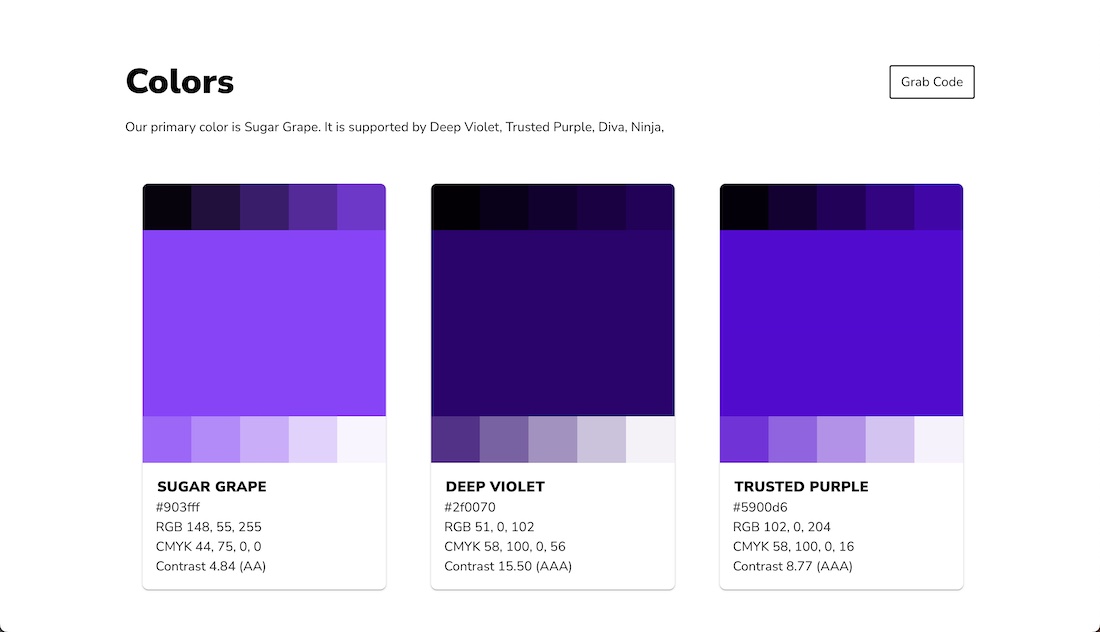
Primary and secondary colors with exact values in every format a downstream tool needs: hex, RGB, CMYK, and Pantone. Include guidance on color ratios and pairing, noting which colors are dominant and which are accents.
4. Typography
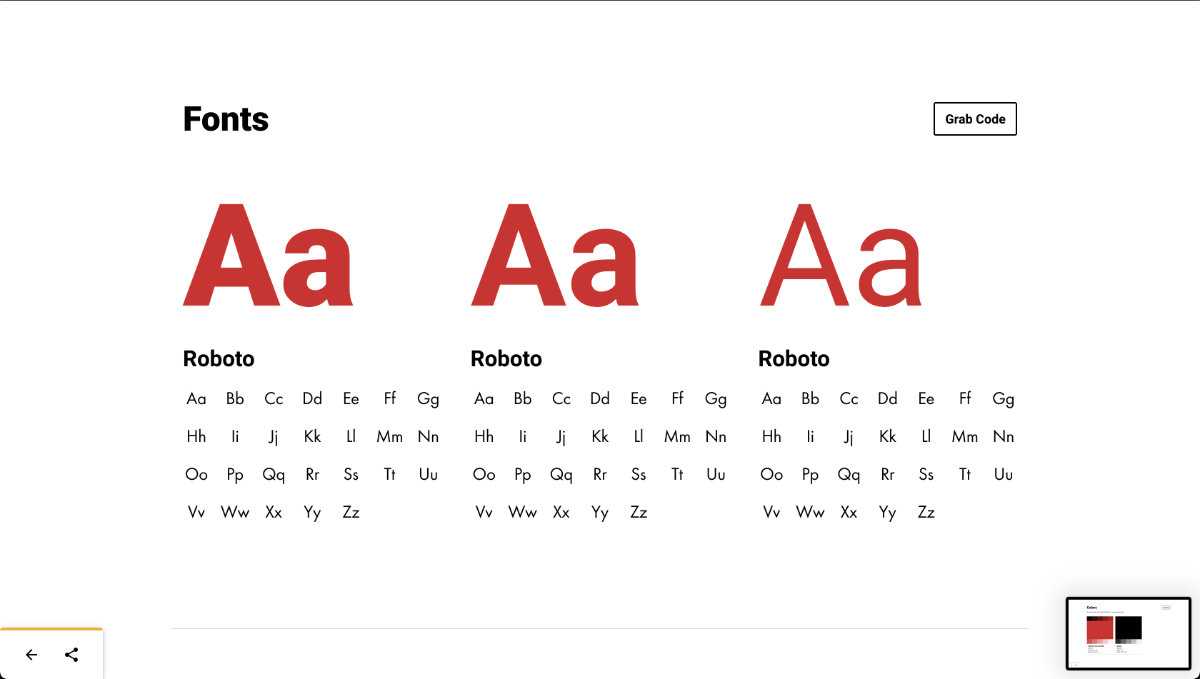
- Primary and secondary typefaces
- Approved weights and sizes for headings, body copy, and captions
- Fallback fonts for platforms where the primary typeface isn't available
5. Imagery and Photography Style
Guidance on the visual mood of photography and illustration: lighting, color grading, composition, subject matter. This matters as much as the logo for brand recognition, but it's the section most brand books skip.
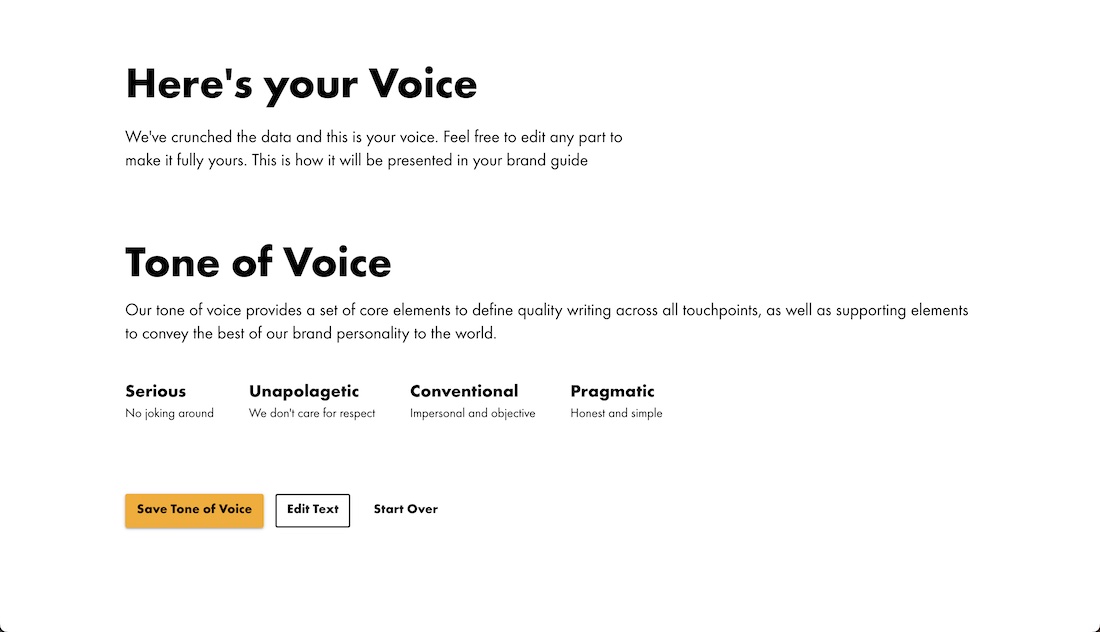
6. Voice and Tone
How the brand writes and speaks: vocabulary to use or avoid, sentence structure, level of formality, and how tone shifts (or doesn't) across channels like support, marketing, and social.
7. Application Examples
Mockups showing the brand applied correctly: a business card, a social post, a presentation slide, an email header. Seeing the rules in context makes them far easier to apply correctly than reading them in isolation.
Brand Book Examples
Strong brand books share a few traits regardless of company size:
- Airbnb's brand book pairs its logo system with clear rationale, explaining not just the rules but the thinking behind them, which helps teams apply the brand in situations the document didn't explicitly cover.
- Spotify's brand guidelines are known for being playful and visual, using bold color blocking that mirrors the product itself rather than a generic corporate template.
- Smaller companies and agencies often succeed with much simpler brand books. A few pages covering logo, colors, type, and voice are enough for a growing team to stay consistent, as long as the document is actually easy to find and reference.
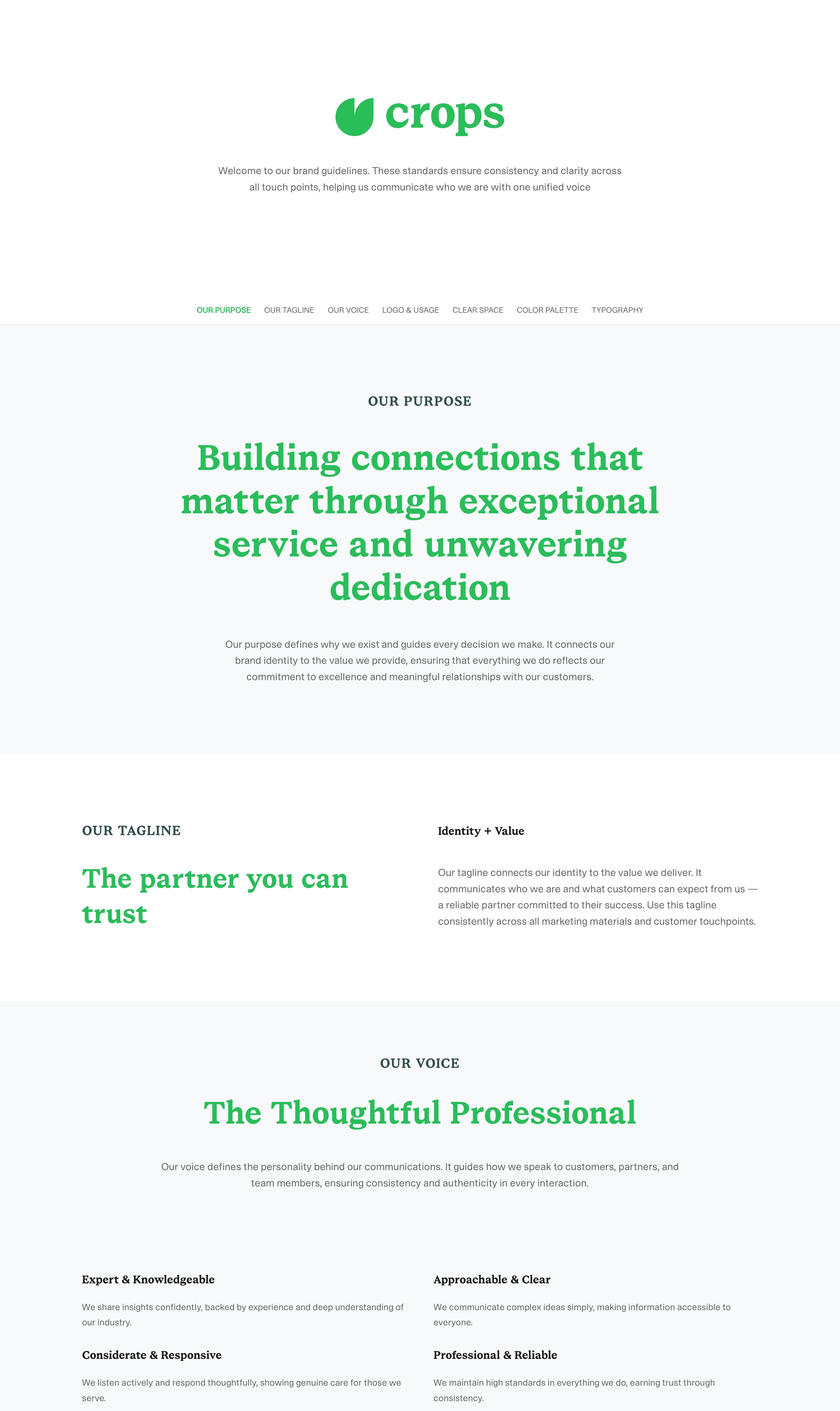
The common thread isn't length or production value. It's whether the team can actually find and use it day to day.
Why Most Brand Books Go Stale
Here's the problem the format itself creates: a brand book is usually built as a static file, a PDF, a Keynote export, a printed booklet. The moment it's finished, it starts going out of date.
A few months later:
- The brand adds a new secondary color, but the PDF still shows the old palette.
- Someone tweaks the logo lockup, but three different "final" PDF versions are still circulating in email and shared drives.
- A new team member downloads the brand book from an old onboarding email, which turns out to be two versions behind.
None of this happens because people are careless. It happens because a static document has no way of knowing it's outdated. Nobody gets notified. There's no single URL that's always current, just files, copies, and forwarded attachments.
This is also why brand compliance tends to break down even at companies with well-written brand books: the guidelines themselves might be excellent, but if the copy someone's working from is three versions old, the document is actively teaching the wrong standard. The fix isn't a better PDF-review cadence or a reminder to check for updates. It's removing the export step entirely, which is what step 5 below covers.
How to Build a Brand Book
1. Audit What Already Exists
Before writing anything new, gather every brand asset currently in use: logo files, color codes, fonts, past marketing materials. Note what's actually current versus what's outdated. Most teams find several "brand truths" that no longer match reality.
2. Document the Non-Negotiables First
Start with the elements that cause the most inconsistency in practice, usually logo usage and color. These are the rules people break most often simply because they don't have easy access to the right specs.
3. Explain the "Why," Not Just the Rule
A brand book that only lists rules gets followed rigidly and awkwardly in edge cases it didn't anticipate. A brand book that explains the reasoning, why this color, why this tone, helps people make good judgment calls in situations the document doesn't explicitly cover.
4. Show, Don't Just Tell
Every rule should have a visual example: correct usage next to incorrect usage. This is faster to scan than paragraphs of text and leaves far less room for misinterpretation.
5. Publish It Somewhere Easy to Find, and Keep It Current
This is the step most brand books get wrong. A PDF buried in a shared drive is only as useful as people's memory of where it lives. Publish the brand book as a live, linkable page connected to your actual asset library, so:
- There's one URL everyone bookmarks, with no version confusion
- Updating a logo or color in your asset library updates the brand book automatically
- New hires, freelancers, and partners can be onboarded with a single link instead of an email chain of attachments
Baseline's free brand guide creator builds exactly this: a brand book that pulls directly from your live asset library, so logos, colors, and fonts stay current without anyone manually re-exporting a PDF. You build it once, share one link, and it stays accurate as your brand evolves.
Frequently Asked Questions
What is a brand book used for?
A brand book is used to keep a brand's visual and verbal identity consistent across everyone who creates content for it: designers, marketers, sales teams, and outside partners or agencies. It answers questions like which logo file to use, what the exact brand colors are, and how the brand should sound in writing.
What's the difference between a brand book and a brand guide?
In practice, these terms are used interchangeably. Some teams use "brand book" for a more polished, presentation-style document and "brand guide" for a more instructional, rules-first document, but both serve the same purpose: a single reference for how the brand should be applied.
What should be included in a brand book?
At minimum: logo usage rules, color palette (with hex/RGB/CMYK values), approved typography, imagery and photography style, and voice and tone guidance. Stronger brand books also include brand story/positioning and real application examples like social posts or business cards.
How do I create a brand book for my company?
Start by auditing your existing assets to see what's current versus outdated. Document your logo usage and color rules first, since these cause the most inconsistency in practice. Add typography, imagery, and voice guidance, then publish the finished brand book somewhere easy to find and keep updated, ideally a live link rather than a static PDF that goes stale.
Do I need design software to make a brand book?
No. While many brand books are designed in tools like Illustrator or InDesign and exported as a PDF, that approach makes updates slow and creates version-control problems. Tools built specifically for brand guides, like Baseline's brand guide creator, let you build and update a brand book without needing a designer to re-export a new file every time something changes.
Why do brand books become outdated so quickly?
Because most are built as static files, PDFs or exported documents, that have no connection to the actual assets they describe. When a logo or color changes, someone has to remember to manually update and redistribute a new version. A brand book connected live to your asset library updates automatically, so there's no lag between a brand change and the guide reflecting it.
Building a Brand Book That Stays Current
The audit, the logo rules, the color values, the voice guidance: none of it holds up if the finished document decays the moment someone changes a hex code. The real test of a brand book isn't how it looks on day one, it's whether it's still correct on day two hundred.
That's a digital asset management problem as much as a design one. When your brand book is generated from the same library your team already uploads logos, photography, and templates to, there's nothing separate to remember to update. Baseline publishes your brand guide directly from that library, so it moves in lockstep with your actual assets instead of falling behind them.
Build your free brand guide or see how Baseline's digital asset management keeps your entire brand, assets and guidelines, in sync.