
We've been hard at work improving Baseline based on your feedback over the past couple of weeks. Here's a quick overview of what's new and what we've fixed.
New Features
@Mentions
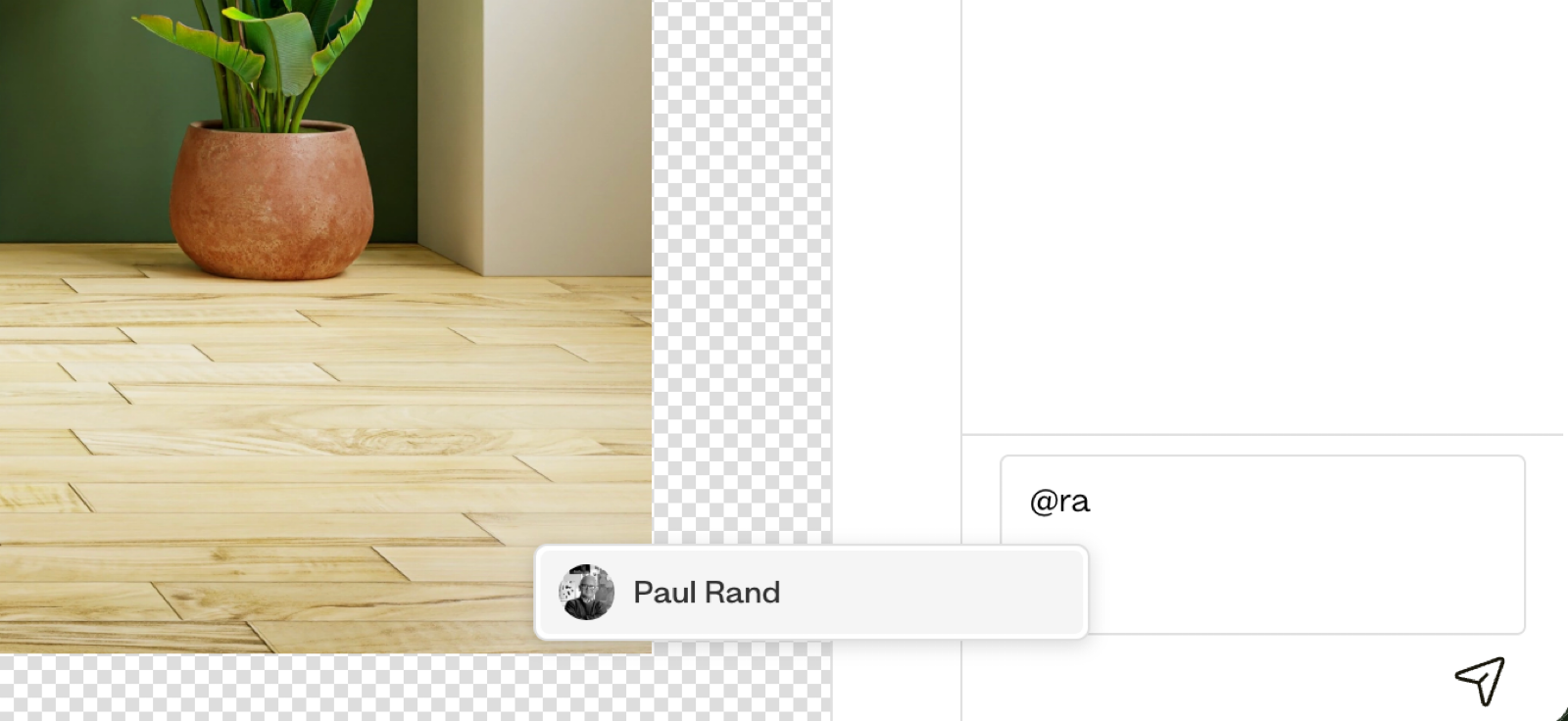
Collaboration just got easier. You can now @mention team members in asset comments to bring their attention to specific files. Just type @ and select who you want to notify, perfect for getting quick feedback or flagging important assets.
Smarter Notifications
We've completely revamped how notifications work in Baseline. You can now customize your notification preferences in the new Notification settings section under account settings.
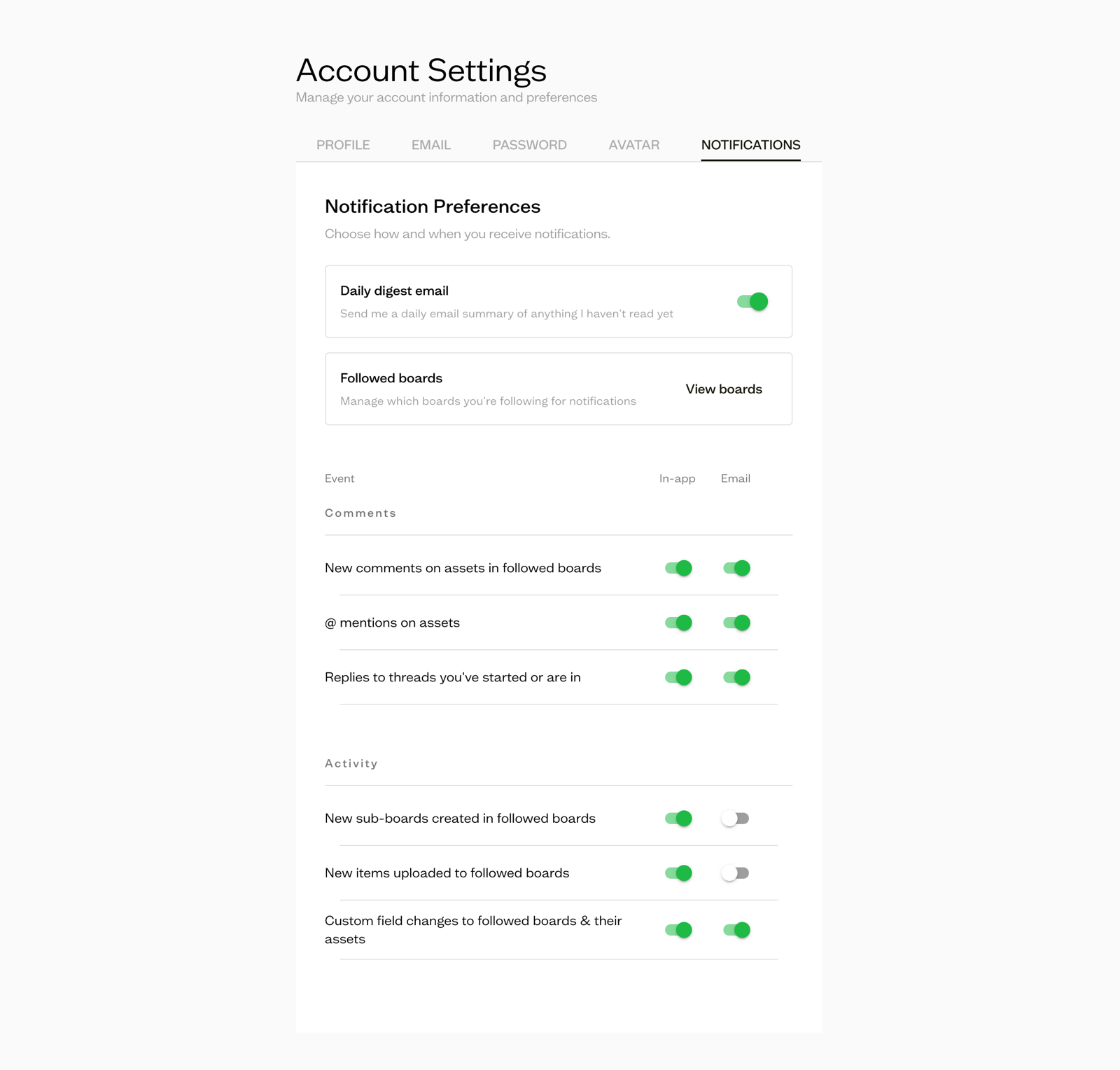
To reduce notification fatigue, we've added batching for repetitive actions like uploads, no more getting pinged for every single file. Plus, there's a new daily digest for unread in-app notifications, so you can catch up on what matters at your own pace.
Tag Management
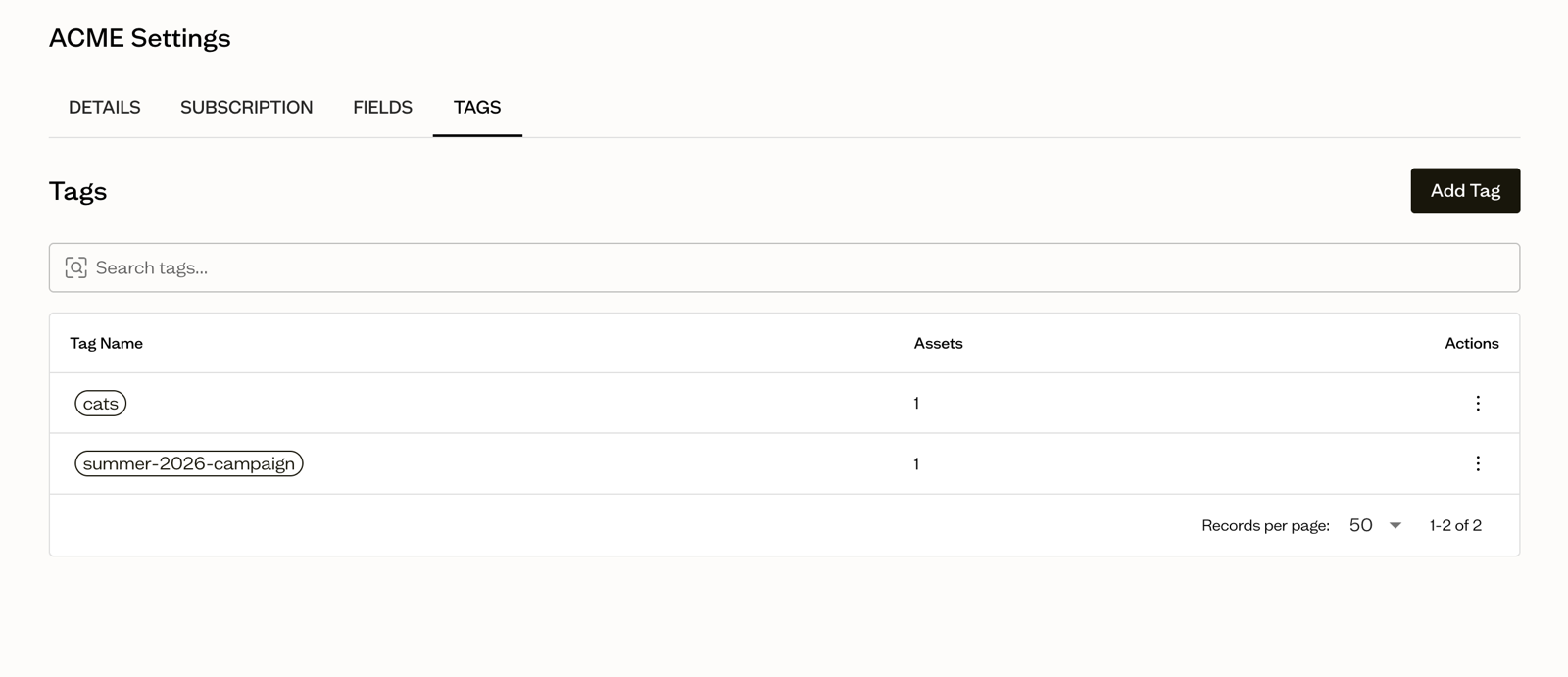
You asked, we delivered. The workspace settings now include a dedicated tag management section where you can view, rename, and delete tags. When editing asset tags, you can also see and filter all available workspace tags to keep everything organized.
Better Visual Organization
White logos with transparent backgrounds are now much easier to see thanks to a checkered background on assets. It's a small change that makes a big difference when browsing through your library.
Resizable Sidebar
The left sidebar is now resizable, just drag the border to adjust it to your preference. Perfect for those who like a bit more breathing room or need to see longer board names.
Bug Fixes
We've also squashed a bunch of bugs to make your experience smoother:
- Fixed square assets growing way too big in the asset grid
- Fixed page jumping back to top after opening asset preview
- Fixed spaces getting deleted when typing in text boxes in the site editor
- Improved section and block dragging in the site editor
- Improved sidebar board list dragging and dropping
- Fixed not being able to open preview when in kanban view
- Fixed dragging and dropping folders causing uploads to fail
- Fixed broken image thumbnails after uploading folders
- Fixed avatar not loading after upload with retry logic
- Fixed member invite bug causing emails to be added prematurely
- Fixed previews not appearing for some document files
- Fixed board thumbnails not appearing for document-only boards
- Fixed EPS files showing broken images in preview
- Fixed incorrect asset size values inflating workspace size
- Fixed not being able to add font sets
- Many other minor tweaks and improvements
As always, we appreciate your feedback and support. Keep the suggestions coming, we're listening!